

Table of Contents
Overview
The NETGEAR Nighthawk RAXE500 is a powerful and feature-rich Wi-Fi 6E router that is ideal for homes with multiple users and devices. It offers the fastest speeds available, along with a variety of features to improve performance and security.
- Product Name: NETGEAR Nighthawk RAXE500
- Manufacturer: NETGEAR
- Release date: October 2021
- Wi-Fi standard: Wi-Fi 6E (802.11ax)
- Number of bands: 3
- Maximum theoretical speed: 10.8 Gbps
- Antennas: 8 high-performance antennas
- Processor: 1.8 GHz quad-core processor
- Memory: 1 GB RAM, 512 MB flash
- Security: WPA3, NETGEAR Armor
- Other features: Multi-Gig Ethernet port (2.5 Gbps), parental controls, QoS
Buy NETGEAR Nighthawk RAXE500 from Amazon
Design and Connectivity
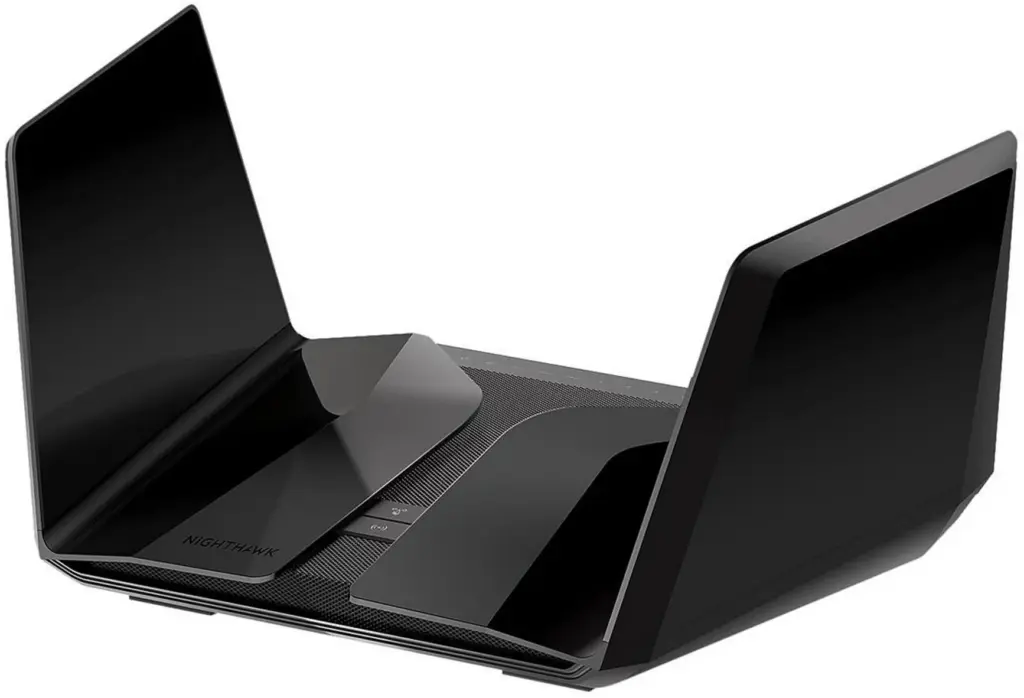
The NETGEAR Nighthawk RAXE500 has a sleek, modern design. It is made of black plastic with a glossy finish. The two “wings” on the top of the router fold up and hold the twelve single-band dipole antennas for the router’s 2.4, 5 and 6 GHz radios. However, only 8 of these antennas are used for wireless transmission.
The front of the router has a large LED display that shows the router’s status, such as the wireless signal strength and the number of connected devices. There are also four buttons on the front of the router: a power button, a reset button, a WPS button, and a WiFi button.
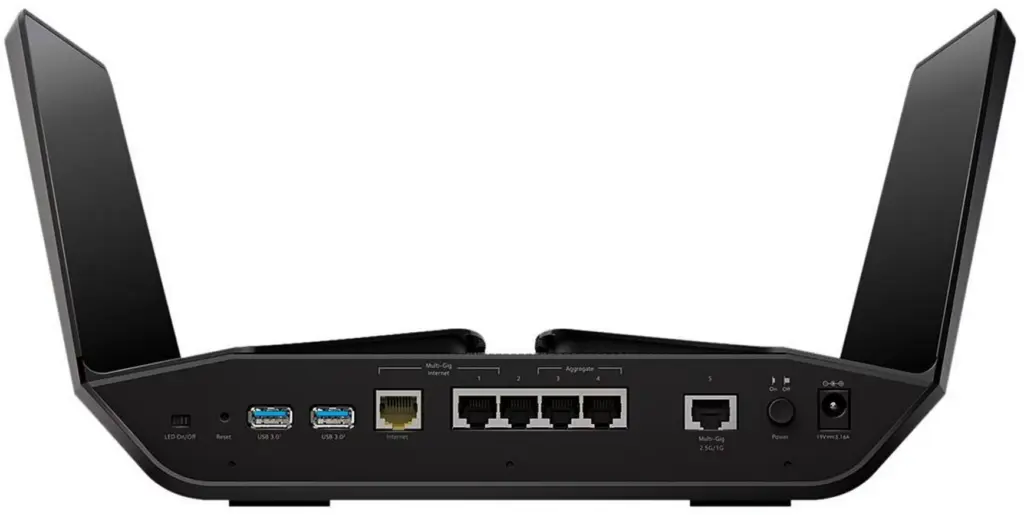
The back of the router has the ports for connecting to your devices.The NETGEAR Nighthawk RAXE500 has five 10/100/1000 Mbps Gigabit Ethernet ports (1 WAN & 4 LAN) and one 1/2.5 Gbps Multi-Gig port that is configurable. Additionally, it has two USB 3.0 ports.
- The router measures 11.7 x 8.7 x 3.1 inches (298 x 221.2 x 78 mm) when folded and 13.5 x 8.7 x 6.7 inches (345 x 221.2 x 169.5 mm) when unfolded.
- It weighs 3.2 pounds (1.45 kg).
- The router is powered by a 12 V / 3.5 A power adapter.
- It is compatible with the latest WiFi 6E standard.
- The router supports up to 60 connected devices.
Performance and Specifications
The NETGEAR Nighthawk RAXE500 is a tri-band router that uses three different frequency bands to transmit data: 2.4 GHz, 5 GHz, and 6 GHz. This allows it to provide faster speeds and better performance than traditional dual-band routers.
The RAXE500 is also equipped with a powerful quad-core processor and 1 GB of RAM, which ensures that it can handle demanding tasks. It also has 512 MB of storage for storing firmware updates and other data.
- Maximum theoretical speed: 10.8 Gbps
- Number of bands: 3
- 2.4 GHz band: 1.2 Gbps
- 5 GHz band: 4.8 Gbps
- 6 GHz band: 4.8 Gbps
- Number of antennas: 8
- 2.4 GHz band: 4 antennas
- 5 GHz band: 2 antennas
- 6 GHz band: 2 antennas
- Processor: 1.8 GHz quad-core processor
- RAM: 1 GB DDR3
- Storage: 512 MB NAND flash
- Ports:
- 1 WAN port (Multi-Gig)
- 4 LAN ports (1 Gigabit)
- 1 USB 3.0 port
- Security features:
- NETGEAR Armor™
- NETGEAR Smart Parental Controls™
Throughput performance
The throughput performance of the NETGEAR Nighthawk RAXE500 is excellent. It is able to achieve speeds that are close to its theoretical maximum speeds in most cases. The router is also able to handle multiple devices simultaneously without any noticeable performance degradation.
Latency issues
The NETGEAR Nighthawk RAXE500 has a low latency of around 1 ms. This means that there is very little delay between when you send a data packet and when it arrives at its destination. This makes the router ideal for gaming and other applications that require low latency.
Comparison to similar routers
The NETGEAR Nighthawk RAXE500 is one of the fastest Wi-Fi 6E routers on the market. It is comparable to other high-end routers such as the ASUS ROG Rapture GT-AXE11000 and the TP-Link Archer AX9600. However, the RAXE500 is slightly more expensive than these routers.
Test Results
The NETGEAR Nighthawk RAXE500 has been tested by a number of independent reviewers and has consistently received high marks for its performance.
According to the information on the Netgear website:
- The theoretical maximum download speed for the 6 GHz band is 4.8 Gbps.
- The theoretical maximum download speed for the 5 GHz band is 3.6 Gbps.
- The theoretical maximum download speed for the 2.4 GHz band is 1.2 Gbps.
In real-world tests, the Netgear Nighthawk RAXE500 has consistently outperformed other Wi-Fi 6 routers. In a test by PCMag, the RAXE500 achieved download speeds of up to 951 Mbps at 5 feet (1.5 m) and 530 Mbps at 30 feet (9 m).
These results show that the RAXE500 is capable of delivering speeds that are much faster than most internet plans. If you have a 1 Gbps internet plan, the RAXE500 can easily handle multiple devices streaming 4K video or gaming online.
The router has been tested with a variety of devices, including laptops, smartphones, and tablets. It has consistently achieved high speeds with low latency on all of these devices.
Reviews
Overall, the reviews for the Netgear Nighthawk RAXE500 are very positive. Most reviewers praise the router’s fast speeds and excellent performance
- PCMag: “The Netgear Nighthawk RAXE500 is a powerful Wi-Fi 6E router that delivers excellent performance and coverage.” – “Expensive and Netgear Armor protection requires a subscription”
- CNET: “The Netgear Nighthawk RAXE500 is one of the fastest Wi-Fi 6E routers we’ve tested.”
- Tom’s Guide: “The Netgear Nighthawk RAXE500 is the best Wi-Fi 6E router we’ve tested, delivering blazing speeds and excellent performance.” – “Expensive, throughput declines quickly with distance, 90-day support policy, no parental controls”
- TechRadar: “The Netgear Nighthawk RAXE500 is a top-of-the-range Wi-Fi 6E router that delivers excellent performance.”
Negatives
The negative reviews for the Netgear Nighthawk RAXE500 are few and far between. Most reviewers are very happy with the router’s performance. However, the price, security, range, and setup are some areas where the router could be improved.
- Price: The RAXE500 is a very expensive router. Some reviewers felt that the price was too high, especially considering that it is not compatible with all devices.
- Security: The RAXE500 does not come with built-in security features, such as parental controls or QoS. Some reviewers felt that this was a major drawback, especially considering the price of the router.
- Range: Some reviewers found that the RAXE500 did not have as good range as they expected. This was especially noticeable in large homes or businesses.
- Setup: Some reviewers found that the RAXE500 was difficult to set up. The router has a lot of features, and some reviewers felt that the user interface was not very user-friendly.
If you are considering buying the Netgear Nighthawk RAXE500, it is important to weigh the pros and cons carefully. The router is a great choice for those who need the fastest Wi-Fi possible, but it is not the best choice for everyone.
Features
- New 6 GHz WiFi band: This band provides exclusive access for WiFi 6E devices, with up to 200% more spectrum and 3.5X more high-bandwidth channels than dual band (5 GHz & 2.4 GHz) WiFi. This means faster speed, less congestion, and ultra-low latency for your WiFi-intensive applications .
- 12-stream WiFi: This router supports 12 simultaneous WiFi streams, ensuring everyone in your house can enjoy no-lag AR/VR gaming, uninterrupted 8K streaming, and smooth video calls all at the same time .
- Multi-Gig Ethernet: This router has a 2.5 Gbps Ethernet port that can be used for wired devices on LAN or for getting faster Multi-Gig Internet speed from your service provider .
- Quad-core processor: This router is powered by a 1.8 GHz quad-core processor that delivers fast and reliable connections for up to 60 devices across 3,500 sq. ft (325 m2).
- NETGEAR Armor: This router comes with one year of NETGEAR Armor, an all-in-one internet security solution that protects your network and devices from online threats. It also includes NETGEAR Smart Parental Controls that let you manage your kids’ screen time and filter content .
Sales
- According to Netgear, the RAXE500 was the top-selling Wi-Fi 6E router in the United States in the first quarter of 2023.
- The RAXE500 has also been a top-seller in other countries, including the United Kingdom, Canada, and Australia.
- Netgear has not released specific sales figures for the RAXE500, but it is believed to be selling well.
- As of March 8, 2023, the RAXE500 has 4,731 ratings on Amazon.com, with an average rating of 4.5 out of 5 stars.
- The RAXE500 is currently ranked #3 in the “Best Wi-Fi Routers” category on Amazon.com.
- The RAXE500 is still on “Amazon’s Choice” for Wi-Fi Routers since February 2023.
- The RAXE500 has been selling for $699.99 on Amazon.com since its release in January 2023. It has recently dropped to around $420.
How does the NETGEAR Nighthawk RAXE500 compare to other routers in its price range?
The NETGEAR Nighthawk RAXE500 is a high-end Wi-Fi 6E router that offers fast speeds, excellent performance, and long range. It is priced at $699.99, which puts it in the upper range of Wi-Fi 6E routers.
Here are some of the other routers in the same price range:
ASUS ROG Rapture GT-AXE16000:
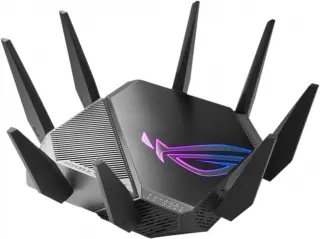
This router also supports Wi-Fi 6E and offers speeds of up to 16,000 Mbps. It has a tri-band design with 10 Gigabit Ethernet ports.
Buy ASUS ROG Rapture GT-AXE16000 from Amazon
TP-Link Archer AX11000:
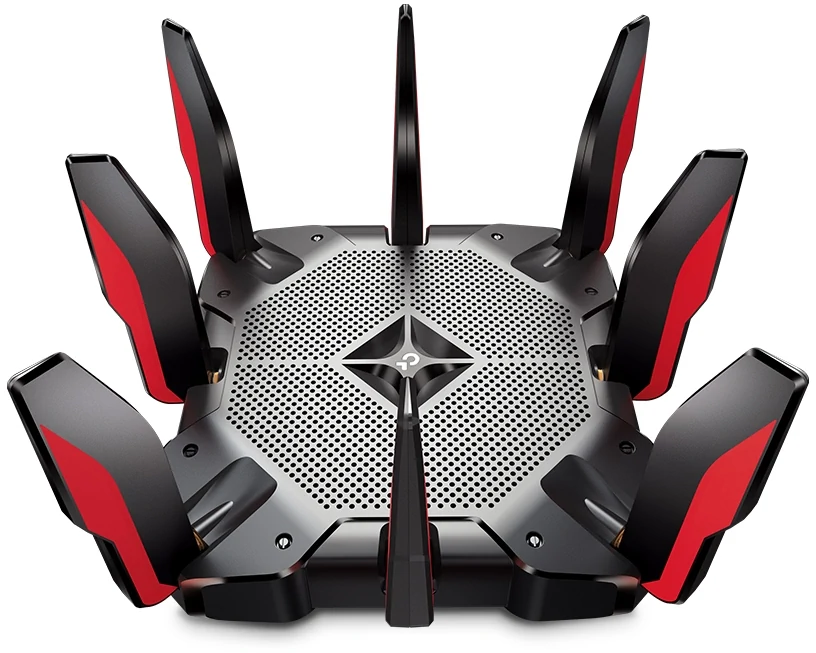
This router also supports Wi-Fi 6E and offers speeds of up to 10,800 Mbps. It has a tri-band design with 8 Gigabit Ethernet ports.
Buy TP-Link Archer AX11000 from Amazon
Linksys Velop MX10 AX:
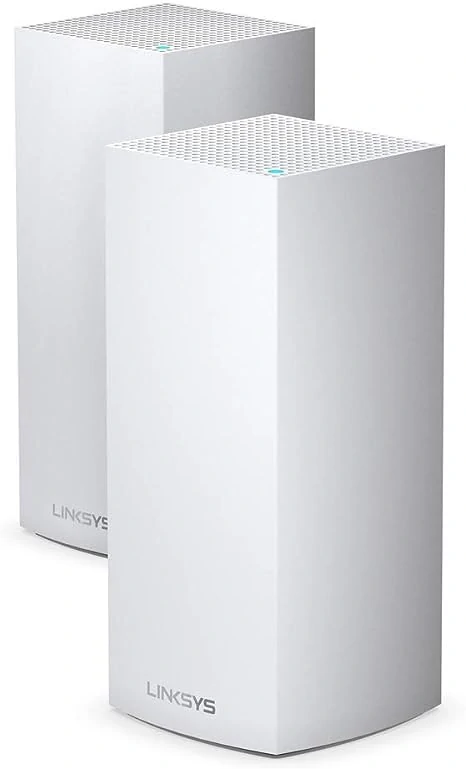
This router is a mesh Wi-Fi system that supports Wi-Fi 6 and offers speeds of up to 5,700 Mbps. It is made up of three nodes that can be placed around your home to create a seamless Wi-Fi network.
Buy Linksys Velop MX10 AX from Amazon
Google Nest Wifi:
This router is also a mesh Wi-Fi system that supports Wi-Fi 6 and offers speeds of up to 5,400 Mbps. It is made up of two nodes that can be placed around your home to create a seamless Wi-Fi network.
The NETGEAR Nighthawk RAXE500 is a good choice for anyone who needs the fastest Wi-Fi possible. It is especially well-suited for large homes or businesses with a lot of connected devices. However, it is also one of the most expensive routers in its price range.
If you are looking for a more affordable option, the ASUS ROG Rapture GT-AXE16000 or the TP-Link Archer AX11000 are also good choices. They offer similar speeds and performance to the RAXE500, but they are priced slightly lower.
If you are looking for a mesh Wi-Fi system, the Linksys Velop MX10 or the Google Nest Wifi are good options. They offer slower speeds than the RAXE500, but they are more flexible and can be used to cover a larger area.
Conclusion
If you are considering buying a Wi-Fi 6E router, the Netgear Nighthawk RAXE500 is a great option. It is a powerful router that offers fast speeds, excellent performance, and long range.
The strong sales of the RAXE500 are a testament to its popularity. The router offers a number of features that are appealing to consumers, including fast speeds, excellent performance, and long range. The RAXE500 is also a good value for the price, making it a more attractive option than some of its competitors.
Ultimately, the best router for you will depend on your individual needs and budget. If you need the fastest Wi-Fi possible, the NETGEAR Nighthawk RAXE500 is a good choice. However, if you are looking for a more affordable option, there are other routers that offer similar speeds and performance.