

Updated 1/3/2013 – Added revision information
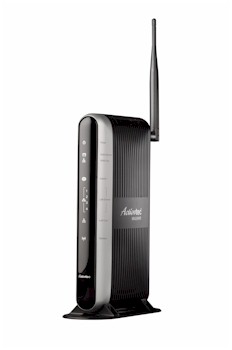
| At a Glance | |
|---|---|
| Product | Actiontec Wireless Broadband Router (MI424WR) |
| Summary | Fast, flexible 802.11b/g router OEM’d to Verizon for FiOS service |
| Pros | • Up and download QoS w/ bandwidth mgmt • 100 Mbps wire speed throughput • Full set of routing features • MoCA WAN and LAN interfaces • VLANs and multiple WAN IP |
| Cons | • 10/100 switch instead of gigabit • Annoying Advanced Feature permission pages • No WPA2 or WPS support • Labyrinth-like navigation • Easily-bypassed Parental Controls |
Introduction
I received a request some time ago asking me to take a look at the Actiontec MI424WR, which is a product OEM’d to Verizon for use with its FiOS fiber-based Internet service. Of particular interest was how it stacked up against the Netgear WPNT834 and D-Link DGL4300 and DIR-655 that have been sitting at the top of our Router Charts for some time. It took awhile because Actiontec was in the process of rolling to an updated design for the product (shown above). But the product finally arrived a few weeks ago and here’s the report.
The box that finally showed up actually contained an old-style router that looked like Figure 1. But Actiontec assured me that the board and functions are the same as those in the new-style enclosure, so I pressed on with the review.
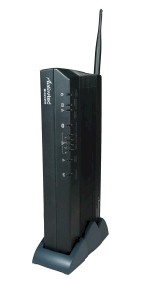
Figure 1: Old MI424WR enclosure
The 424 is actually rather large as routers go, measuring just shy of a foot wide. The front panel indicators are shown in Figure 2 and the rear panel connectors are found in Figure 3. Of special note is the Coax LAN reference. This is the first product that I’ve been able to get my hands on that supports MoCA networking. Unfortunately, I wasn’t able to test it because Actiontec didn’t provide its ECB1500 MoCA to Ethernet adapter that would have allowed me to connect a test client.
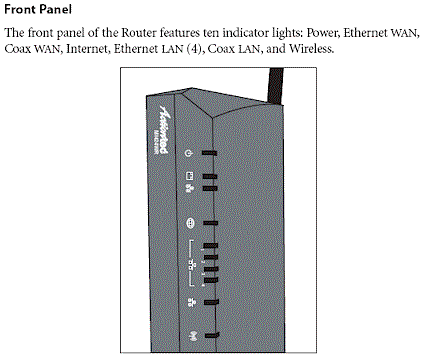
Figure 2: MI424WR Front Panel
The Rear panel (Figure 3) shows a single coax connector that supports both MoCA WAN and LAN connections. (WAN is supported on a single 975 MHz – 1025 MHz channel and LAN on six channels from 1125 MHz – 1425 MHz.) The other surprise is that with all the other technology packed into this box you would think that Actiontec would have thrown in a gigabit switch. But, alas, the usual four-port 10/100 is there instead.
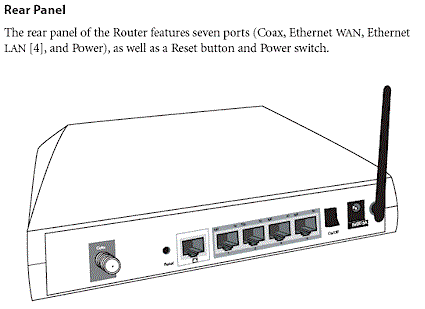
Figure 3: MI424WR Rear Panel
Figures 4 and 5 provide a look at the 424’s board. Although the CPU is covered with a heatsink, some Googling found references to an Intel IXP42x clocked @ 533MHz, so that’s what I’m going with for now. The other two heatsink-covered chips are most likely Entropic EN2210 or EN2010 Coaxial Network Controllers. If they are, then the companion EN1010 Coaxial Network Interface chips would be under the shielded areas to the right of each device.
The five 10/100 ports (one WAN, four LAN) are provided by the Kendin (now Micrel) KS8995. My Googling also revealed that the memory size is 32 MB.
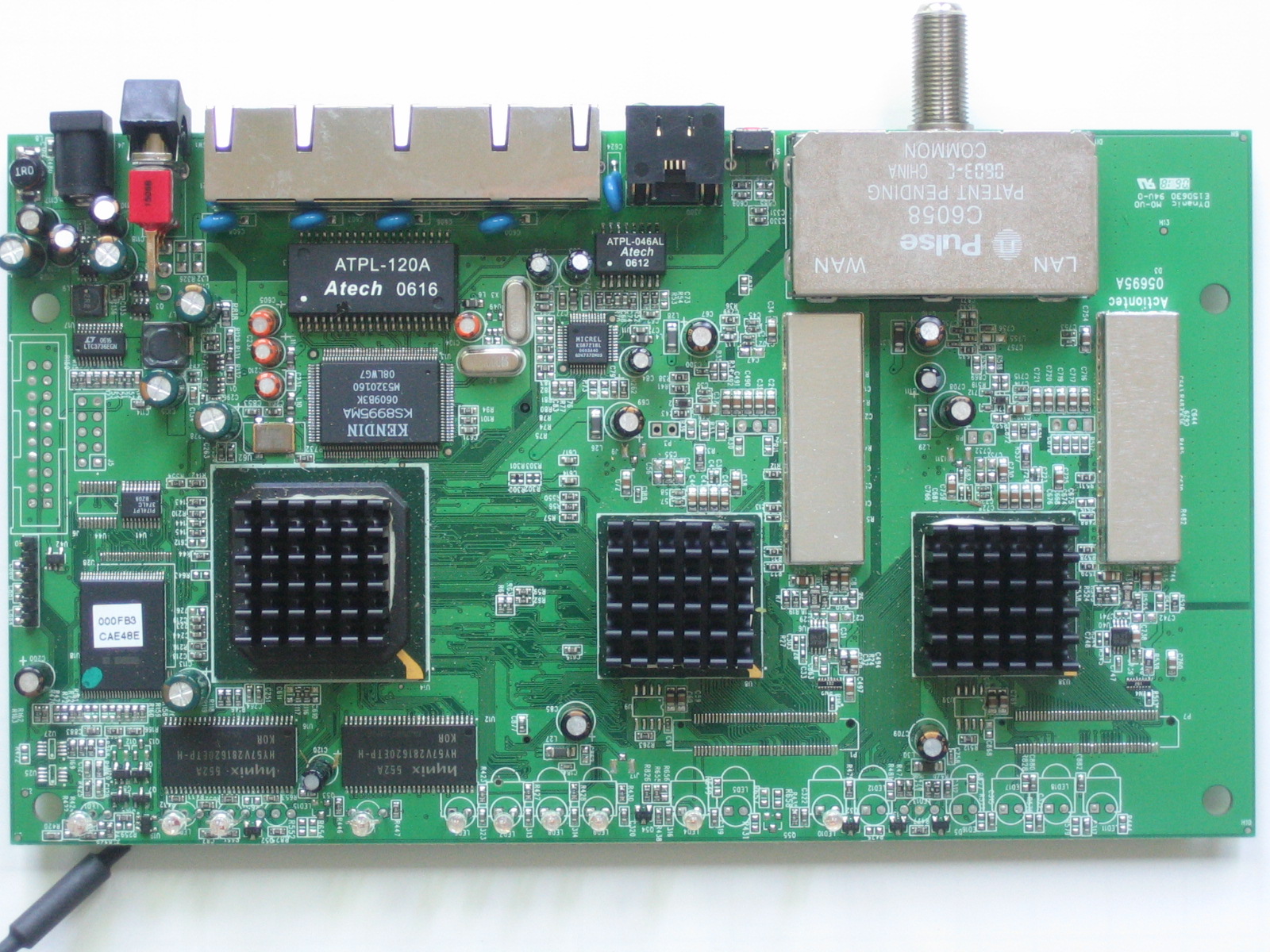
Figure 4: MI424WR board top
Figure 5 shows the bottom of the board, where the Actiontec 802MRG mini-PCI radio board is found. The 802.11b/g module uses the Ralink RT2500 chipset that includes the RT2560 MAC/Baseband chip that you can see and an RT2525 RF chip that is under the shield.
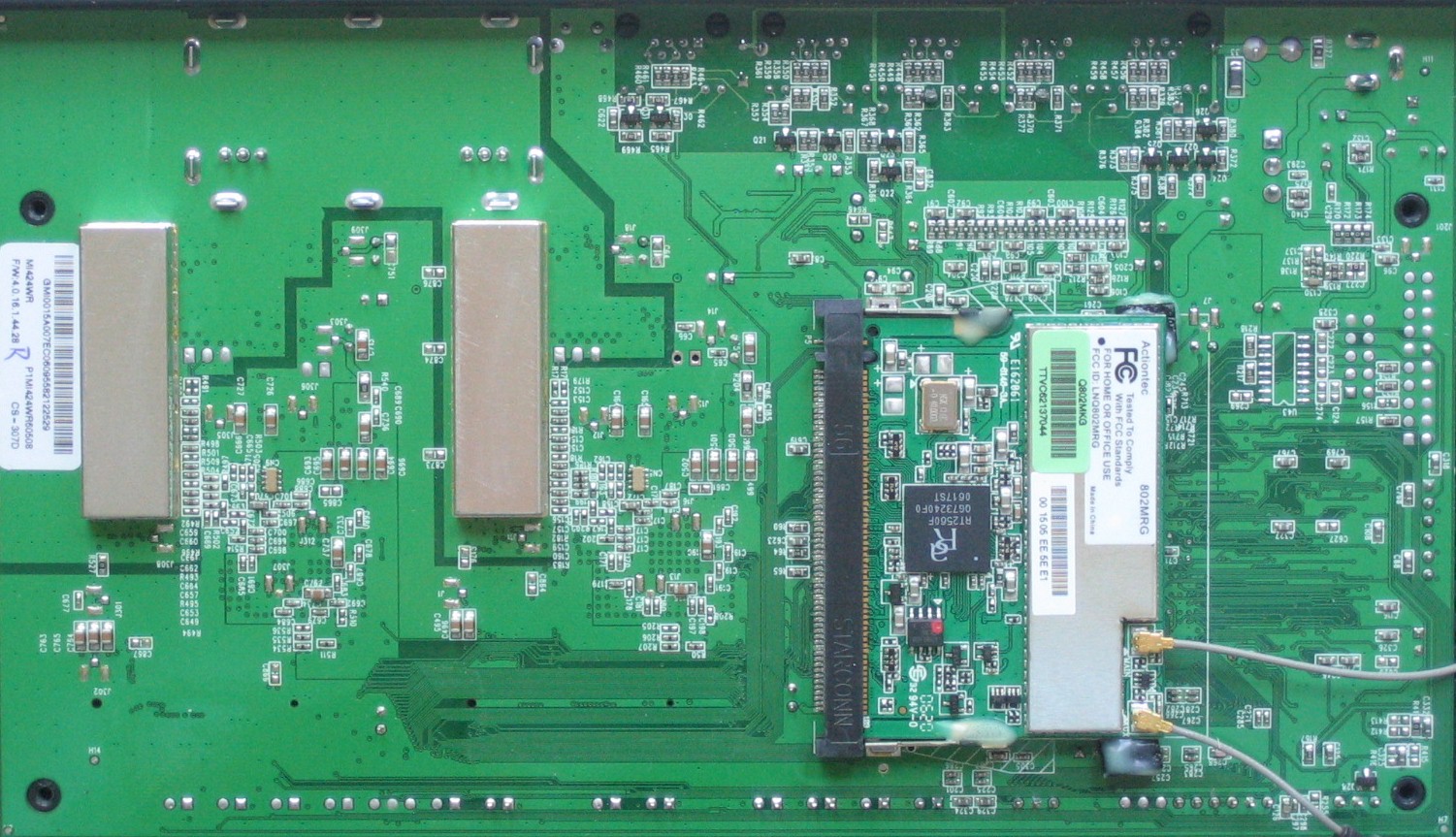
Figure 5: MI424WR board bottom
Features – Wireless, My Network
Figure 6 shows the login landing Main page, which reveals a clean, attractive interface, with Verizon branding and links to Actiontec and Verizon pages where you can buy stuff.
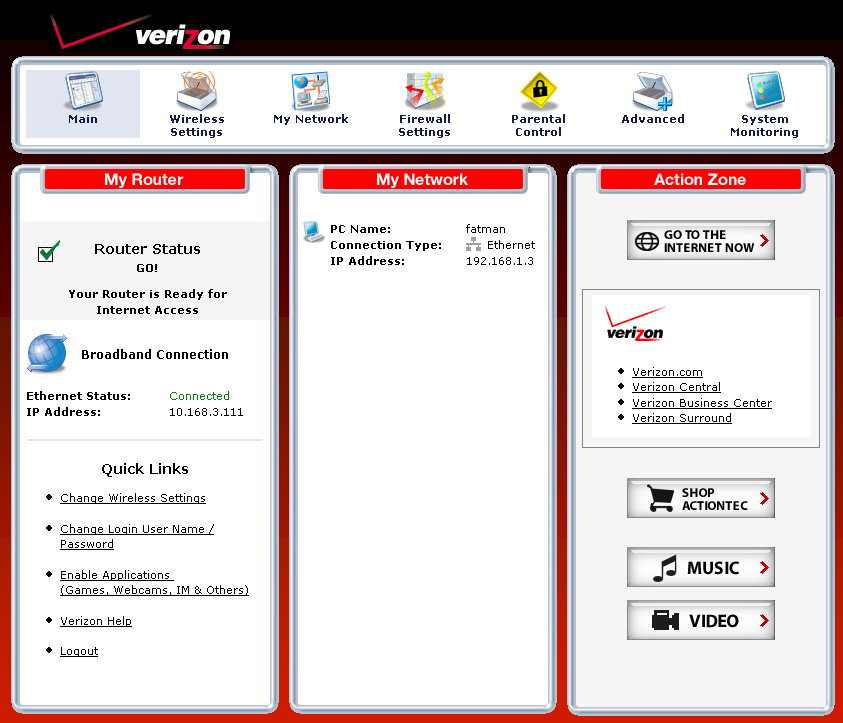
Figure 6: Main page
The essential wireless settings are on the Wireless Settings > Basic Security Settings page shown in Figure 7 below. I have mixed feelings about the default to WEP and the (We recommend using WEP because it encrypts your wireless traffic.) notation next to the enable button.
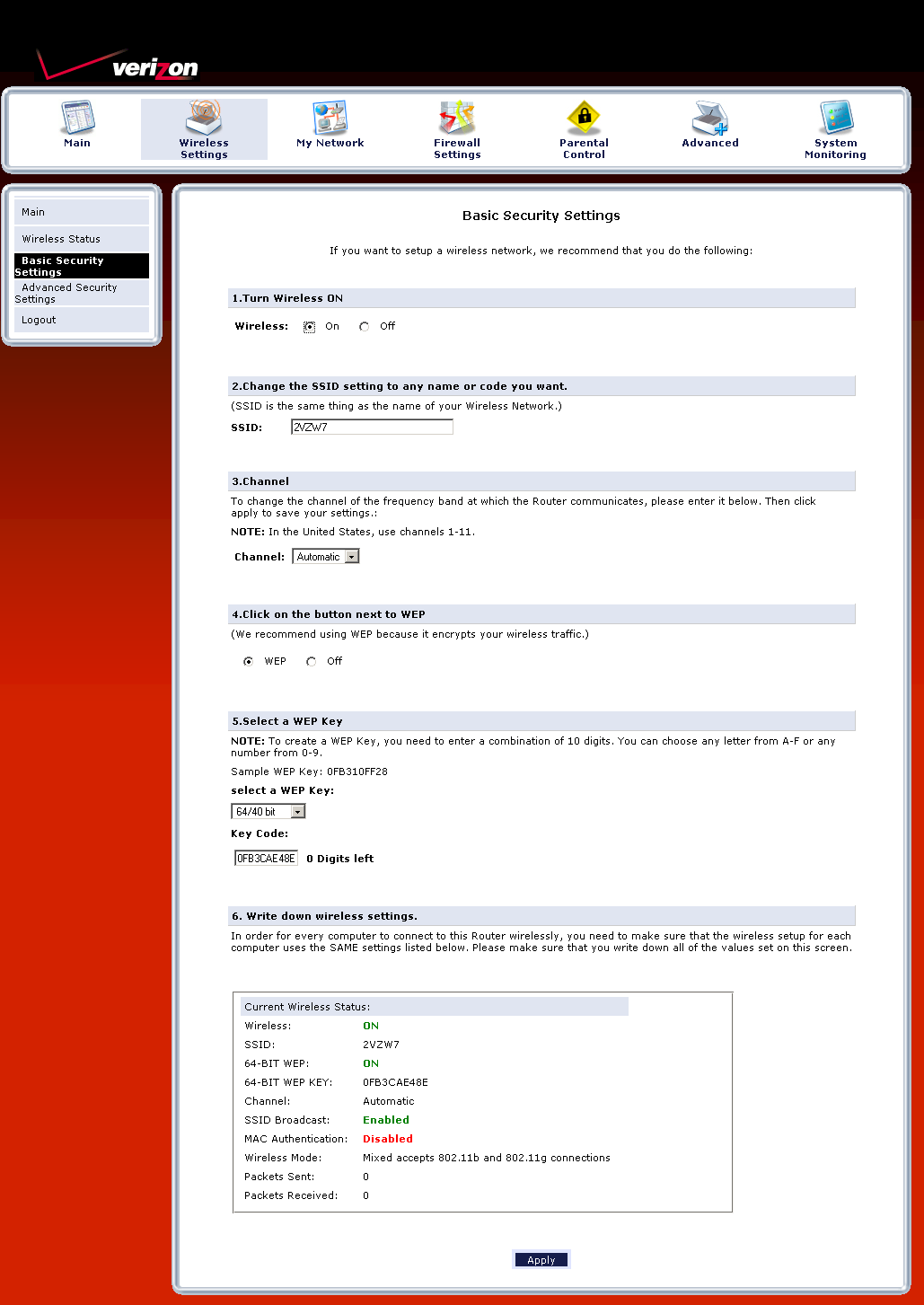
Figure 7: Wireless settings
I can see why Verizon went with this option, given WEP’s continued widespread use and its desire to minimize tech support calls. But WPA/WPA2 should be the recommended default since it is supported in most wireless devices and is more secure. And if Verizon really wanted to be current, Wi-Fi Protected Setup (WPS) should be supported, but isn’t.
The My Network icon looks innocent enough, but if you’re adventurous and persistent with clicking on icons, you’ll find all sorts of hidden features in the maze-like navigation structure. The Network Status page (Figure 8) shows icons for connected clients along with links to things you might like to do. But clicking the Access Shared Files links just threw up 404 Not Found pages.
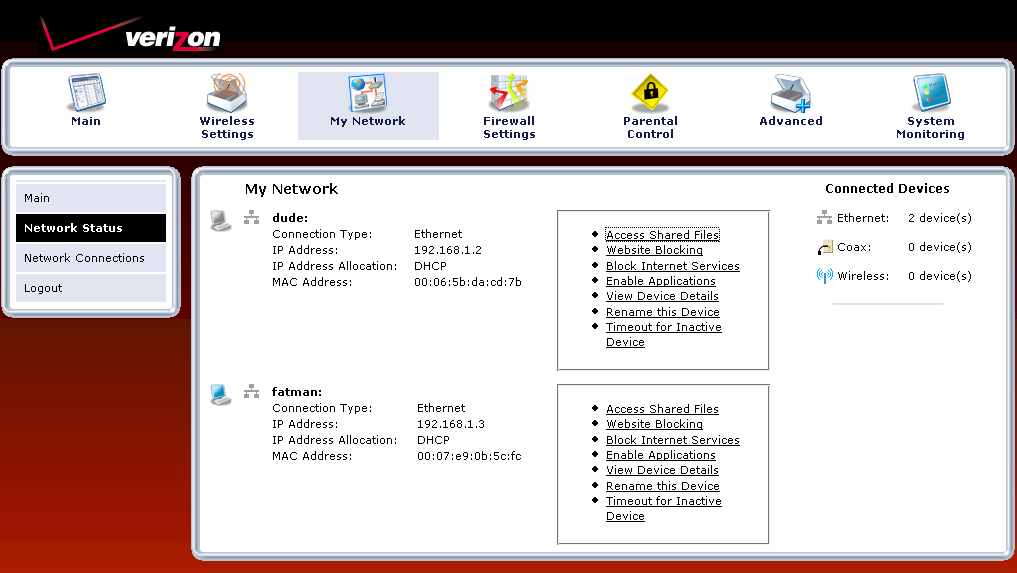
Figure 8: Network Status
Features – Network, Firewall
The more interesting discoveries can be made via the Network Connections page. In Figure 9, I’ve activated the Advanced view, which exposes the Ethernet, Coax and Wireless Access Point options under Network (Home/Office).
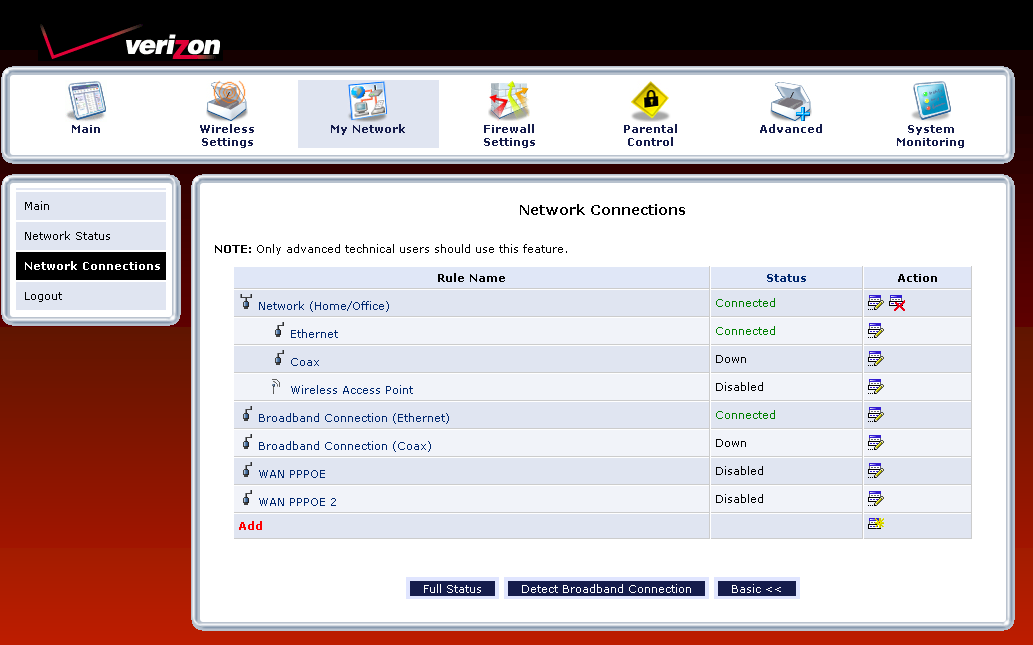
Figure 9: Network Connections
By clicking the Ethernet edit icon, then the Settings button on the screen that appeared, I was able to access a screen that allowed me to assign the Ethernet connection to the Broadband Connection or DMZ networks, set the MTU and even assign each switch port to a VLAN!
When exploring the configuration options for the Broadband Connection, I once again found MTU settings. But also found controls to set the subnet mask, DNS servers, static routes as well as enable Multicast – IGMP proxy, disable the Firewall, switch from NAPT (internet sharing to straight routing mode and assign additional IP addresses to the interface. An inexperienced user—hell, even me—could really mess themselves up with some of these controls. So I’m surprised that there isn’t a mode to lock them out.
The Firewall Settings section is pretty extensive, but the most annoying. You start at the simple screen shown in Figure 10, which defaults to the Medium setting. Clicking on any of the other links in the left-hand nav bar (except Logout) takes you first to a warning screen with the message shown in Figure 11.
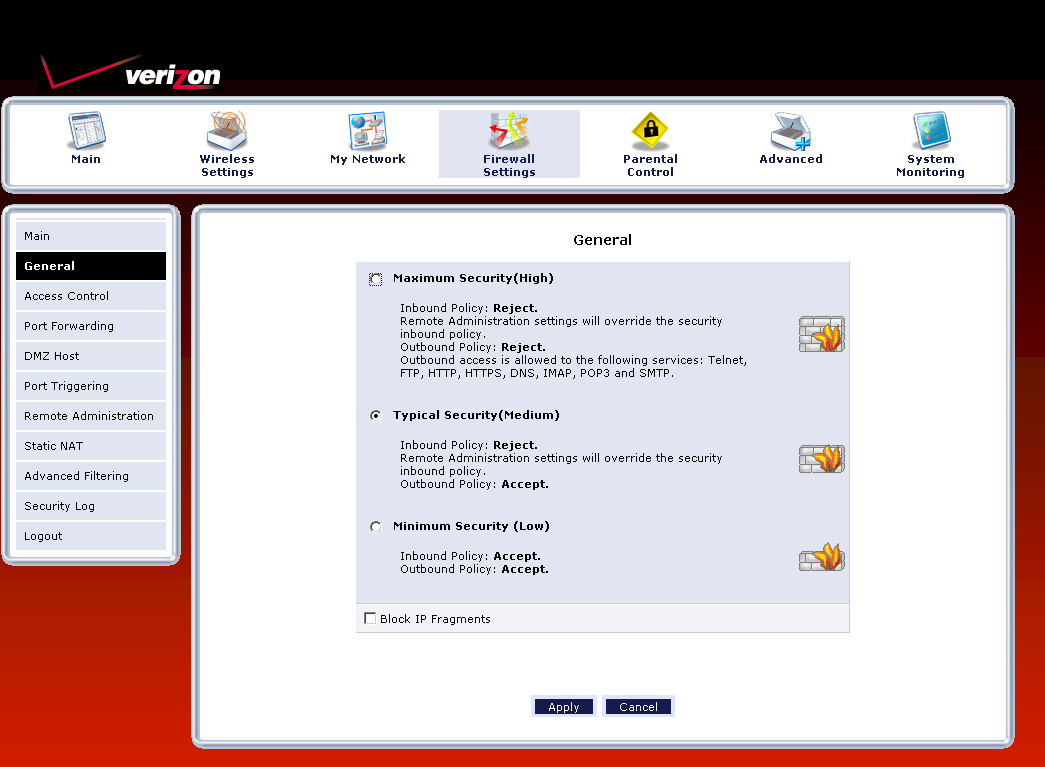
Figure 10: Firewall settings
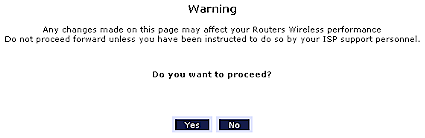
Figure 11: Firewall settings
As you can imagine, this gets old really fast. I guess Actiontec figures that users will give up trying to access "advanced" features just to avoid this annoying nag.
Access Controls (port filtering) can be set for each attached device. The list of built-in services is extensive and you can also add your own using single ports or port ranges and TCP, UDP, ICMP, GRE, ESP, AH or a custom-specified protocol. Each rule can be scheduled for selected days, but the same time each day.
Port Forwarding controls have similar flexibility with custom service and scheduling options. There are also Port Triggering and DMZ Host functions for more ways to poke holes in the firewall. There is also a Static NAT function that will be useful if you have multiple IP addresses from your ISP and UPnP can be enabled (it’s off by default). A special tip o’ the hat goes to Actiontec for its implementation of UPnP. The 424 is one of the few routers I’ve tested whose GUI reflects ports opened via Windows clients using the UPnP Internet Connection Status Properties settings!
If you really are into advanced firewalling, then you’ll like the Advanced Filtering features. You can set packet Drop / Reject / Accept / Accept Packet rules with time schedules. The last two options let you specify whether SPI is applied to the packets in the rule. You can also choose to log rule matches.
Speaking of logs, the controls are also found in this section under the Security Log link. After once again clicking through the advanced feature nag screen, which you’ll also get if you click the Refresh button…sheesh! Log entries are in clear English and you can clear and save logs, but not send to a syslog server.
Log settings, which are all disabled by default, include incoming and outgoing connections, blocked events (all or individual categories such as blocked fragments, syn flood, etc.) and remote administration attempts. Note, however, that the log appears to be one looonnnggg page, which could really put a crimp on its usefulness. At least new events are added to the top of the page!
Features – Parental Controls, Advanced
Given the complexity of the firewall, I was disappointed in the Parental Controls section. You get both keyword and website/domain blocking, which can be applied to individual clients. But if you want to assign the same rule to multiple clients, you need to create a rule entry for each client. You can also block all Internet access, but again, you need to establish a rule for each client.
The bigger flaw with this feature is that the website blocking feature doesn’t block subdomains. So setting a rule to block yahoo.com blocked access attempts to both www.yahoo.com and yahoo.com, but not my.yahoo.com. Worse, however, was that I could bypass the blocking by using the site’s IP address. There are also no controls to block proxies, Java applets or ActiveX controls and I couldn’t find blocked site attempts anywhere in the logs. As I said, this was a disappointing performance.
The Advanced section (Figure 12) holds all sorts of goodies, too numerous to review here, so I’ll just hit the highlights.
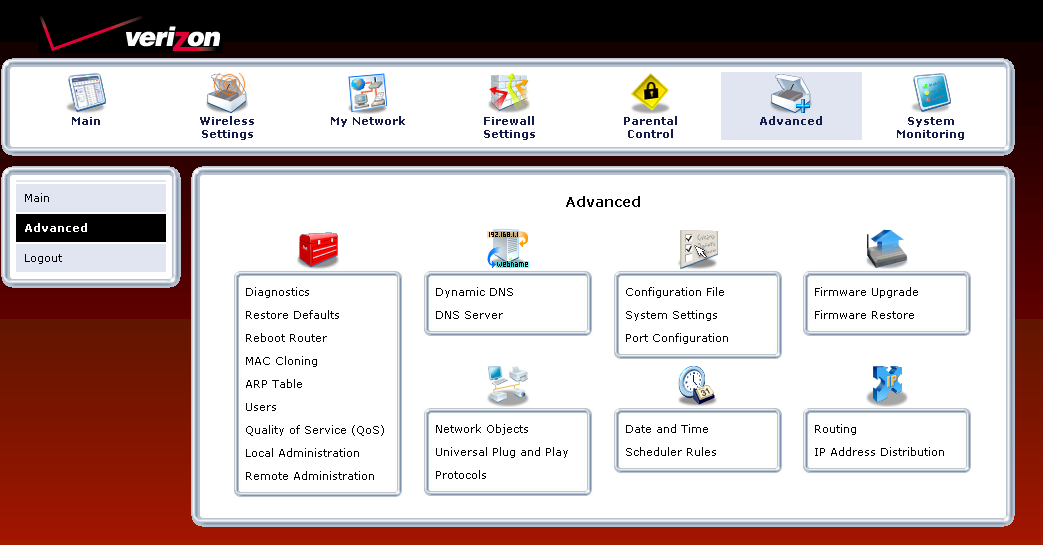
Figure 12: Advanced settings
The Remote Administration link actually takes you over the the Firewall section and contains enables for Telnet, Secure Telnet and HTTPS access. But you can’t limit access to specific IP addresses or ranges here—you’ll need to visit the Firewall’s Advanced Filtering section for that.
Up and downlink priority-based QoS can be set in the Quality of Service section. Controls here include source and destination addresses and protocol. DSCP tagging can also be added, you can elect to log matched packets and also schedule when the QoS rule applies. Note that there are no overall bandwidth-limiting or shaping controls.
Other features found while navigating this section of the administration maze include Dynamic DNS support for dyndns.org, a log email function (buried in the System Settings) with username/password authentication but no test button, UPnP controls and LAN port speed and duplex settings.
Finally the System Monitoring section has both a simple status page with no security nag and the Full Status page shown in Figure 13. You’ll also find System (console) log and Traffic Monitoring links among the Advanced Status menus. The latter, however, is just an abbreviated version of the Full Status page showing transmit / receive packet counts.
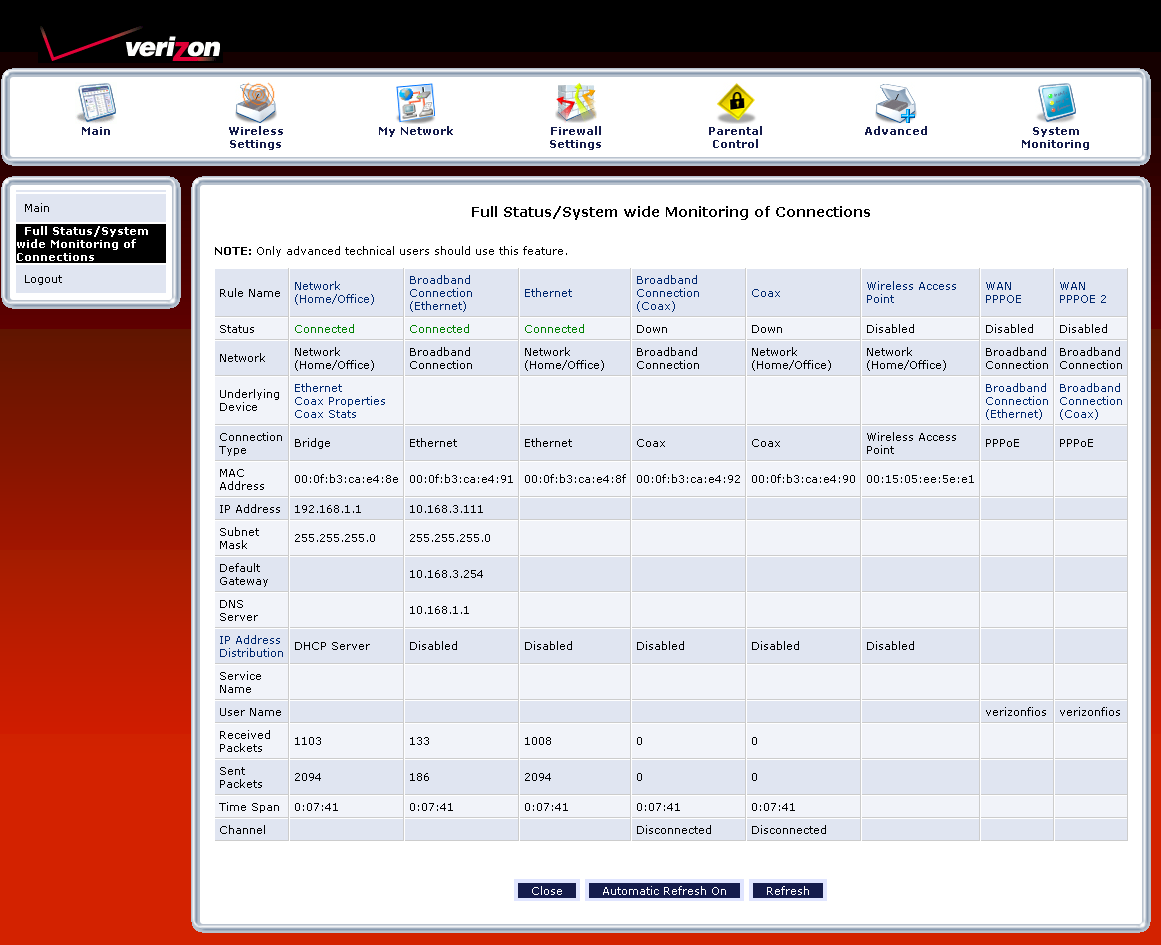
Figure 13: Full Status screen
Performance
The 424 places among the top routers with 100 Mbps WAN connections in our Router Charts with down and uplink throughput of 93 and 92 Mbps respectively. Figure 14 shows the IxChariot plot with nicely matched and stable throughput in both directions with 126 Mbps total throughput.
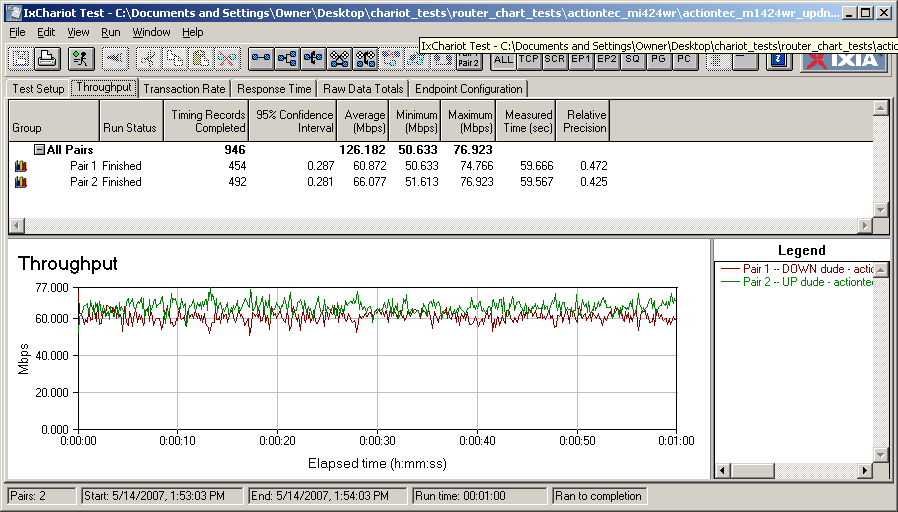
Figure 14: MI424WR Simultaneous Up and Download throughput
The main disappointment will be for P2P users, since I was able to get only 96 simultaneous connections to successfully complete the one minute test, and even that took the maximum three attempts.
I didn’t do any wireless testing on the 424. But I wouldn’t expect miracles from its 802.11b/g radio that lacks any proprietary throughput enhancement options.
Closing Thoughts
The MI424WR has enough speed to handle the fastest Verizon FiOS 30 Mbps down / 5 Mbps up service with throughput to spare. Its feature set is extensive, but can be hard to access through a user interface that’s easy to get lost in and frequently annoying with its ineffective warning/nag screens. However, its firewall port forwarding and filtering features will handle just about any scenario that you could want and you get QoS controls, too.
Its main disappointment will be to P2P fans who want to use all that bandwidth as a bigger straw to suck down jumbo-sized media files. The Parental Controls also leave a lot to be desired since they can be easily bypassed and don’t properly log attempts to access blocked sites. I also wish that I could have seen how MoCA networking performed. But that will have to wait for another day.