

Introduction
Update 8/15/2007: Corrected annual fee information.
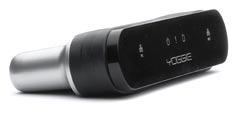
| At a Glance | |
|---|---|
| Product | Yoggie Gatekeeper Pro (YGKPPRO01) |
| Summary | Cool new category of security appliance. Provides a strong suite of security features for a reasonable price in a tiny, portable package. |
| Pros | • Almost perfectly cross-platform compatible • Very small for portable use • Can protect one, or multiple computers |
| Cons | • One more thing to carry on the road • Support from Israel imposes some delays • Relies on client software for spyware and virus detection |
The Yoggie Gatekeeper Pro is the second product I’ve reviewed for SmallNetBuilder that promises unified threat management (see D-Link DSD-150: Good idea, flawed implementation). The idea of the Yoggie Gatekeeper Pro is to take big enterprise information technology security and bring it painlessly to SOHO networks (and laptops) to provide UTM (Unified Threat Management).
Figure 1 shows you what comes in the box with a Yoggie Gatekeeper Pro. The manual is a 12 page double-sided map-folded brochure where each page is 4.5" by 4.5". You get an Ethernet cable and a CD with Version 1.03 of the Yoggie software setup program.
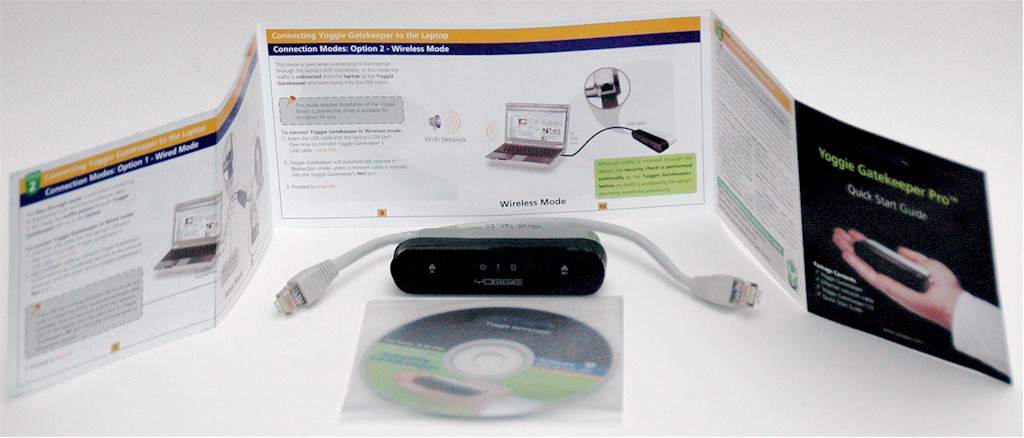
Figure 1: What you get
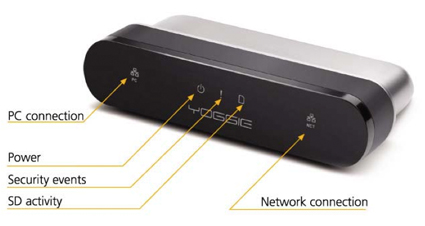
Figure 2: Front panel
The product shot above (Figure 2) shows the (extremely small) icons on the face of Yoggie. The blue LEDs on my evaluation unit were also very small. To monitor the LEDs on the Yoggie you need to keep the unit perpendicular to your angle of view. The SD activity LED seems to indicate something besides SD activity as the LED blinks pretty much constantly, even when an SD card is not in the Yoggie.
The back side of Yoggie has a rubber door covering the rear. On the left of Figure 3 is the recessed reset button. In the middle is the SD card port, used for recovering / restting your password (more on that shortly). Finally, on the right-hand side is a power port (the optional power adapter is $17.99 on Yoggie’s web site).
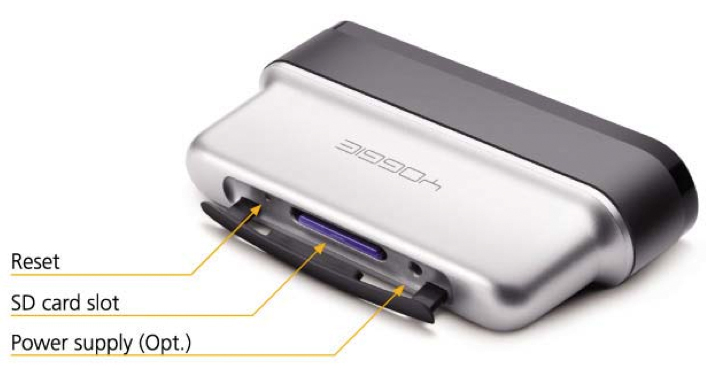
Figure 3: Yoggie Gatekeeper Pro – back view
With double-sided hook-and-loop or duct tape, you can mount the Yoggie Gatekeeper Pro as a semi-fixed security appliance for a laptop. While this seems like an awkward way to protect your laptop, it could be an interesting way for IT departments to give back some user-friendliness while controlling risk. For example, by turning off the annoying Vista confirmation that Apple made its "Security" commercial about, while retaining a pretty robust list of security features that do not need to be installed in Vista.
Setting Up
There are two ways to set up Yoggie with a laptop. You can connect LAN cables (in-line) to put Yoggie between your computer and the Internet (Figure 4). If you set up your computer using the in-line method, Yoggie defaults to a 192.168.4.x public domain subnet. My home subnet is 192.168.3.x so this wasn’t a conflict for me, but it is conceivable that you might run into a conflict if the hotel you stay in happens to have a 192.168.4.x subnet.
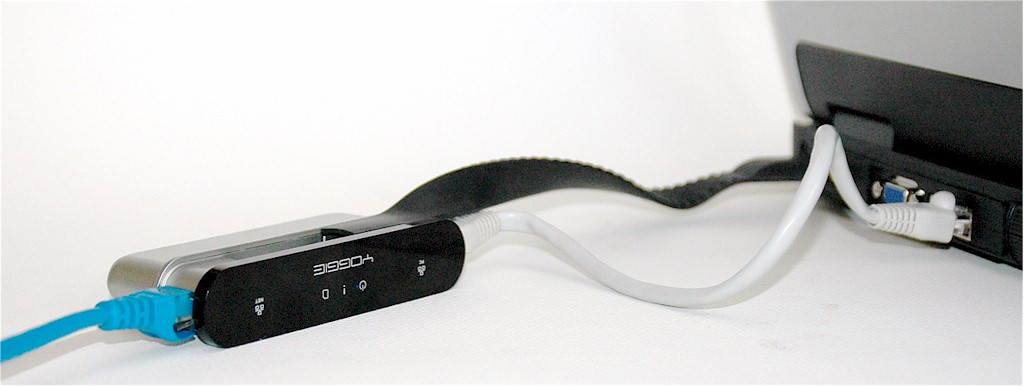
Figure 4: Yoggie in action (wired version)
When I saw the.4.x subnet initially, I assumed that the Yoggie took whatever public domain IP it was on (i.e., the 192.168.y.x) and incremented the subnet (y) by 1. Actually, no, the subnet is settable in the Management Console. When you set up Yoggie in the USB-only wireless configuration, your Ethernet ports use DHCP as assigned by your local DHCP server.
The other connection method is to dangle Yoggie by itself from a USB port, so that it will redirect and filter wireless and wired Ethernet packets. The USB-only configuration is called the "wireless" configuration in Yoggie’s manual even though it filters both wired and wireless packets.
Figure 5 shows Yoggie connected in its "wireless configuration". The wireless configuration requires Yoggie to be plugged in to a USB port for power; when using the in-line configuration you can either plug Yoggie in to your USB port, or, you can buy an optional extra power supply to provide power.
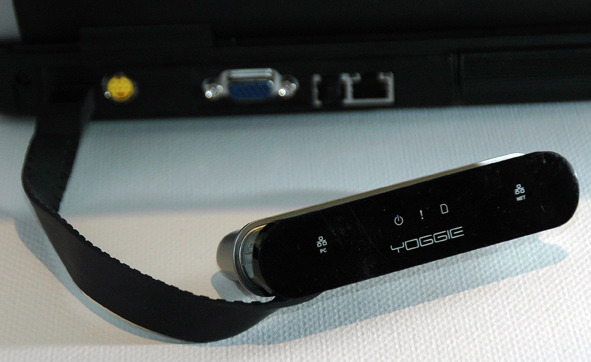
Figure 5: Yoggie in action (wireless version)
The Yoggie USB cable is a rubberized, flat cable, that acts like a collar going around the face-plate of the unit. You unplug the USB connector, unwind the USB cable, and then plug it into a USB port.
In addition to connecting a Yoggie Gatekeeper Pro to laptops, Yoggie can be used on LANs (see Figure 6). Install a Yoggie between your router and your modem to implement security from the outside-in. If you do this you will enter the "port forwarding zone" and have to forward ports for the games, incoming mail, ssh, etc. that you’ll need.
In fact, Yoggie is very similar to my ClarkConnect 4.1 Enterprise server. The main differences are that Yoggie is less complex (no root access means more safety and less tinkerability), Yoggie does not have a proxy server cache to speed up all the client PC updates that I do and Yoggie does not have an annual fee attached to it like ClarkConnect’s $85 a year.
Update 8/15/2007: Update subscription is $40/year, with the first year included in the purchase price.
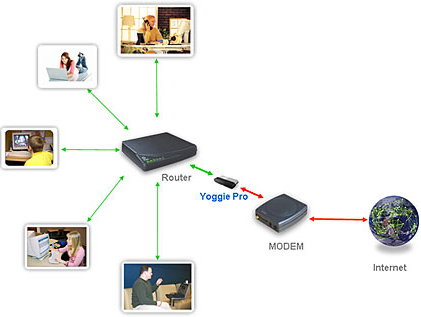
Figure 6: Yoggie Gatekeeper SOHO
The best sumary of what Yoggie does and how is provided by a product comparison page on Yoggie’s web site. I’ve reproduced the comparison in Table 1.
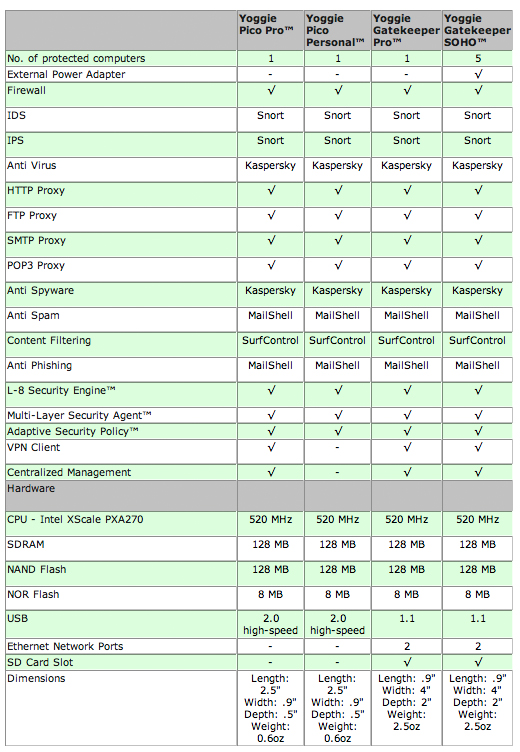
Table 1: Yoggie Product Comparison
Setting Up – more
Installing Yoggie is simple (famous last words). Step 1: pick how you want to install Yoggie (in-line or in wireless mode); Step 2: plug the USB cable into your laptop; Step 3: put the CD in your laptop and run the software installer; Step 4: Complete your registration over the Internet with Yoggie’s web back end where you choose language, password, the Yoggie’s device name, etc.
I could not get the 1.03 software on the CD that came with the evaluation unit to install on my Acer 4910-2028 laptop with Windows XP SP2. No problem: I downloaded version 5.1.0 from Yoggie.com, which installed fine. Next I was whisked to Yoggie’s back end system and chose English, a password for my command window, and then was asked to enter my license key.
The quick start guide did not say where to look for the license key. So, without hesitation I used the serial number on my Yoggie evaluation unit, typed it into the web page dialog, the number was accepted, and then the installation process froze.
Note to Yoggie buyers: the License key is not the serial number on Yoggie. The license key is on the clear plastic CD cover. The licence key is 16 digits long. The Yoggie serial number is 20 digits long. So, if you confuse them, the back end web application has more than enough digits to cause problems. However, it will not catch your error and help you back out of the error.
So, I think by using the wrong license key during the installation, I somehow locked myself out of my Yoggie unit. What this means is that I was unable to log into the Yoggie Management Console (see next section) via a web browser, and control all the gateway parameters in the server.
After some back and forth with Yoggie’s PR contact, I was instructed to email the company (support is based in Israel) so they could send an encrypted password to unlock the unit. Note: You need a small-capacity SD card. When I locked myself out of my unit, all I had were 2 GB and 4 GB SD cards, which did not work. Yoggie then sent me a 256 MB SD card with an encrypted key that did work.
Presumably, the key for unlocking a Yoggie Gatekeeper Pro is encrypted to the unit’s 20 digit serial number. However, I was unable to test whether the key I obtained would unlock the password of another Yoggie Gatekeeper Pro. I am happy to say that the 256 MB rescue SD card worked perfectly, the first time, as instructed.
Management Console
You can plug your laptop (or LAN) into a Yoggie Gatekeeper Pro in-line, install no drivers at all and have all of Yoggie’s protections except the spyware and virus protection provided by Kaspersky. To fine tune Yoggie, you must use the web-based management console. I won’t cover the entire management console here.
If you want every screen and every definition, then the best place to look is the excellent Gatekeeper User Guide (PDF). In what follows, I’m going to select a few of the management console screens to give the flavor of what using the Yoggie Gatekeeper is like, and to show the boundaries of Yoggie Gatekeeper’s capabilities.
To enter the management console after you’ve gone through the installation, you need to right-click the green Yoggie "Y" icon. Then click on "Open Management Console" at the top of the dialog that opens… see Figure 7. If you don’t want to install the management console application, you don’t have to. What you lose by not installing the console is the link between web access and Yoggie Gatekeeper being plugged into the computer.
I had a professor in graduate school who was fond of saying "Biology… wins." So, if you don’t install the Yoggie management console, and you expect a teen to keep the Yoggie plugged in to block pornography, biology will win by the teen "forgetting" to plug Yoggie in. With the management console installed, if Yoggie isn’t attached, neither is the Internet.
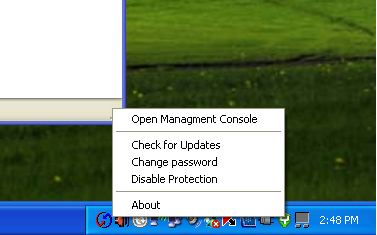
Figure 7: Entering Yoggie Management Console
The "Open Management Console" command will open a browser window which will ask you for Username and Password. The default Username is "admin" and the default password is "yoggie". I was able to log into the Yoggie management console from Windows XP without any software installed, by going to the address: https://192.168.4.1:8443/.
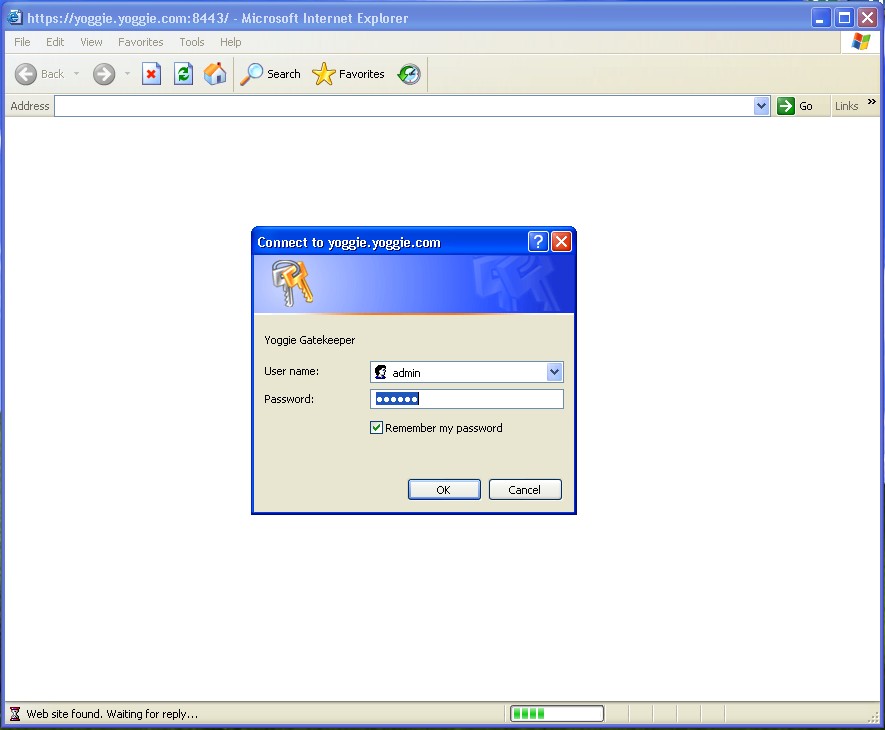
Figure 8: Yoggie Management Console Log In
Yoggie’s Management Console – more
Once you log in, you see a very nicely animated control panel displaying a high level summary of the bad things that are happening to your good computer. Figure 9 is a snapshot of the console.
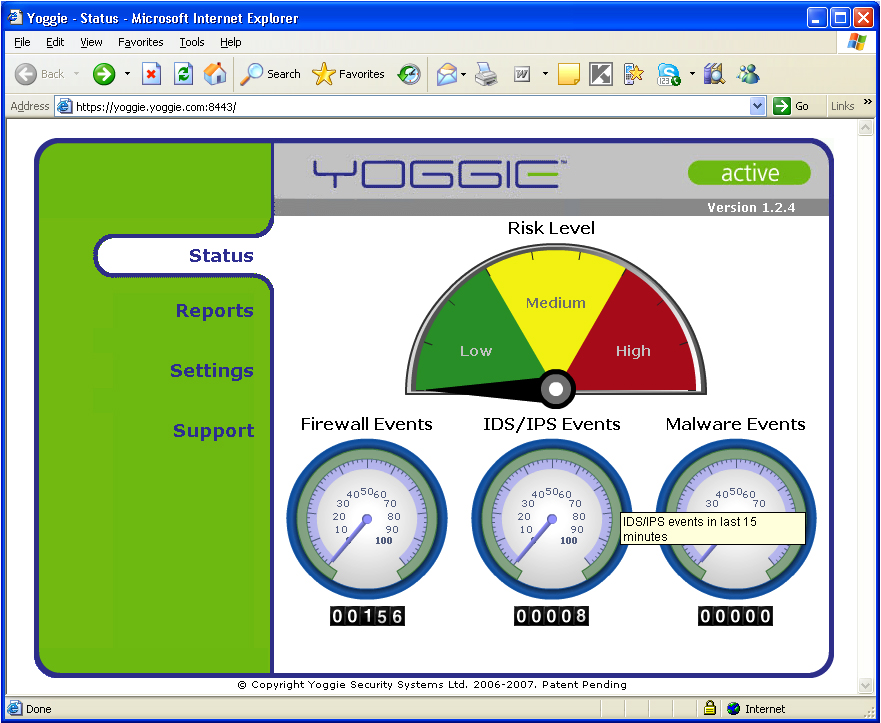
Figure 9: Yoggie Management Console Default Page
The Reports menu has very nicely done 3D graphics (similar to 3D bar charts in Excel) that write and then slowly rotate to provide eye candy (see Figures 10 and 11).
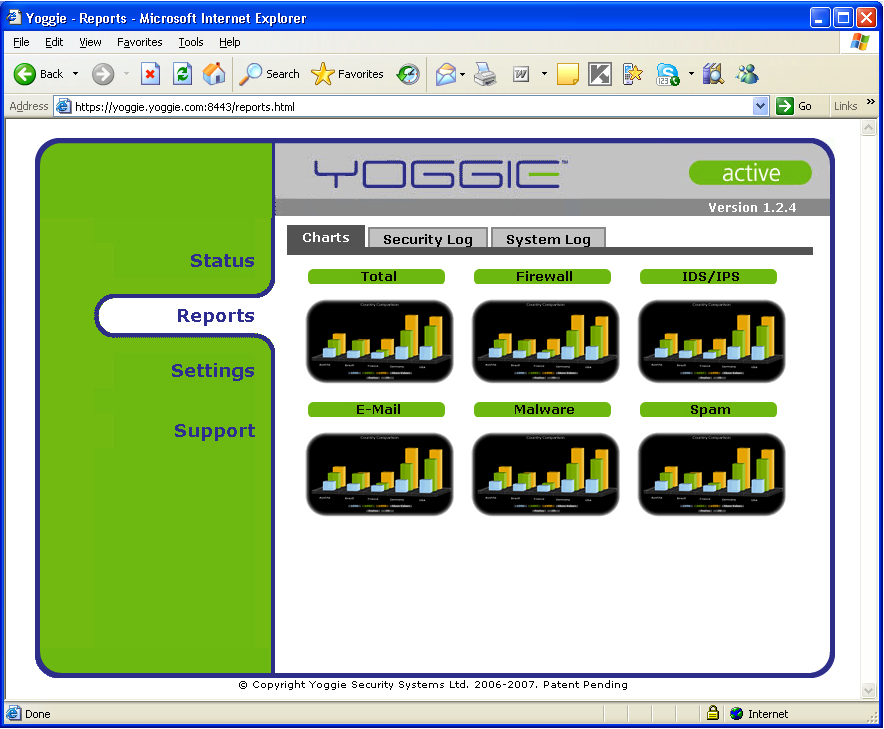
Figure 10: Yoggie Management Console Reports Page
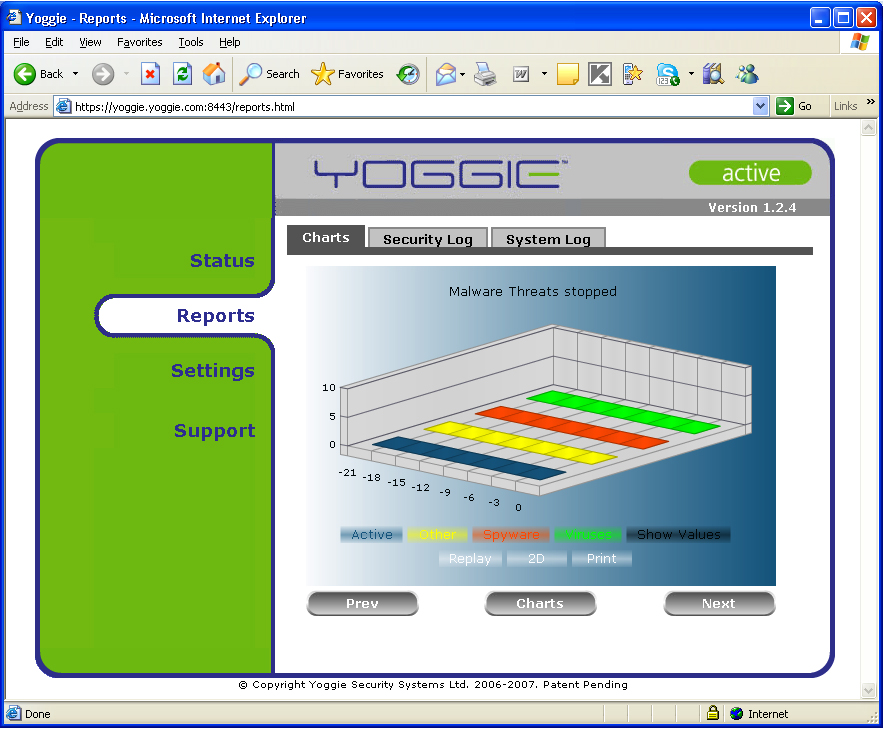
Figure 11: More Yoggie Management Console Reports
The heart of the Yoggie management console, as well as the heart of the value of a Yoggie Gatekeeper, is the Settings menu (Figure 12). The Settings menu is a high level tool… for other people. I prefer to know the specifics of what is blocked and what is getting through to my LAN.
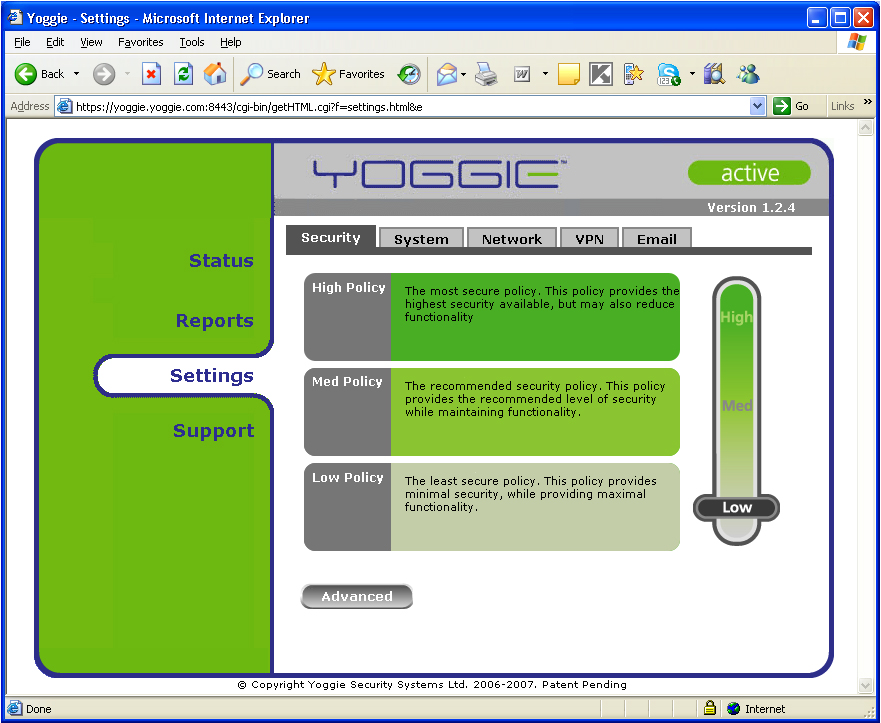
Figure 12: Settings Menu
Management Console Advanced Security
The Advanced Security Settings page (Figure 13) provides a much more specific idea of what the Yoggie Gatekeeper enables you to do to secure your LAN. We see the familiar categories of security: web filtering, protocols, firewalls, and ports.
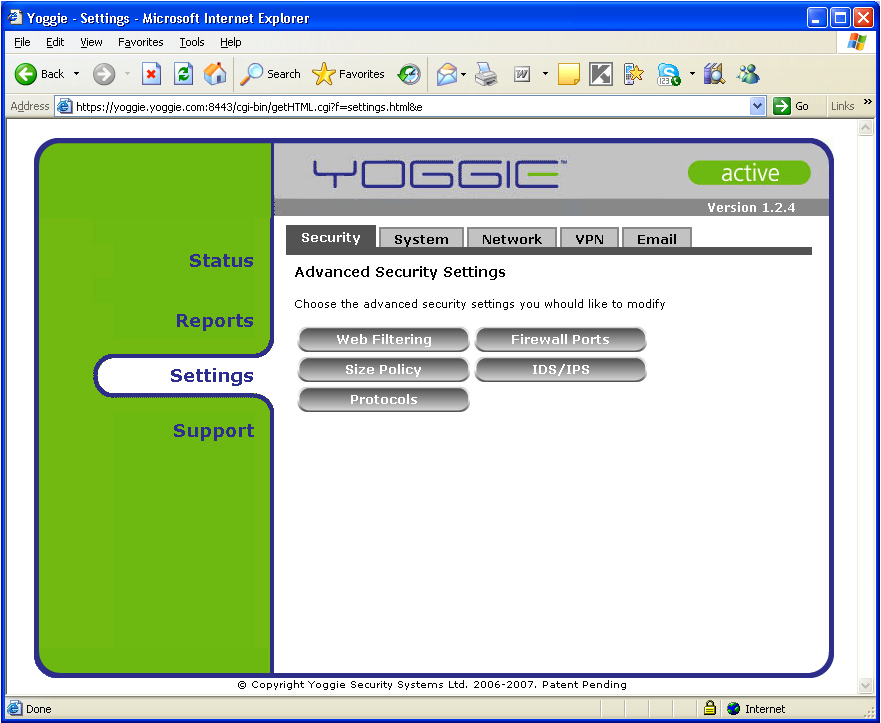
Figure 13: Advanced Security Settings Menu
Figures 14 through 16 all show the web filtering categories that you can set up. I’ve included the entire list because there are a couple categories that I haven’t seen before. Filtering for photo searches, for example.
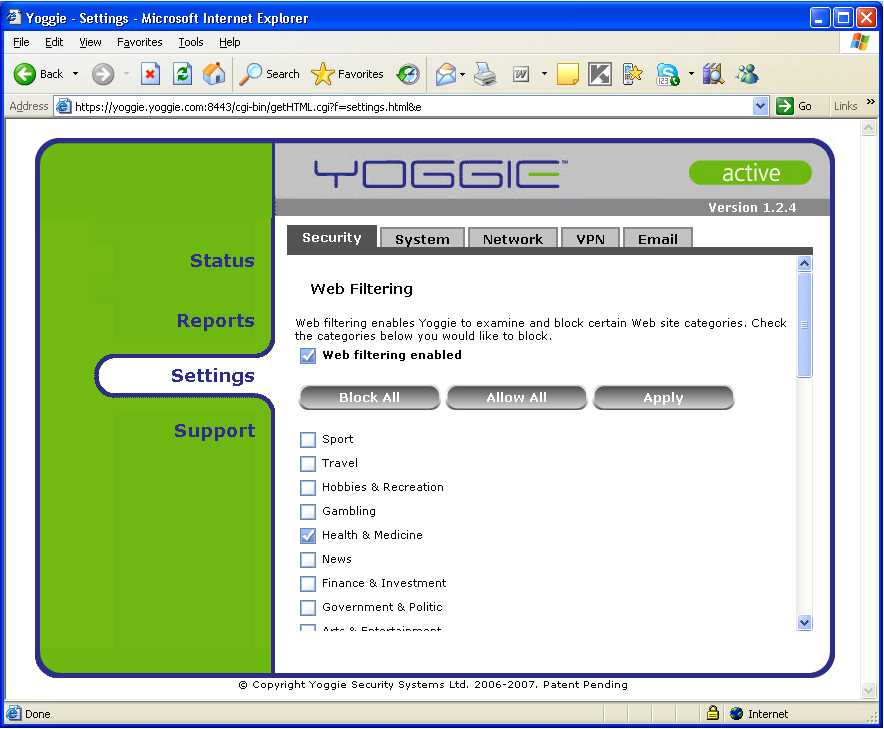

Figure 14: Advanced Security – Web Filtering 1
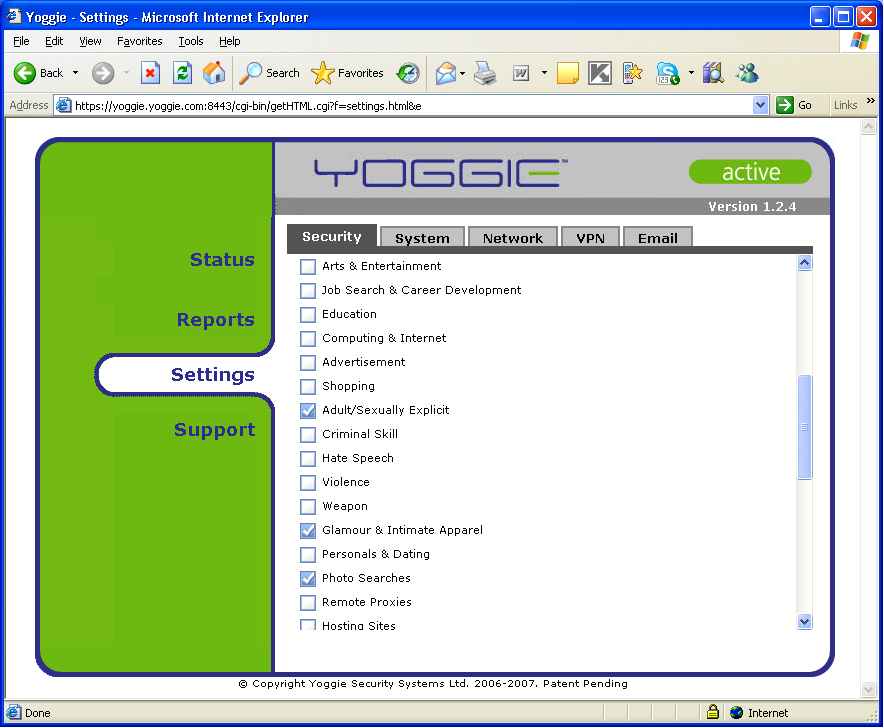
Figure 15: Advanced Security – Web Filtering 2
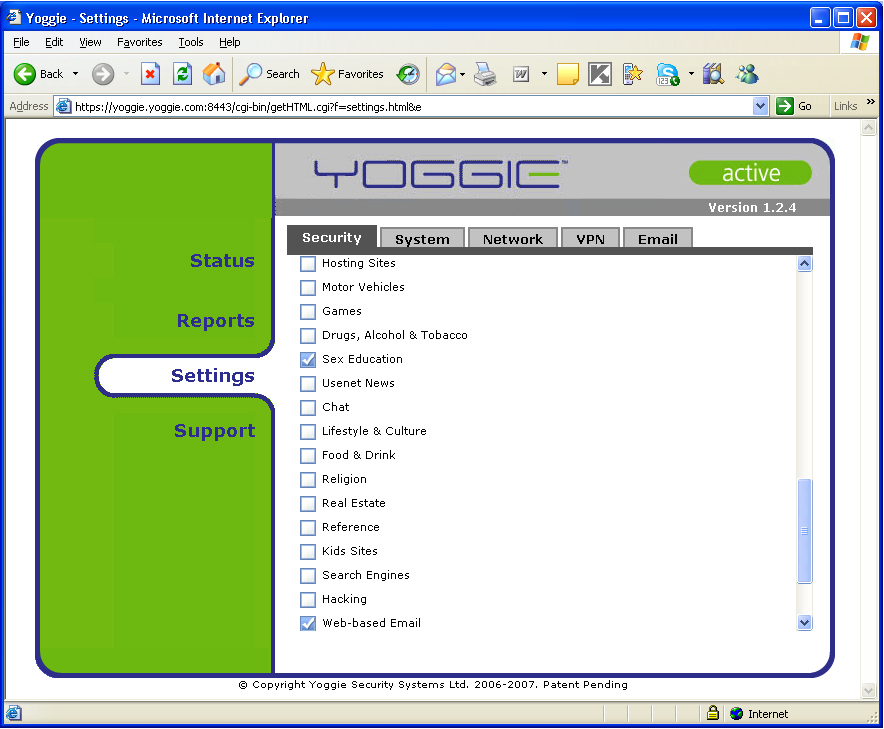
Figure 16: Advanced Security – Web Filtering 3
More Management Settings
Next up are the Size Policy and Protocols menus. As you can see from Figures 17 and 18, while Yoggie provides control, the degrees of freedom of control are not always large. The Size Policy limits file sizes that can be downloaded, not total amount of downloads, or rate of download.
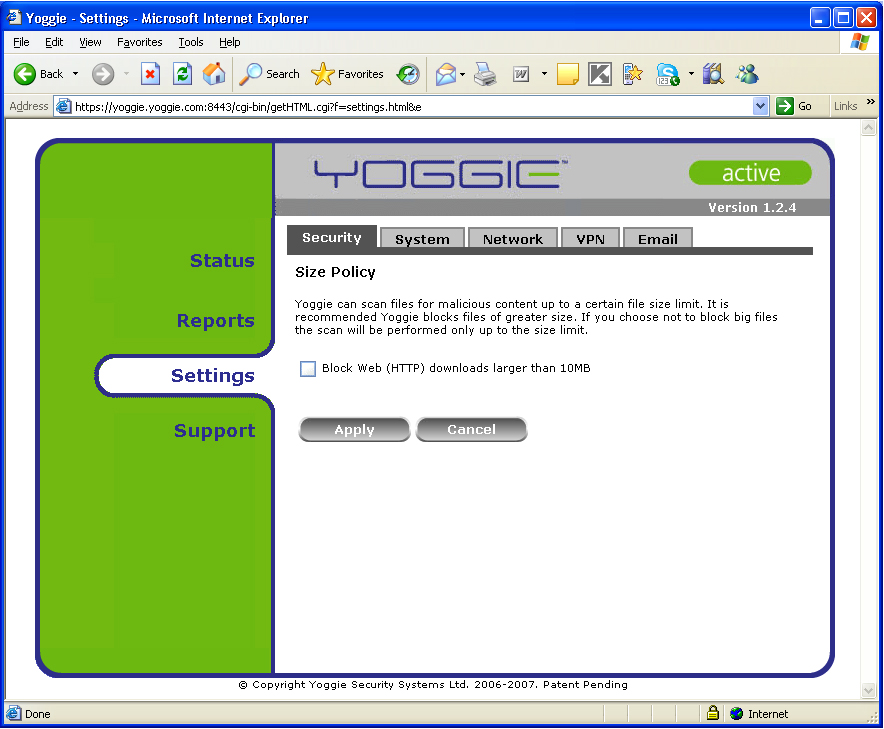
Figure 17: Size Policy Menu
Protocols allows filtering to be disabled on SMTP, POP3, HTTP, and FTP. If you need Yoggie to filter spam on your IMAP email, you’ll be OK if you run your own server (incoming email will travel on port 25 and thus be filtered as SMTP), but if you fetch your email from another server, your email won’t be filtered.
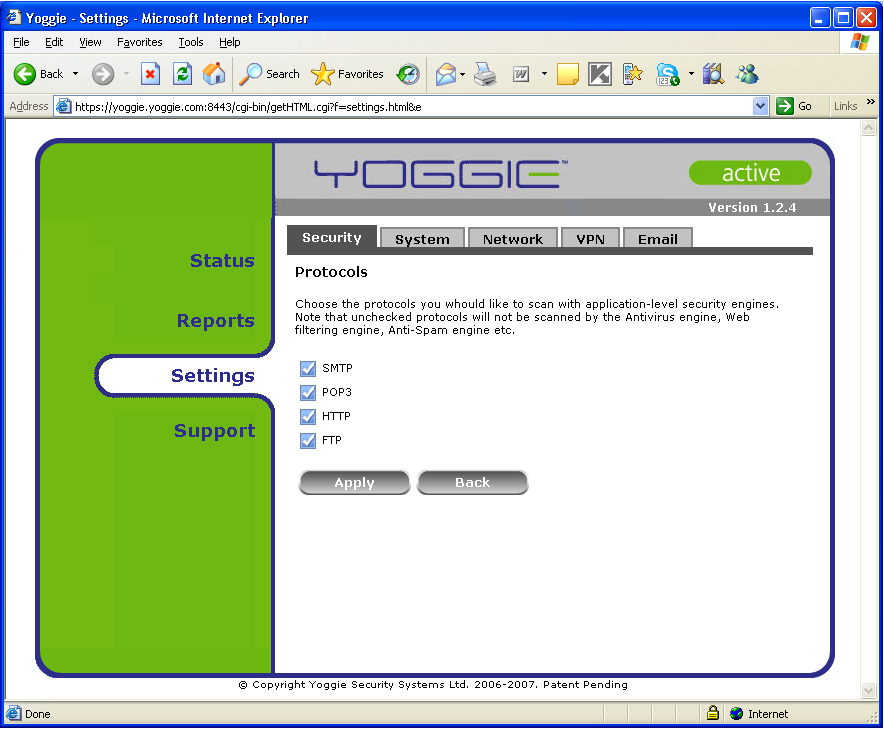
Figure 18: Filter Protocols Menu
Web mail can be prohibited with Yoggie’s web filtering, stopping GMail and other port 80 web mail services. However, if the web mail service travels over HTTPS, as with ClarkConnect’s implementation of the Horde groupware web mail service, web mail will not be blocked.
Web Filtering
Yoggie’s Web Filtering is no better nor worse than other services. If you turn family filtering off at Altavista and then search on any ethnic term, screens of porn thumbnails come up (Figure 19). However, when you click on any of the thumbnails, a blocking message pops up (Figure 20). I set the Yoggie Gatekeeper to filter any photo searches, and while images.google.com was immediately locked out, image searches at Altavista were not.
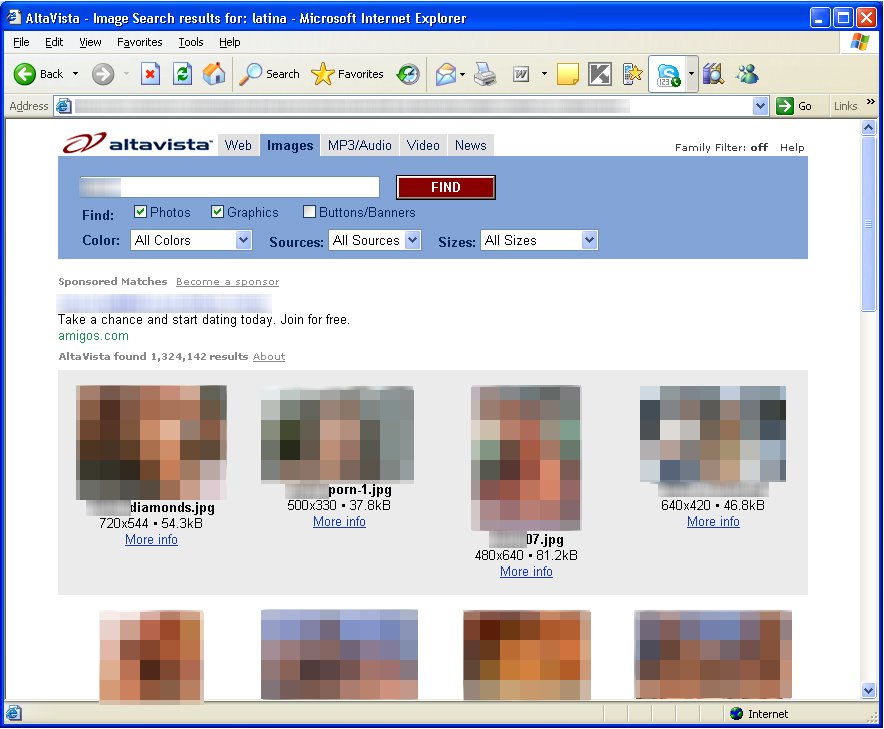
Figure 19: Altavista Image Search with Yoggie Porn and Picture Filtering On
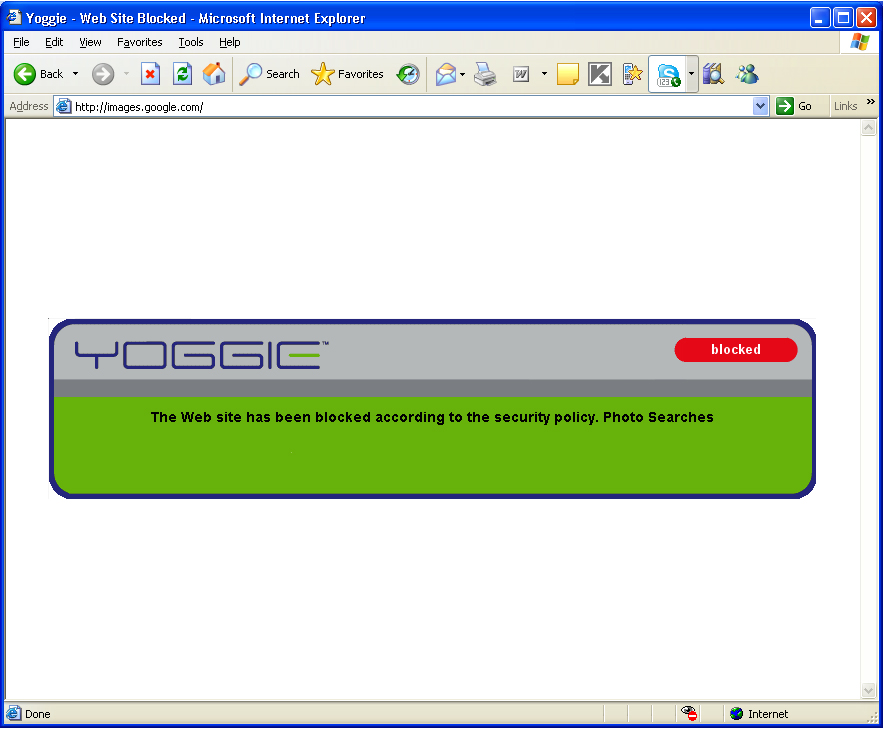
Figure 20: Blocking Error Message after Clicking on Porn Thumbnail
This is too bad. It seems logical that if you know to block the web site, that you would know to block the thumbnail from that web site. But apparently the search enginges are pre-caching thumbnails, which makes blocking them harder to impossible. I don’t know why.
Unified Threat Management: Two Extremes
At the top of this piece, I said that Yoggie is the second "UTM" device that I’ve reviewed. So let’s compare the two. Table 2 summarizes the ways that the D-Link DSD-150 and Yoggie Gatekeepr Pro differ.
| Feature | D-Link DSD-150 | Yoggie Gatekeeper Pro |
|---|---|---|
| System Components | Backend, Gateway Hardware, Client Software |
Backend, Gateway Hardware, Client Software |
| Minimum Configuration | Backend, Gateway Hardware, Client Software |
Backend, Gateway Hardware |
| Delay Between Install and Full Protection |
Approximately 24 hrs | 0 |
| Portability | Low | High |
| PC Speed Impact | High | Low |
| Cross Platform? | Windows Only | "Almost" Platform Neutral |
| Enterprise IT Value | Low | High |
Table 2: D-Link/Yoggie Comparison
System Components: The D-Link DSD-150 is a client-PC-based software product. It starts out with a small 300K client on each PC. But, after install, while you are not looking, it slips 20 MB of client software from its back end over the Internet and on to each client. This large software library then talks with the DSD-150’s hardware gateway to protect client computers.
Minimum Configuration: The Yoggie Gatekeeper Pro is an in-line Linux firewall in a USB-key size that also has backend and client-PC system components. However, the Yoggie can be used, all by itself, out of the box, to protect a laptop in a hotel. Yoggie provides immediate protection up to its capabilities. But the D-Link system needs all three system components in-place to work, which typically take a day to download.
Portability: The D-Link isn’t really portable. It is designed to be built into a SOHO LAN. The Yoggie Gatekeeper Pro is portable. The main mission-critical burning need that Yoggie addresses is to protect laptops in hostile environments.
PC Speed Impact: Because the D-Link relies on large client-based programs to protect, it causes a substantial degradation in computer speed. Because Yoggie performs the vast majority of filtering tasks off the client, it does not degrade PC performance as much. The risk with Yoggie is that it won’t be able to keep up with incoming packets, but in my testing I did not sense any bottlenecking from the Gatekeeper appliance.
Cross Platform: I rate the Yoggie Gatekeeper as "almost" platform neutral. The one barrier between Yoggie’s current product and platform neutrality is the software padlocking the user into using the Gatekeeper Pro. There is no Mac or Ubuntu program that shuts off Internet access if the Gatekeeper appliance is not plugged in to the computer. While some business users can be expected to always remember to plug in their Yoggie appliance, your kids might "forget".
Enterprise IT Value: D-Link isn’t enterprise oriented. The Yoggie Gatekeeper pro provides automatic logging of client PC activity, and the automatic log transfers back to the mother-ship, in its enterprise versions.
Finally, the D-Link DSD-150 and Yoggie Gatekeeper Pro differ in where the majority of security protection work is done. Table 3 shows that D-Link does most of its work on the backend and on the client PC. Very little is actually done in the DSD-150 itself.
| Activity | On-Backend | On-Appliance | On-PC |
|---|---|---|---|
| Intrusion Detection | 45% | 10% | 45% |
| Email Spam Filtering | 45% | 10% | 45% |
| Porn Filtering | 45% | 10% | 45% |
| Download Filtering | 45% | 10% | 45% |
| Spyware Filtering | 45% | 10% | 45% |
| Virus Filtering | 45% | 10% | 45% |
| Phishing Filtering | 45% | 10% | 45% |
| Firewalling | 45% | 10% | 45% |
| Web-Ad Filtering | 45% | 10% | 45% |
Table 3: What Does the Heavy Lifting? DSD-150
Table 4 shows that Yoggie splits its work pretty evenly between the backend and the appliance itself. The exception is Kaspersky, splitting spyware and virus filtering between the PC and the backend.
| Activity | Backend | Appliance | On-PC | Package |
|---|---|---|---|---|
| Intrusion Detection | 50% | 49% | 1% | Snort |
| Email Spam Filtering | 50% | 49% | 1% | MailShell |
| Porn Filtering | 50% | 49% | 1% | SurfControl |
| Download Filtering | ||||
| Spyware Filtering | 50% | 50% | Kaspersky | |
| Virus Filtering | 50% | 50% | Kaspersky | |
| Phishing Filtering | 50% | 49% | 1% | MailShell |
| Firewalling | 99% | 1% | ||
| Web-Ad Filtering | 50% | 49% | 1% | SurfControl |
Table 4: What Does the Heavy Lifting? Yoggie Gatekeeper Pro
Conclusions
At first I found myself to be very impatient with the Yoggie Gatekeeper. I goofed on the installation and was locked out. I couldn’t grind my article out by the deadline, blah, blah, blah. But I found myself gossiping about the Yoggie Gatekeeper. I’ve showed it to clients of mine headed to Asia for negotiations. They worry about their Windows laptops being compromised when using wireless, in their hotel rooms, and when they receive email. The Yoggie Gatekeeper Pro package is perfect for providing peace of mind.
The Yoggie Gatekeeper Pro is a great idea. It is not perfect; no security solution is. But it is very useful to have a compact, robust, Linux-based solution that you can duct-tape to your laptop whether it is a Mac, Ubuntu, Windows, or other Linux-based solution. Yoggie works without having to install software or touch registries. All in all, I feel about as safe using the Yoggie Gatekeeper Pro as a firewall as I feel with my Clarkconnect Enterprise 4.1. There is a lot of value compressed into one little USB-key sized product.
Yoggie Gatekeeper Pro is a great first product. It seems to have some flexibility (flashability) built in. Yoggie (the company) has done a lot to try to make itself intelligible. However, I think that most users will need to experience Yoggie to understand its benefits for themselves, since a checklist of features does not ensure flawless performance. Stay tuned for future developments.