

Introduction

| At a Glance | |
|---|---|
| Product | FreeNAS 0.685b2 |
| Summary | Lightweight BSD NAS distro with minimal hardware requirements and maximum features. |
| Pros | • Polished web-based configuration • Painless installation • Runs on anything supported by BSD • Good offering of network protocols |
| Cons | • No folder-level permission settings yet • Hardware and driver limited performance |
So you’ve got an old x86 computer in the closet gathering dust. It doesn’t have the horsepower to be a desktop machine any more, but it still works and you’d hate to just throw it out, right? Why not turn it into a NAS? FreeNAS will allow you to turn just about any computer in to a full-featured NAS, complete with a easy to use web-based configuration utility.
To Build or Not to Build
If you take a quick look around here at SmallNetBuilder, you’ll find that there are a ton of reviews of commercial NASes. So why go to all the trouble to build your own? Well, if you’re like me and have a lot of old computer parts lying around, it’s a great way to put them to good use again. To quote Bill Meade, if it’s "too good to throw out, but not good enough to use", then chances are pretty good that it would be a great candidate for a home-built NAS. Not to mention it’s nice to save some of your hard-earned cheddar for something a bit more exciting (like BioShock).
I don’t buy the money argument though (no pun intended). I love building things, I love putting them together then taking them apart again to figure out what makes them tick. The sense of satisfaction you get from designing your own network, building and configuring a NAS and then getting all the machines on your network to play nice, for me, is priceless.
Features
Despite the price tag, FreeNAS is really quite well equipped. It’s packaged with basic file transfer services such as CIFS (SMB), NFS, AFP, FTP, SFTP, and SCP. In addition, FreeNAS sports some more advanced backup and file synchronization services, namely rsync for *NIX users and Unison for cross-platform file synchronization. Also included is a UPnP media server with a built-in web based control page.
FreeNAS also supports iSCSI as both an initiator (client) and target (server). iSCSI is an alternative to Fibre Channel, common in large storage networks. To round things out, FreeNAS also supports Dynamic DNS which periodically updates DNS servers with the NAS’ IP address, a great feature for small home office users who use normal residential internet service which usually has a dynamic IP address.
FreeNAS’s hardware configuration features are as complete as its software features. FreeNAS supports software RAID in basic configurations RAID 0, RAID 1, RAID 5, and JBOD and also supports complex arrays such as RAID 1+0. FreeNAS also supports encrypted volumes using the Geom Eli module. This allows you to encrypt the entire hard drive (or RAID array) for extra security.
Since FreeNAS can be run on anything that FreeBSD runs on, the developers included some interesting and useful "Miscellaneous" features. Those include a SMART Daemon, which monitors the health of SMART enabled hard drives and a Power Daemon, which monitors system loads and adjusts power states accordingly. Also accessible via web configuration are advanced kernel tuning variables which allow advanced BSD users to tune certain kernel parameters to squeeze the maximum performance out of the hardware.
Installation
The underlying FreeBSD system m0n0wall, is pretty interesting in and of itself. Originally designed for embedded firewall systems, it’s the first UNIX-like system to do its boot time configuration in PHP. Now this says a lot about the power of PHP, which is usually thought of as just a web scripting language. But it also speaks to the fact that m0n0wall was really developed from the ground up to be run via the web.
Needless to say, they’ve got it down to a science. Embedded systems, by definition, don’t have much in the way of computational horsepower. More processing power means more heat, more energy requirements and to accommodate all that, a larger overall form factor.
This is not what you want in an embedded system, so m0n0wall and hence FreeNAS, have been tweaked and tuned down to the bare essentials in order to get the maximum performance out of minimal hardware. This ideology is tried and true and works great for very specialized applications like FreeNAS: do one thing and do it well.
The "embedded" install option only takes up 32 MB and can be installed on a USB stick (if your BIOS supports booting from USB), on a CF card or on the hard drive. Installing to a USB drive would have been my first choice, but unfortunately the old BIOS on my FreeNAS system didn’t support booting from USB. So I had to install the embedded system on a hard drive. FreeNAS created its own partition and left me the rest of the drive. I decided to use a slightly newer 20 GB Western Digital drive for all my files and leave FreeNAS by itself on the old Seagate drive.
FreeNAS uses the old text-only style install (Figure 1). It’s not pretty, but it gets the job done.
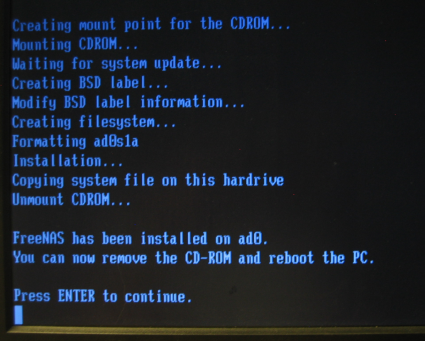
Figure 1: Text only install
Installation was a breeze: download and burn the current ISO of FreeNAS; pop it in the CD drive; set your BIOS to boot from CD; and install. The text-based install was fairly intuitive, even though the documentation wasn’t 100% clear on what the different install types were and was written for an older version of FreeNAS. I made it through the install without problems, though. The 32 MB OS didn’t take more than about 10 seconds to install on my test machine (Table 1).
| FreeNAS System Specs | |
|---|---|
| Model | Compaq Persario |
| Processor | 700MHz Celeron |
| Memory | 384Mb |
| Hard Drive | • Western Digital WD200AB 20Gb (FreeNAS OS) • Seagate U5 ST310211A 10Gb (Storage) |
| Ethernet Adapter | • Belkin F5D5000 • D-Link DGE530T |
Table 1: FreeNAS System Specs
Configuration
After the install, you can unplug the monitor and keyboard and stick the computer back into the closet since all the administration is done from a very polished web interface. Point your browser at FreeNAS IP and log in using the default username and password: admin and freenas. You’ll be greeted by the status page (Figure 2).
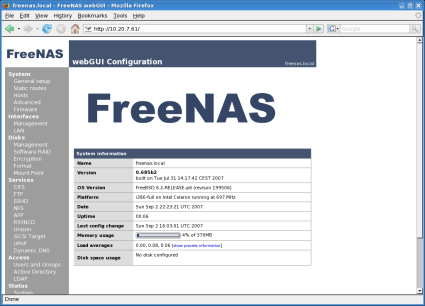
Figure 2: Web Configuration Home
The configuration page is very nicely laid out and intuitively organized. Here’s a brief run-down of the sections:
- System: Manage static routes, update the firmware (FreeNAS), change the hostname and domain, and enable HTTPS for the web based control page.
- Interfaces: Configure network options including IP address mode (static, DHCP), IPv6 configuration, set the MTU (allowing for jumbo frames on gigabit Ethernet, if your card supports them) and interface speed.
- Disks: Manage RAID arrays, disk encryption, formatting and mounting.
- Services: Set up all the file transfer and backup services.
- Access: Set up user and group accounts and authentication.
- Status: Monitor the health of the disks, processes, and interfaces.
- Diagnostics: View logs, ARP tables, run traceroute and ping, backup and restore the system and reboot or shutdown the system.
Applying configuration changes was a little confusing at first—most require a three step process: make the change, "Save" the change, then "Apply" the change to have them take effect. Additionally, some changes required a "Save and Reboot" step which was a bit of a misnomer. For almost all changes, the device doesn’t actually reboot (this isn’t Windows), just the service is restarted.
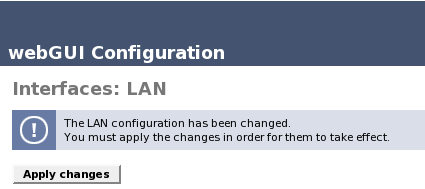
Figure 3: Save and Apply
Disk Configuration
Adding and configuring disks in FreeNAS is very straightforward. Simply click the plus sign on the Disk:Management screen (Figure 4) to bring up the Disk: Add page.
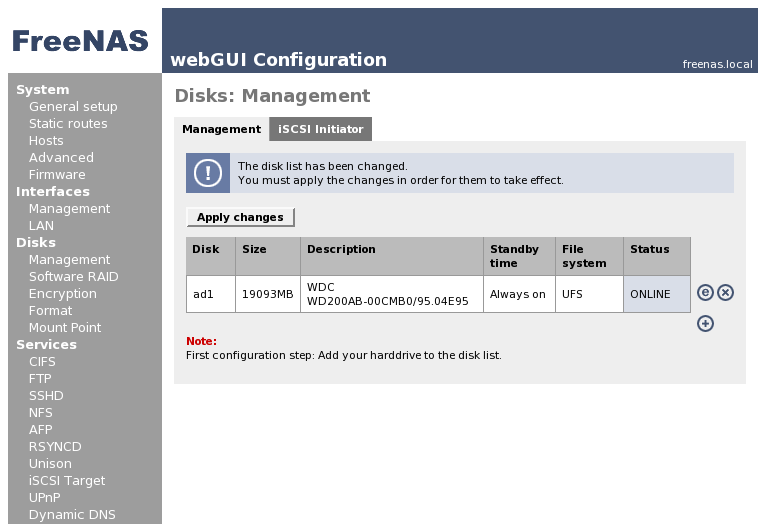
Figure 4: Disk Configuration
Here you can set options like standby time, advanced power management and acoustic level (Figure 5). Advanced power management lets you set power usage and standby usage, a handy feature that gives you control to tweak drive power consumption at the cost of performance. Most of the time you’ll be limited by network throughput, so powering down your drives to save energy isn’t a bad idea.
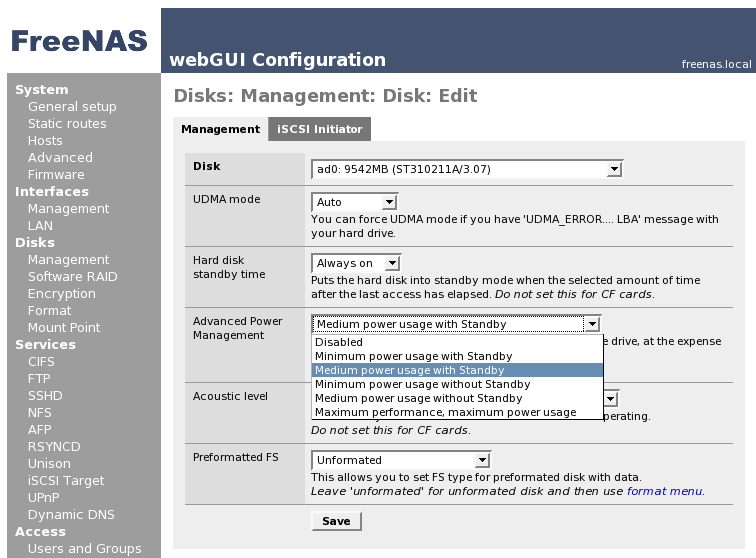
Figure 5: Advanced Power Management
I chose to format the drives in UFS since it’s the native file system for FreeNAS. Your other choices are FAT32, NTFS, ext2, or software RAID. My second choice would be ext2, largely because ext2 and its younger brother ext3 are the mainstay of Linux filesystems making it easy to find support and utilities for fixing broken filesystems.
The file system you choose doesn’t matter for browsing or serving files over the network. It only matters if you want to take the drive out of the FreeNAS box and use the drive’s contents on another computer without too much hassle. Now granted there are some subtle performance difference between the different options, but for a small home network, they’ll all perform about the same.
RAID
FreeNAS supports software RAID (Figure 6), both common configurations such as RAID 1, 0 and 5, as well as complex configuration like RAID 1+0. FreeNAS also works with any hardware RAID controllers that are supported by BSD.
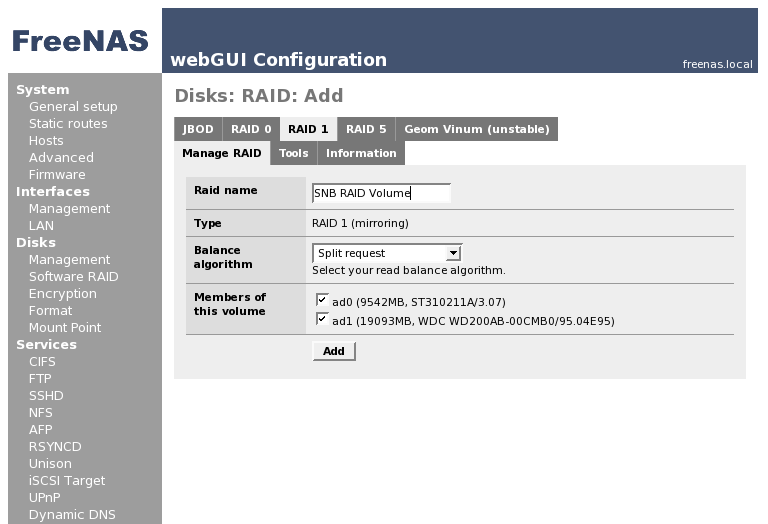
Figure 6: Creating a RAID 1 Array
The RAID management features in FreeNAS are very well laid out. To set up a RAID array, add the disks under Disk Management and select Software RAID for the file system type. They’ll then appear in the RAID menus and FreeNAS will let you add them to an array. To create complex arrays like RAID 1+0, simply add RAID arrays as members of the RAID volume.
User and Group Configuration
To add a user in FreeNAS, you first need to add a group (Figure 7). Save and Apply the changes and then add a user to that group (Figure 8).
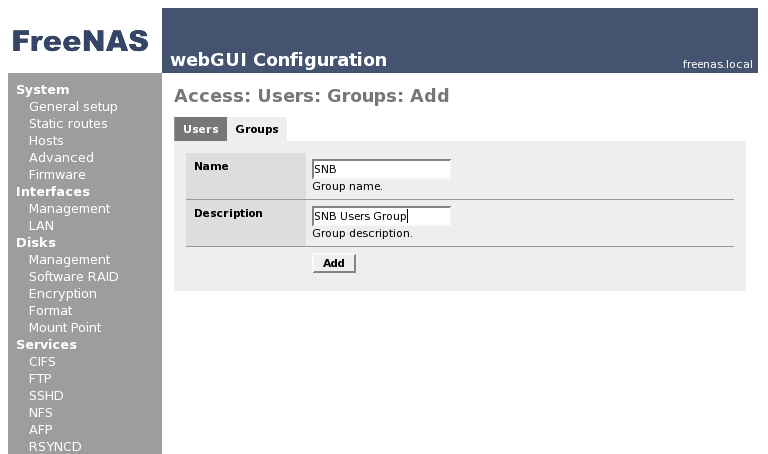
Figure 7: Adding a Group
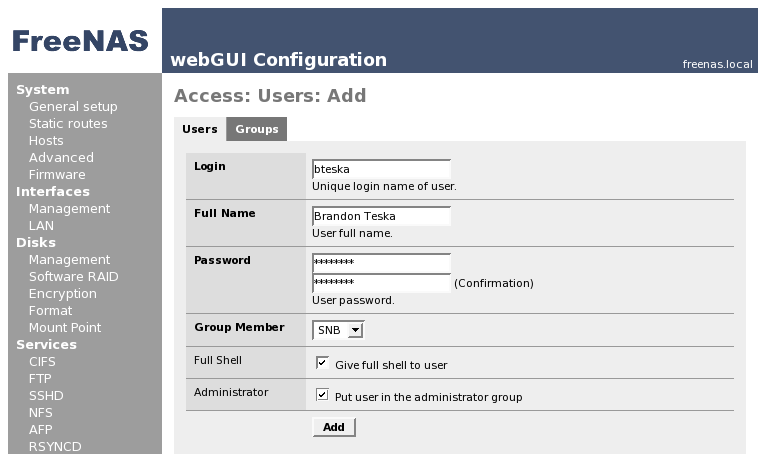
Figure 8: Adding a User
FreeNAS allows you to set user and groups from the web-based control page. Unfortunately, the 0.685b2 beta doesn’t yet let you set folder-level permissions from the web interface. You have to set them manually from the command line (fixing this is on the to-do list for the 0.7 beta).
User authentication is supported via Active Directory authentication for Windows based networks. Curiously, the LDAP page is enabled, but LDAP doesn’t work (Figure 9).
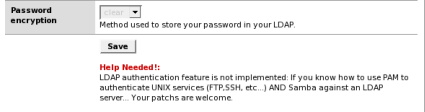
Figure 9: Help with LDAP Support!
rsync and Unison
The FreeNAS web configuration also includes a page for the *NIX backup tool, rsync. All you have to do is enable it and it just works…really! (Figure 10)
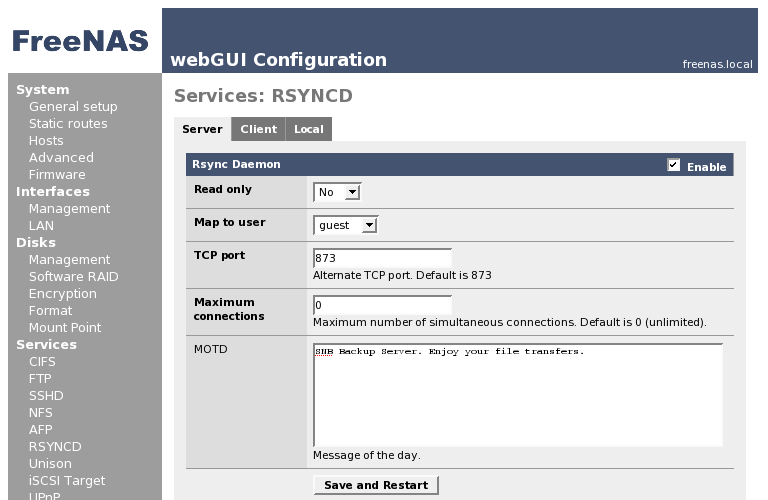
Figure 10: rsync Configuration
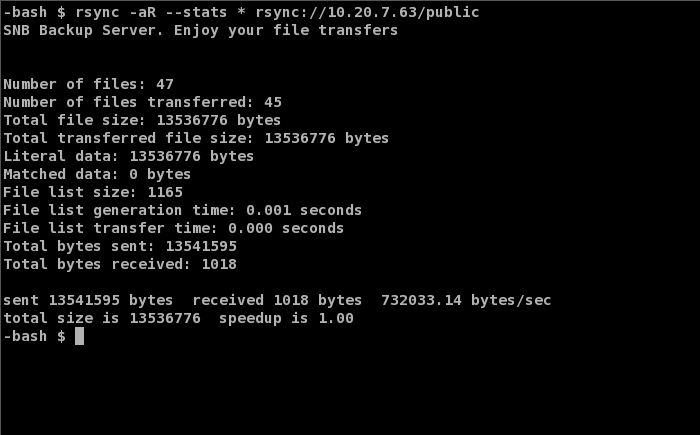
Figure 11: rsync in Action
FreeNAS also has a web-accessable local rsync interface which lets you schedule cron jobs to sync local folders (Figure 12). This is handy for setting up a live backup drive in your FreeNAS box, letting you easily schedule backups of your shares to a different drive. I was a little disappointed not to see more rsync options or a way to add your own, although the default options are fine for most users.
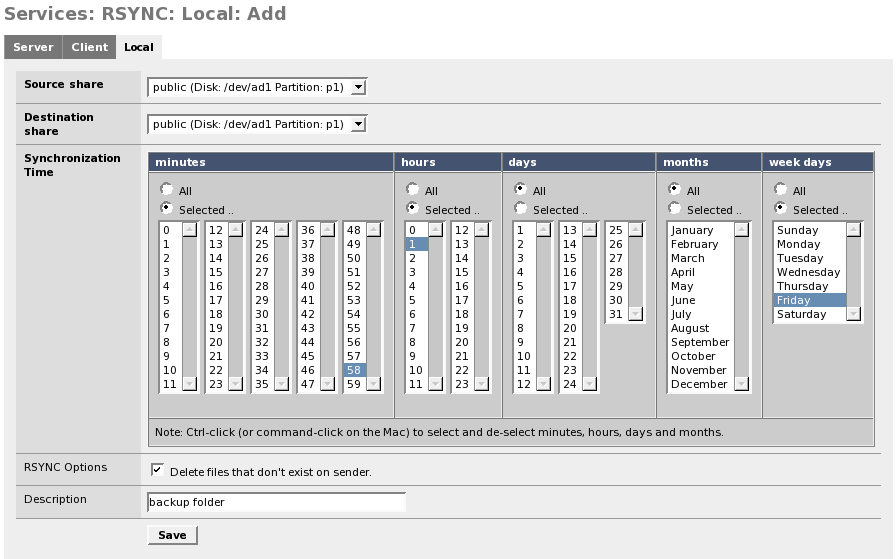
Figure 12: Local rsync
Unison is just as painless to set up (Figure 13), although it does require SSH to be enabled and the Unison users must have full shell access.
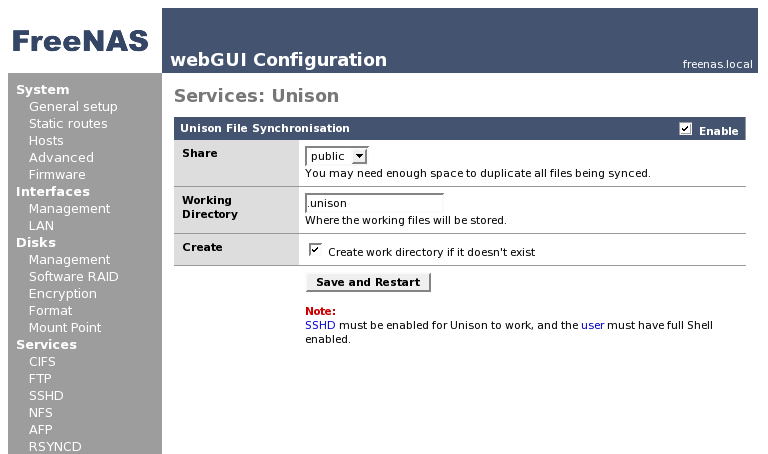
Figure 13: Unison Setup
UPnP AV Media Server
To set up a UPnP AV media server, just select add the folders you’d like to serve and enable the service (Figure 14). An interesting note is that the UPnP server has the option to use an Xbox 360 compatible profile, presumably letting you stream media to your 360.
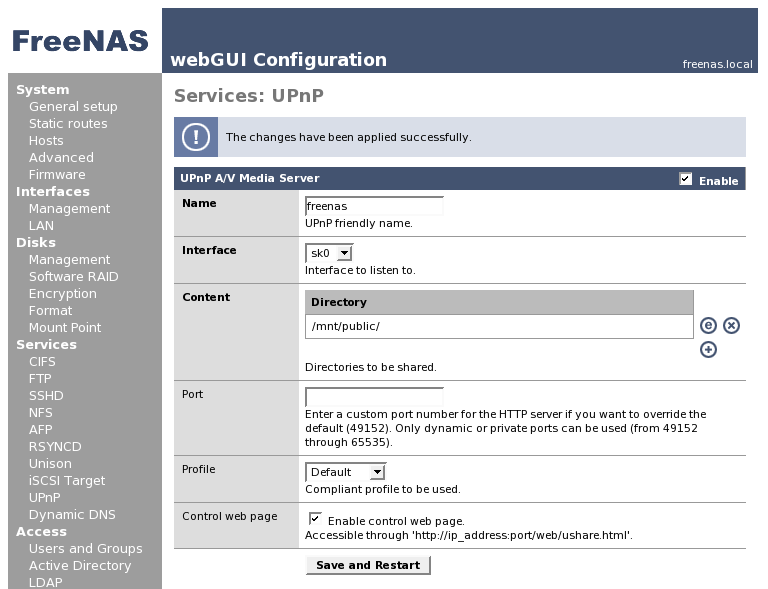
Figure 14: UPnP Setup
The UPnP media server also has its own rudimentary web-based configuration interface (Figure 15), which allows you to add or remove shares without logging into the full FreeNAS configuration page. It’s not very pretty and doesn’t have a "browse" button, so you have to enter the entire file path.
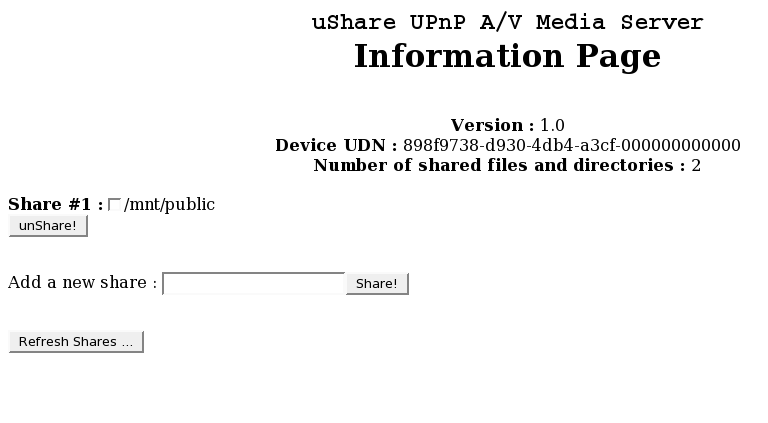
Figure 15: UPnP Webpage
Performance
I set up FreeNAS on the ‘ol Compaq and was actually quite impressed! File transfer speeds were palatable and browsing CIFS shares from Linux was very snappy. Streaming performance, however, left much to be desired.
Eager to try out the UPnP media server with XBMC, I set up the media server to stream some MPEGs to the Xbox. Browsing the share was great, it was automatically recognized and was very responsive (CIFS sometimes takes a while to refresh folder contents in XBMC). Unfortunately, the video playback stuttered so much it was unwatchable. I flipped over to CIFS thinking and hoping that either XBMC’s UPnP client or FreeNAS’s UPnP server was to blame only to be disappointed again.
I started up iozone, as per the usual test procedure to get to the bottom of these performance issues. Now, to give you an idea of how long this test takes, the Synology DS107 finished it on a 1000 Mbps LAN connection in about a hour. (The slowest NASes that have come through SmallNetBuilder finish in about three to four hours.) Twenty hours later, FreeNAS was still in the middle of the test!
It turns out that the Belkin F5D5000 Ethernet adapter I had installed in the FreeNAS test machine is supported by FreeBSD… sort of. The rl drivers that the Belkin adapter uses have some issues with the receive buffer that are pretty detrimental to performance. Now this isn’t FreeNAS’s fault;I have it running on a 10+ year old computer and open source hardware performance is especially driver dependent. Long story short, the BSD rl driver, although usable, has some serious performance issues.
With the speeds I was getting out of the Belkin Ethernet card, the performance charts that we’ve all come to know and love would have been pretty dismal. Being rich in old computer parts, I commandeered a D-Link DGE530T Gigabit Ethernet adapter and swapped it into the FreeNAS machine. The D-Link adapter uses BSD’s sk driver which doesn’t suffer the problems that plague the rl driver’s performance.
Testing Notes:
- The FreeNAS machine was limited to UDMA 33 drive connection
- The full test setup is described here.
- The test was run from a Opteron 165 with 2Gb RAM running Windows XP SP2.
- A Synology DS107 was also tested to help establish a frame of reference to commercial NAS performance
In Figure 16, FreeNAS’s write performance falls off quickly with larger file sizes. Even limited to UDMA 33, it still manages to hang on to some decent performance for small file sizes. The Synology, running a faster SATA drive on a gigabit connection, dominates the write performance.
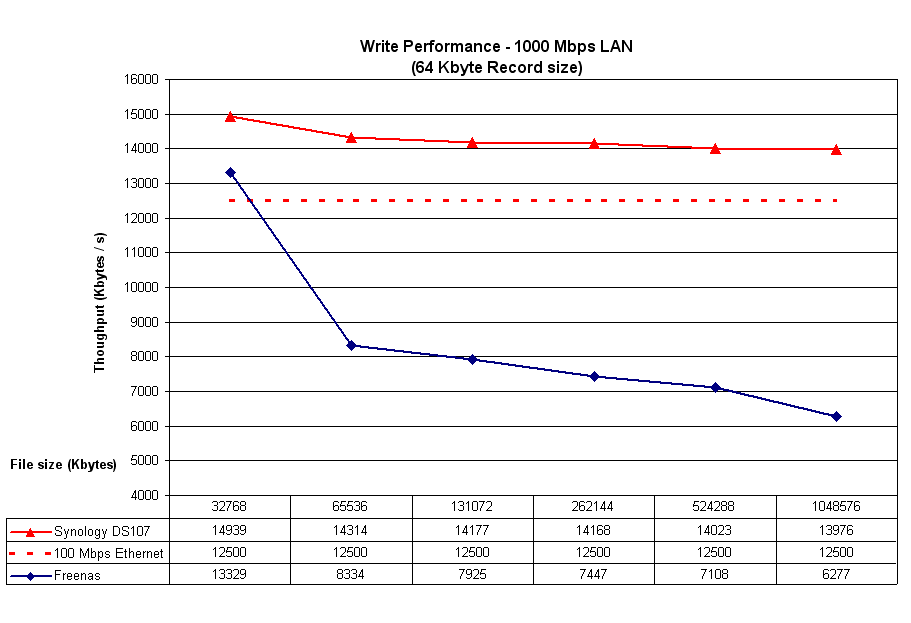
Figure 16: 1000 Mbps LAN Write Performance
In Figure 17, read performance drops off considerably when FreeNAS starts running out of RAM at a file size around 384 MB. With smaller file sizes, FreeNAS’s read performance is in the Synology’s league.
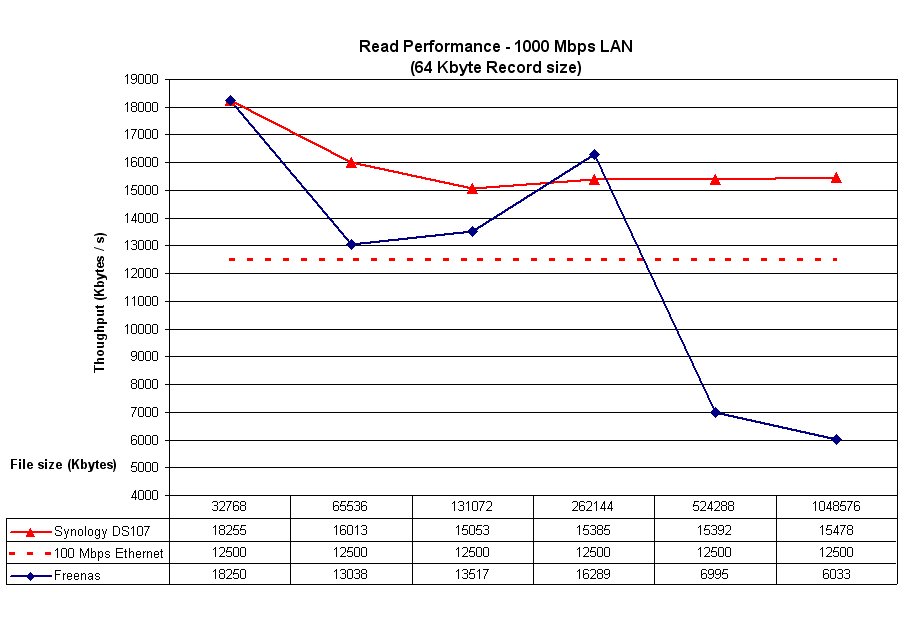
Figure 17: 1000 Mbps LAN Read Performance
Closing Thoughts
FreeNAS offers a great solution for anyone who has some extra hardware lying around and doesn’t mind rolling up his or her sleeves a bit. Despite my hardware issues, I still would recommend FreeNAS to anyone that is looking for an easy to use, open source NAS to run on an older computer.
FreeNAS, even though it is still in Beta, has a lot of potential and is already a pretty polished NAS distro.