

Introduction
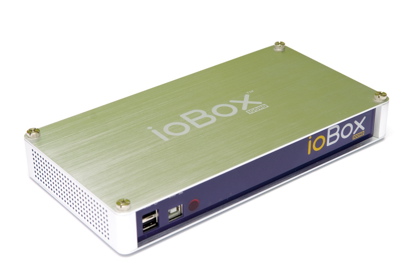
| At a Glance | |
|---|---|
| Product | DragonTech ioBox-100HD Networked Media Tank |
| Summary | Compact, fanless “Media tank” style player with wide video format support |
| Pros | • Supports Wide variety of video formats up to 1080p • Plays ripped DVDs w/ menu • Supports UPnP AV • Active Developer Community |
| Cons | • Some bugs • Bland user interface |
Every since I hacked my AppleTV a couple of years back, it’s been the primary multimedia player in my house. With my hacks in place, the AppleTV can access files from the various NASes on my LAN and play back all my ripped and H.
It’s slick, but as cool as it is, it hasn’t been the answer for all of my media. When it comes to high definition movies, the AppleTV just doesn’t have the horsepower to handle anything higher than very specifically encoded 720p videos. If you want to play 1080p movies on your home network, you’re going to have to look elsewhere.
One
But now Sybase is acting as an OEM for other manufactures wanting to build their own players. They have branded their OEM solution, the "Network Media Tank" (NMT) and now there are several manufacturers producing boxes based on this platform. In this review, I’ll check out one of those products, the Dragontech
Physically, the ioBox isn’t much bigger than a VHS videocassette (for those of you who remember what those are
The front panel (seen above) has a couple of USB ports for plugging in external drives (FAT or NTFS supported) and also a slave port for direct attach to your PC for
The back panel (Figure 1) has a full suite of connectors for both HD and

Figure 1: Back Panel
The only thing missing for
Figure 2 shows the ioBox remote.

Figure 2: iobox Remote
The remote is full featured and worked well enough, but it’s not backlit. So if you like watching your videos in a darkened room, you may want to have a flashlight handy.
Setup
For basic use, setting up the ioBox is as simple as hooking up the right cables and powering it on. By default, the box is set to acquire an IP address via DHCP and
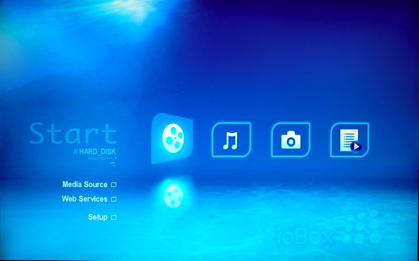
Figure 3: Home Menu
One thing I noticed during setup was that the documentation is a bit sparse. The unit came with a
Figure 4 shows the setup screen where numerous parameters can be set, including network settings,
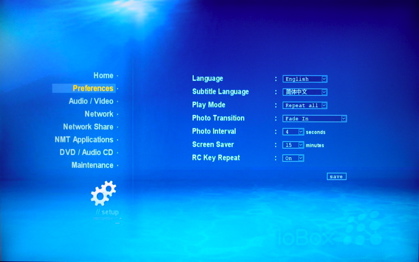
Figure 4: Preferences
One notable configuration menu allows you to mount network shares from the ioBox. So if you have a NAS on your LAN or you’re sharing a directory from your PC, you can mount it using this menu and the content on it will be available. If you don’t want to acquire content using a network share, you can also get it automatically via the UPnP A/V protocol. It’s pretty common for NASes to have a
Figure 5 shows the Media Source selection screen where the local disks and servers located on my network are shown.
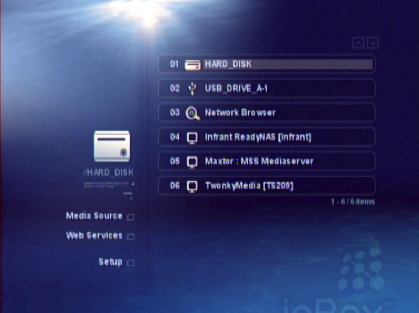
Figure 5: Server Select
There are a lot of ways to move content to the ioBox if you have installed a hard drive. If you want to push your files to it, you can use the setup menu to share your internal disk via either the Windows SMB or Unix/OSX NFS protocol. Once you’ve done this, you can mount it across the network from your PC and move files over. In this case, it acts much like a NAS device itself, except it lacks common configuration settings such as the definition of individual shares, with privileges, user accounts, quotas, etc.
If that doesn’t appeal to you, you also have the option to FTP your files to the box. If you’re into downloading content via Torrent, you’re covered here as well, since the ioBox has a
The ioBox also supports fetching content via a documented HTTP/HTML protocol. This has given external developers the ability to develop creative servers that can interact with the device. Once such server that looks promising is called the MovieJukebox. The idea is that you would run this app on your computer and it indexes your media and feeds info and screens to the ioBox. I had problems getting it to run due to Java version requirements. But as you can see from the
If you’re going to rely on UPnP AV for getting content, a benefit is that it can interact with other devices that also use the same protocol. One such device, is the iPhone or iPod Touch, at least when you’ve purchased an
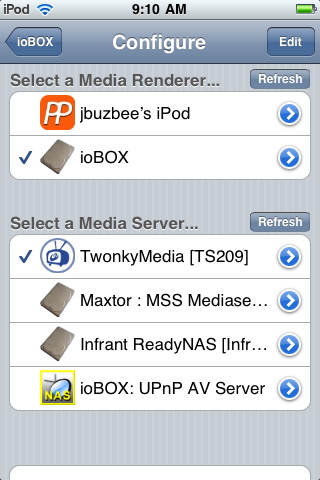
Figure 6: iPod Control
Using this combo, I can use my iPod as a controller for the ioBox. At least that’s the theory. In practice, more often than not, when I’d select a video and hit the play button on my iPod, the ioBox would start to play back the movie and then freeze up, requiring me to
Photos and Audio
The ioBox supports basic slide shows using JPEG, GIF, BMP or PNG images. You just navigate to a directory full of photos and then hit the Play button to start the show. In the preferences area you can set the photo display time as well as specify that a fade transition be used. This feature worked, but was about as basic as you can get for slideshows.
Audio playback was similar in operation. Navigate to a directory of audio, and hit the play button to start playing the songs. Support is provided for a wide range of formats: MP1/2/3, WMA, WMA Pro, Ogg Vorbis, AAC, AC3, PCM, WAV and FLAC. On some of my files, I even got an

Figure 7: Music Display
As compared to other
Video
Handling video is the toughest task that
The only issue I had was that the audio came out as stereo instead of the Dolby Digital 5.3 I was getting on my AppleTV. This doesn’t surprise me, as it’s my understanding that the Handbrake developers had to do a bit of a
One of the big selling points of NMTs is their ability handle almost any video you can throw at it. So how did it do with my video collection (Figure 8)?
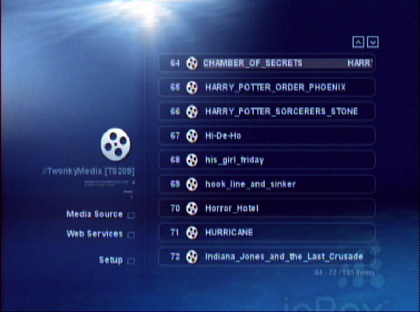
Figure 8: Video Selection
Not bad. I had a few older WMV files around that it couldn’t play and it choked on some of my MOV files. But overall, I’d say this box played back more files than any other (
Once nice feature is the box’s ability to play back ripped DVDs. If you’ve ripped your DVDs to your hard drive and removed CSS encryption, the ioBox can play them just like you were using the original DVD. You get full menu support, scene selection, etc. It’s a cool feature when it works. But I had a frequent failure where it appeared as if the DVD subsystem was in a bad state. One time it would work, but then the next time it would start to bring up the DVD menu, before falling back to the file selection screen.
One confusing thing to note about the DVD playback is that it only works when you’re accessing the files locally or via a network share. It you’re accessing the media via a UPnP server, you’ll be able to play the VOB files from the DVD, but you won’t get the complete DVD
And how did the box do with HD? I don’t have a large HD video collection, but I do have a handful of 1080p files and they all played back without issue. It was great to be able to stream a
Additional Services
I won’t have room in this review to cover all the features, but the ioBox has a number of what it calls “Web Services”. These are basically references to web sites on the Internet that you can display via the unit. Syabas has included a collection of services for nice display on the ioBox with pages for various video sites such as YouTube, MediaFly, and Blip.tv, as well as Internet radio stations and photo web sites such as photobucket and Picassa (Figure 9).
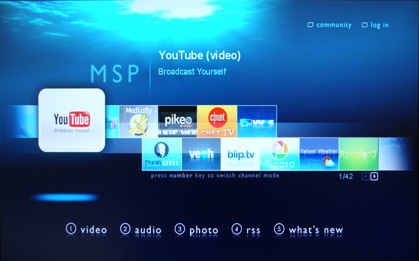
Figure 9: Web Services
And if you can’t find what you want in the list, there’s a way to add your own links. Bear in mind that the web “browser” that is used isn’t quite up to the standards you’ll find on the desktop, so some pages may not display properly.
Under the Covers
Figure 10 shows the main board of the ioBox.
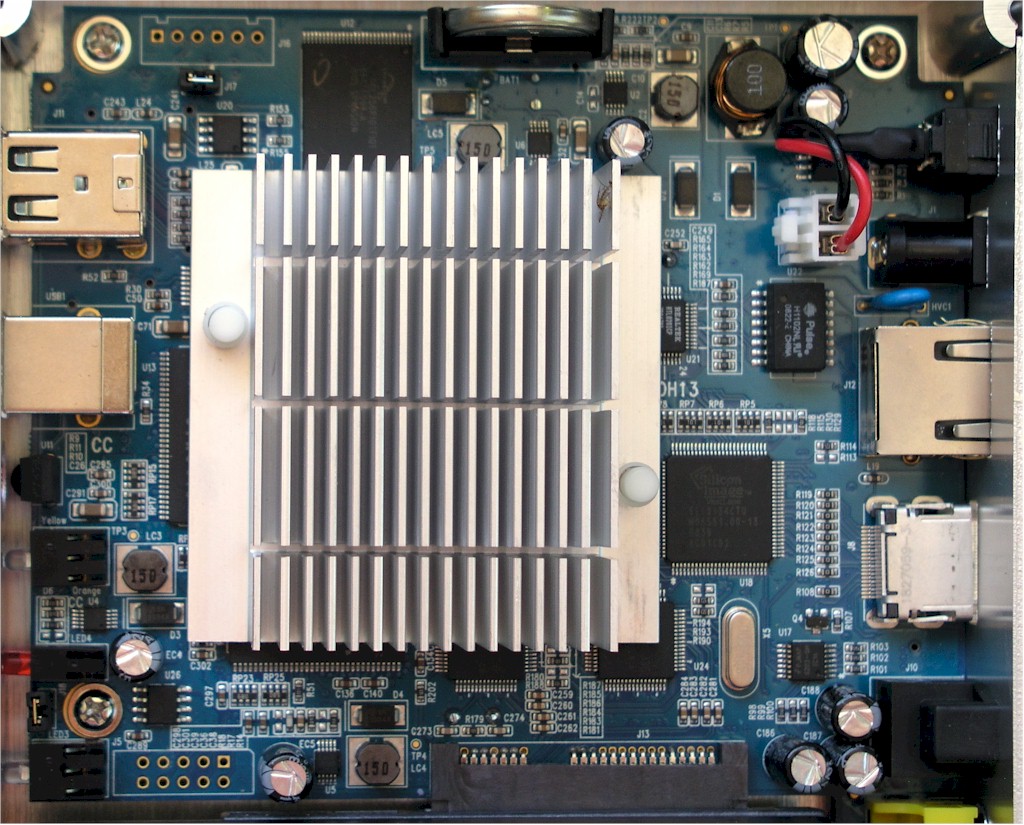
Figure 10: Main Board
You can see the big heat sink that keeps the box from having to use a fan. This obscures most chips on the board, but fortunately, the main CPU is documented to be a
Closing Thoughts
So, will this box be replacing my hacked AppleTV as my family’s
The bugs that cropped up now and then in the ioBox were a bit annoying, but obviously the box does have a lot going for it. Its ability to play a wide variety of content including DVD rips and 1080p movies was very nice. I liked being able to get content from UPnP AV servers, local disks or standard file shares. And its developer friendliness means that we may see a lot more interesting
Regardless, I enjoyed using the ioBox, and I’ll be keeping an eye on the NMT platform as it evolves and gets more functionality from its active developer community. Is the ioBox right for you? As usual, that depends on your needs. But if you have a lot of varied content to play and aren’t into hacking, you might give the ioBox a try!