

Introduction
Updated 12/30/2010: Multiple edits to correct errors and omissions
Many of today’s NAS manufacturers have adopted a unified feature set across their product lines. This is good for reviewers in that we can do a feature review once, then refer to it from many shorter reviews. But, frankly, I often don’t bother looking up the last review that contains a feature review, which is not a nice thing to do to readers.
So, this review will attempt to remedy that problem for Synology NASes by providing a look at Synology’s current NAS OS, DSM 3.0. Of course, the latest information about the OS will always be available at Synology’s site, which hosts a handy live demo.
Here is a summary of DSM 3.0 features. Of course, volume types supported vary by the number of drives in a product. So don’t expect to buy a two-bay NAS and get RAID 5 and higher support!
Here’s a feature summary:
Volume Types, File Systems, Services
- Network file sharing via SMB/CIFS, NFS, AFP
- WebDAV support
- Hot-swappable individual drive, JBOD, RAID 0, 1, 5, 5 + spare, 6, 10 volumes
(volume support varies with number of drives) - Synology Hybrid RAID (SHR)
- Online RAID expansion and RAID level migration
- Selectable EXT3 / EXT4 volume file systems
- FTP (and -SSL, -TLS) with upload / download bandwidth control
- HTTP / HTTPs file and admin access
- iSCSI target (maximum number varies by model)
- ISO mounts
- CIFS Recycle Bin
- Apache webserver
- USB printer serving
Accounts
- Joins NT Domain / Active Directories for account information
- Users (maximum number varies by model)
- Groups (maximum number varies by model)
- Quotas
Backup
- Scheduled and immediate networked backup to other Synology NASes using proprietary rsync-based protocol or standard rsync servers with compression and encryption options.
- Client Backup: Synology Data Replicator 3 (Windows only, unlimited licenses)
- Scheduled Backup to attached drives
- USB device pushbutton copy
- Apple Time Machine backup
Multimedia
- Media servers: UPnP AV / DLNA, iTunes
- PS3 and Xbox360 media access support
- Remote music access
- Internet radio (via ShoutCast and RadioIO)
- Web photo album
- BitTorrent / HTTP / FTP / NZB download
- eMule download
- IP camera recording and playback (select models, maximum number vary by model)
- ioS and Android apps for remote music and photo access
Add-ons
- Roundcube email
- phpMyAdmin
- Squeezebox server
- Webalizer
- More from third-parties including, WordPress, Drupal, Joomla, Gallery, SQL Buddy
Power
- UPS shutdown sync via USB
- Programmable idle drive spindown
- Scheduled shutdown / startup
- Wake On Lan
- Auto restart after power failure
Networking
- IPv6
- Link failover and aggregation (dual Network models)
- Dynamic DNS support
- Port filtering
- PPPoE client
Admin Features
- Email alerts
- Logging
- Telnet / SSH root access
- SNMP management
- Resource monitor (CPU, memory, network usage graphs)
Missing Features
There are a few things that you’ll find on NETGEAR ReadyNASes and QNAP NASes that Synology doesn’t have.
- iSCSI initiator – You can create iSCSI targets and mount them from systems that have iSCSI initiators like Windows. But Synology NASes themselves can’t mount iSCSI targets to form larger virtual storage pools
- Virtualization support – Many of QNAP’s newer NASes are certified to use with VMware and Citrix virtualization technologies and also are compatible with Microsoft Hyper-V. Synology has VMware certification only for its DS1010+, RS810+ and RS810RP+ and is in the process of pursuing Citrix and Hyper-V certs.
- Easy Remote Access– DSM 3 has multiple features to support accessing the NAS from the Internet. But they still rely on the configuration of router port forwarding, dynamic DNS, etc. A hosted remote access service like ReadyNAS Remote or even simpler services like those offered by Buffalo, WD, Iomega and other manufacturers would simplify the process for less knowledgeable users.
- Easier add-on browsing and installation – Like ReadyNASes, you need to browse Synology’s online catalog of add-on applications, download the app to your computer, then browse with the add-on installer to find and upload the file. QNAP’s process is much simpler, allowing you to browse its add-on "QPKG" catalog from its admin interface.
- Cloud backup option – QNAP offers Amazon S3 and NETGEAR has its ReadyNAS Vault. Synology does not offer the option of backup to a cloud backup service.
Feature Tour
Using the live demo is the best way to get a feel for DSM 3.0. Synology has taken an different approach from other NAS manufacturers (although LaCie’s new GUI is somewhat similar). The screenshot below shows DSM 3’s "desktop" style GUI with three apps or widgets open.
I set the browser width to 1024px wide and you can see that the "desktop" gets crowded pretty quickly. You can resize some windows, the Storage Manager, for example. But the Control Panel doesn’t resize and eats up a lot of room on the desktop. So you’ll probably be minimizing it to the bar at the top of the screen or quitting it entirely between uses.
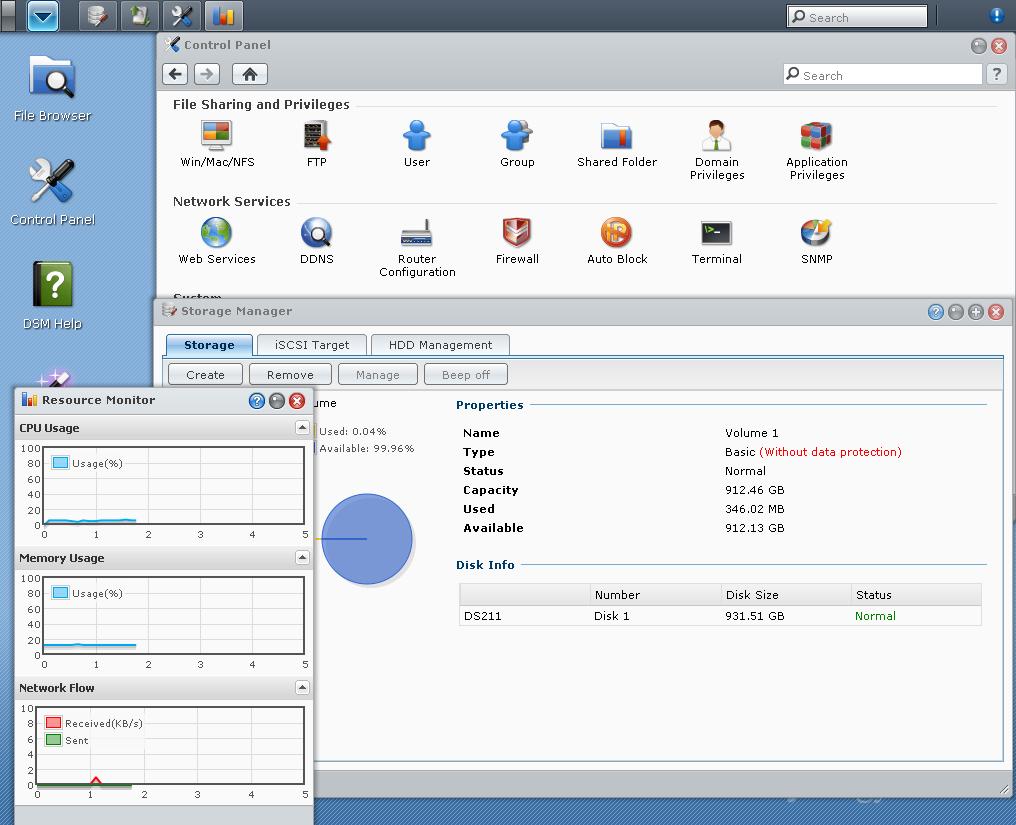
Synology DSM 3.0 Desktop
The gallery below hits most of the highlights of DSM 3’s feature set.

Whether you call them modules, apps or widgets, each of the icons you see in this drop-down window can be opened in its own desktop window.
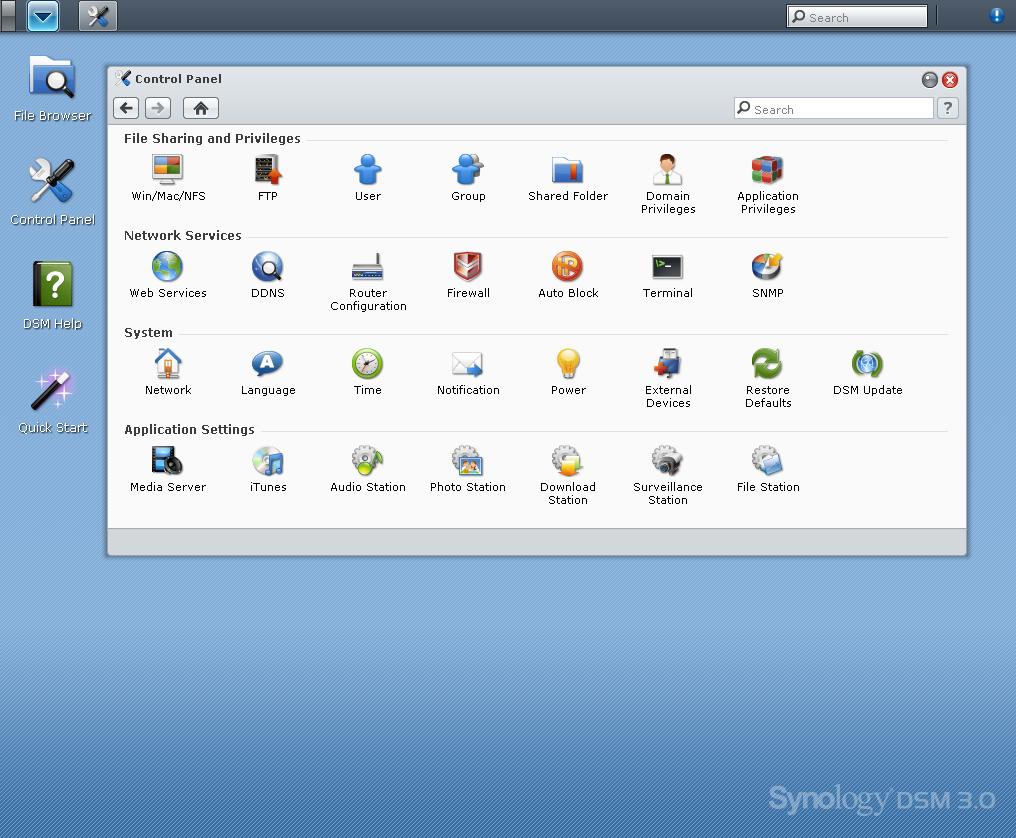
The Control Panel has a lot of functions packed into it. This window can’t be resized, however.
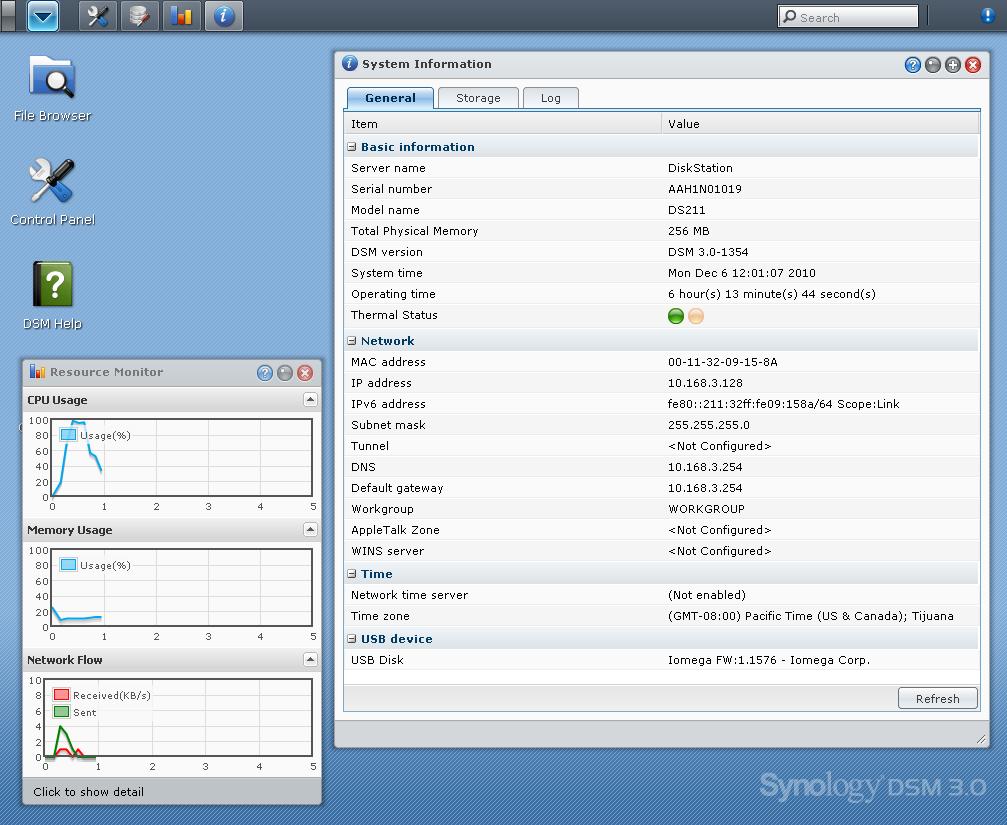
The Resource Monitor has graphs of CPU and Memory usage and Network traffic. The System Information window does a good job of getting lots of information collected into one place.
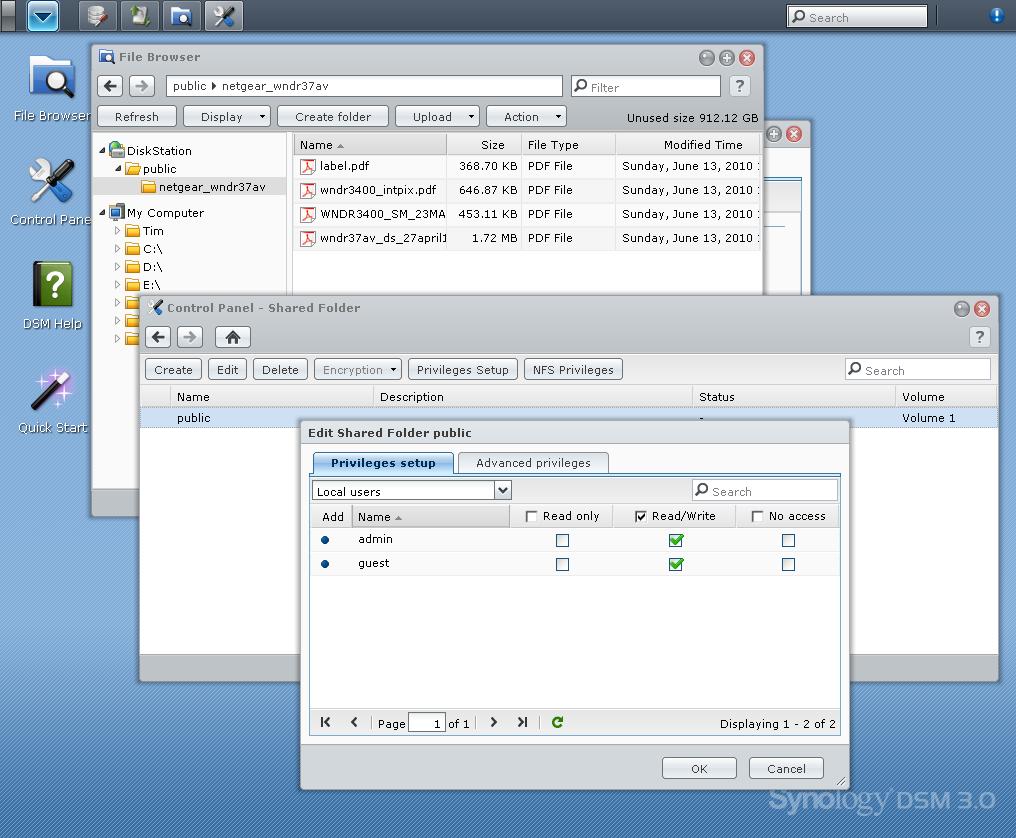
This view has the File Browser and Control Panel Folder manager open. Also in the view is the folder privilege manager.
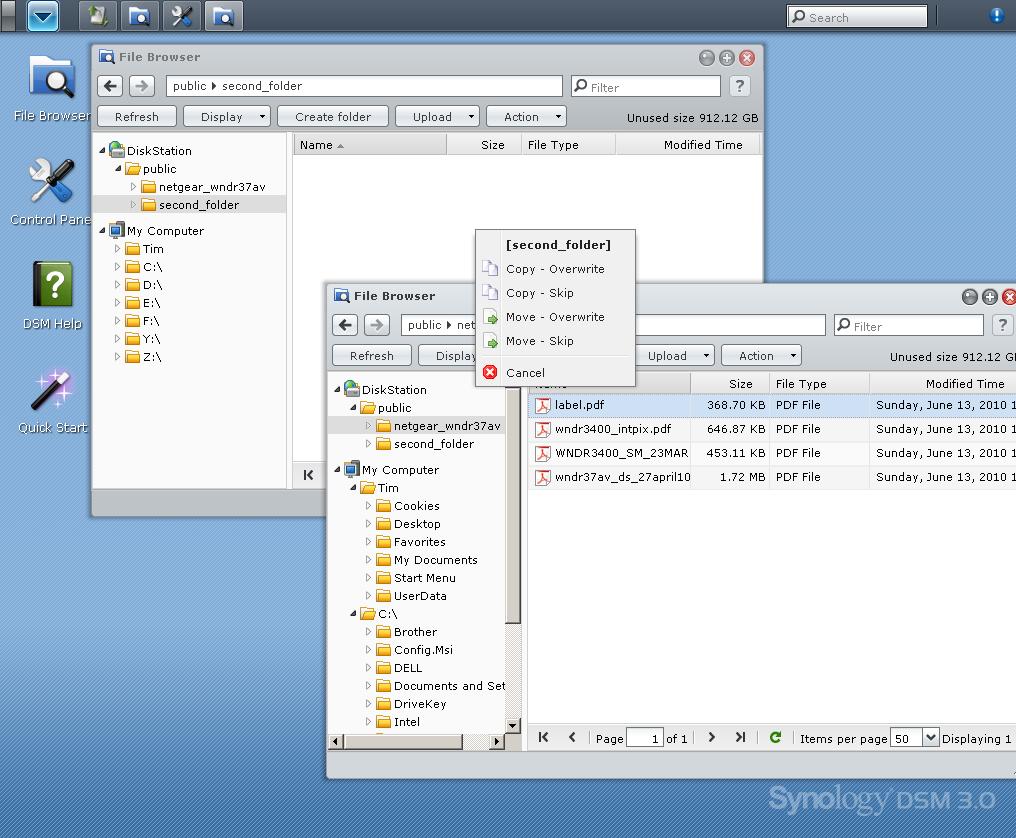
You can have two File Browser windows open and drag and drop files between them.
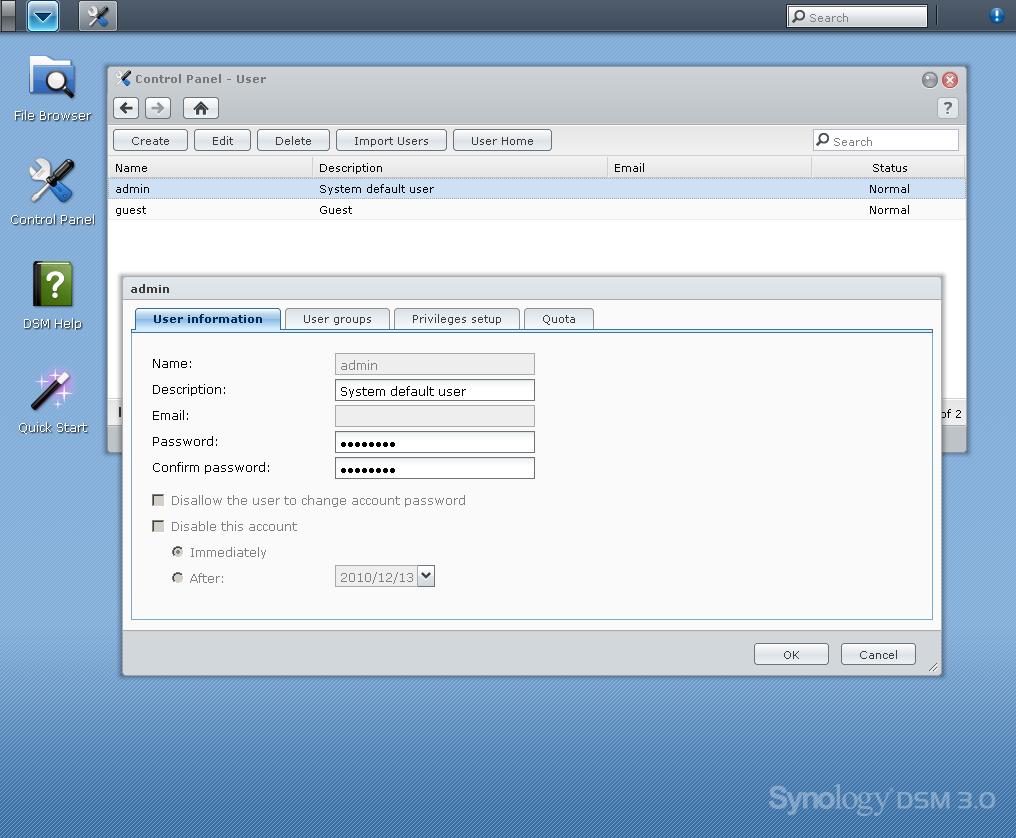
You can set up Users and Groups. Quotas can be set for Users, but not Groups.
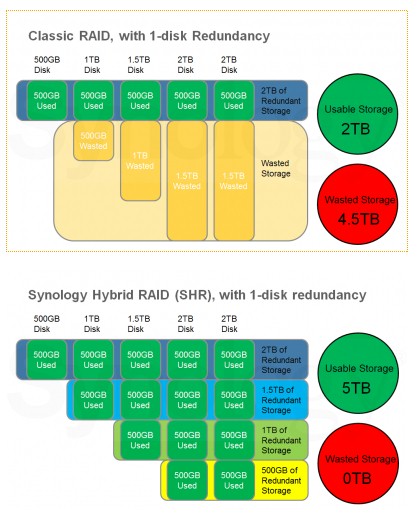
SHR lets you mix disk sizes and use more space than conventional RAID, yet still survive one drive failure in the volume.
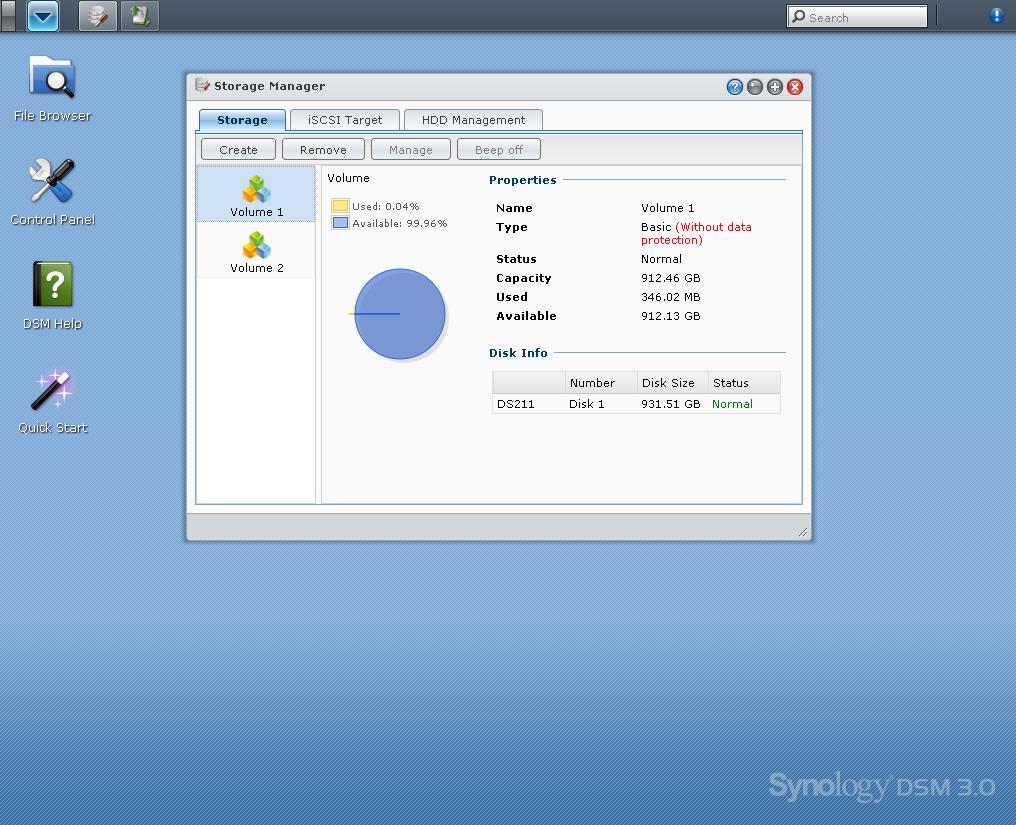
Here’s where you do volume management. DSM 3 supports multiple volumes (if you have enough drives). Here you see a two-drive DS211 with each drive configured as a separate volume. Management options that are unavailable are greyed out.
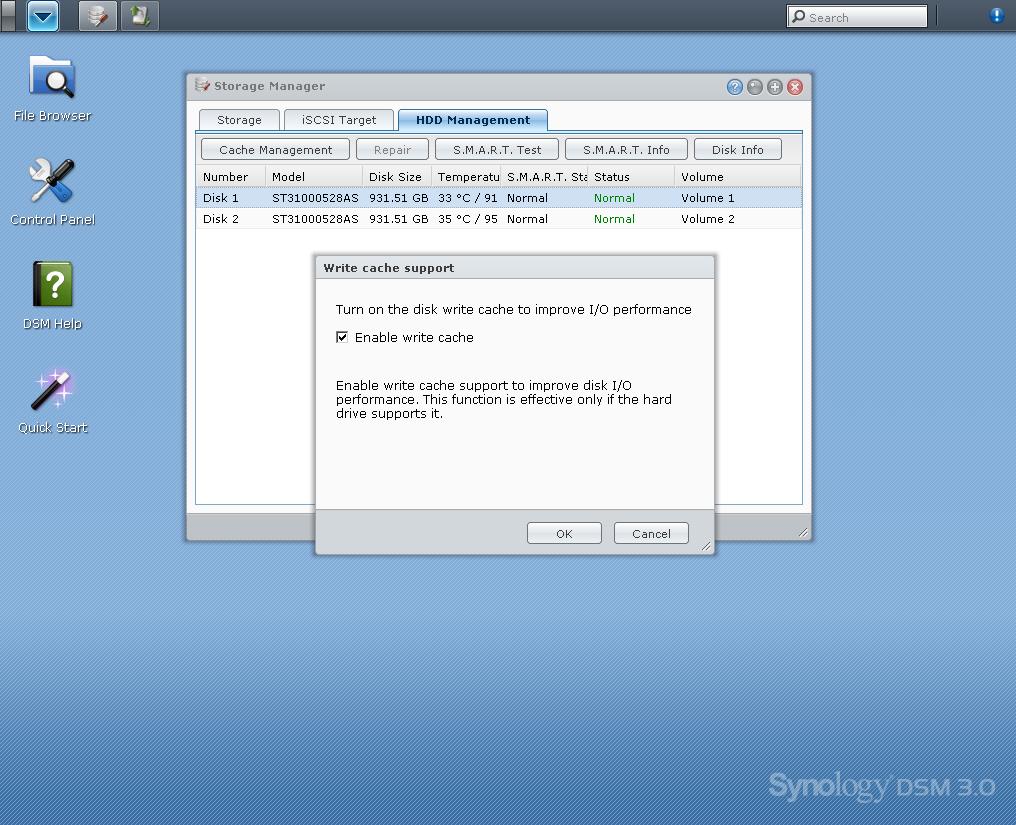
Write cache is enabled on all drives by default. Here is where you can disable it.
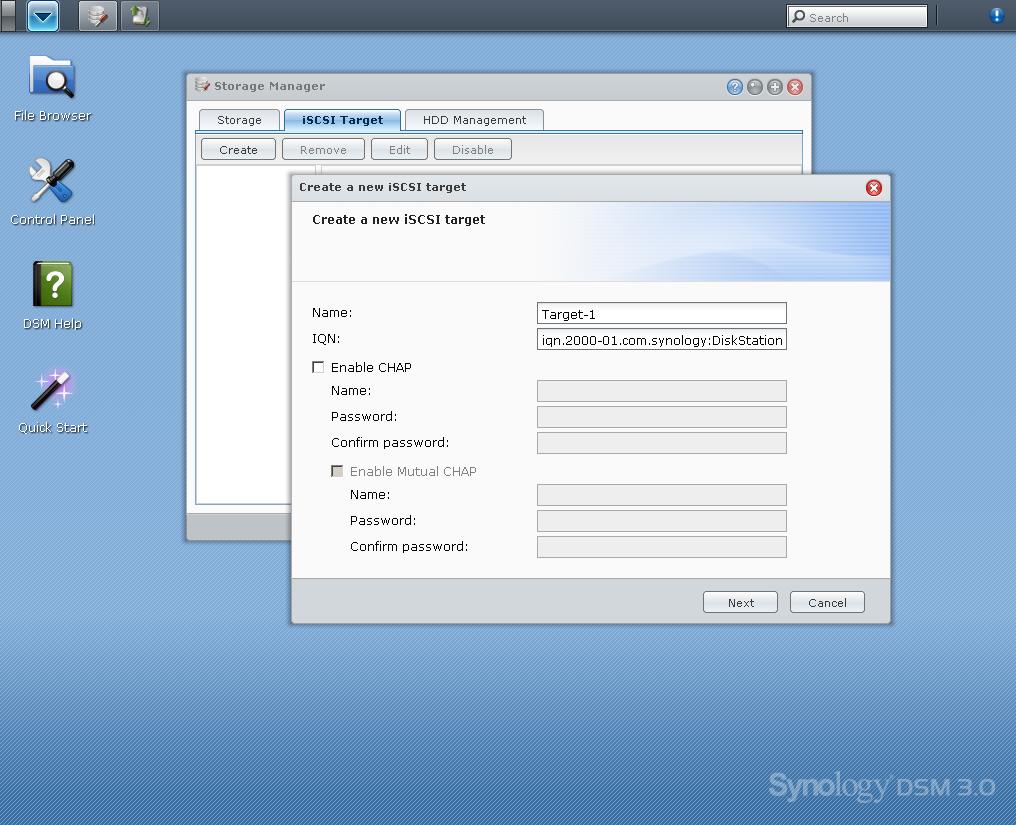
You can create or remove iSCSI targets on the fly.
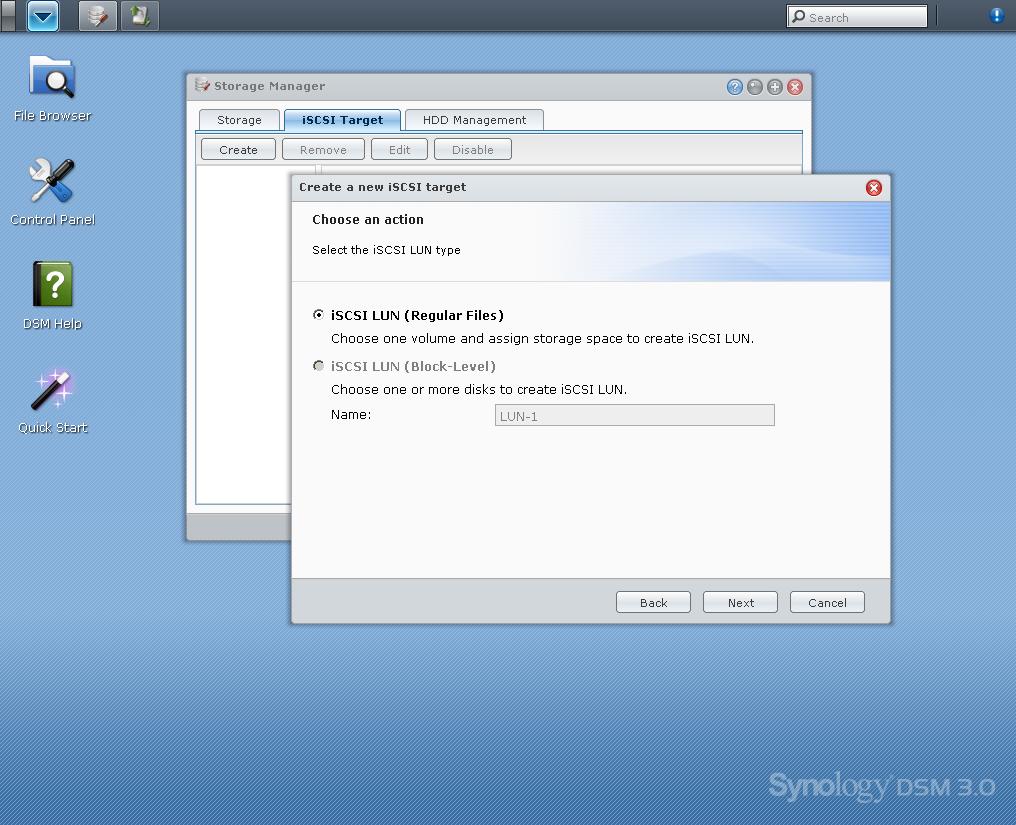
If you want block-level iSCSI, you must create a specific LUN volume. (That’s why it’s greyed-out here.)
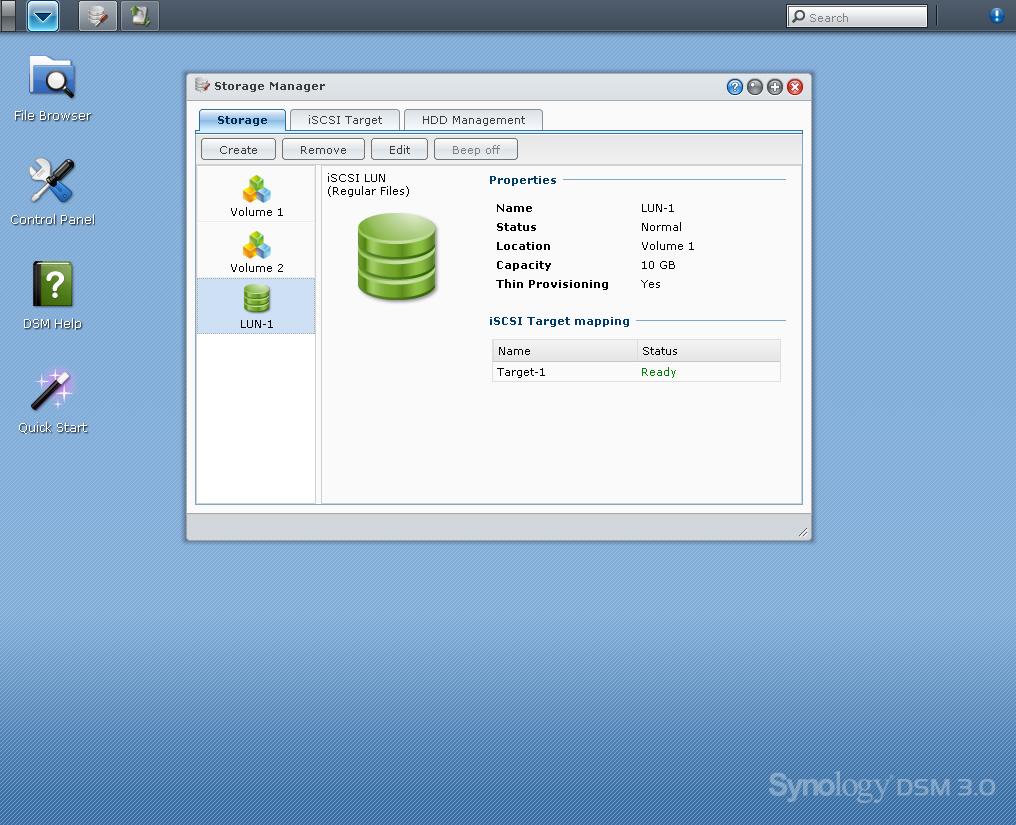
Here’s the finished iSCSI LUN in the Storage Manager. Note that DSM3 doesn’t have an iSCSI initiator. So you can’t use iSCSI targets in other NASes to expand storage.
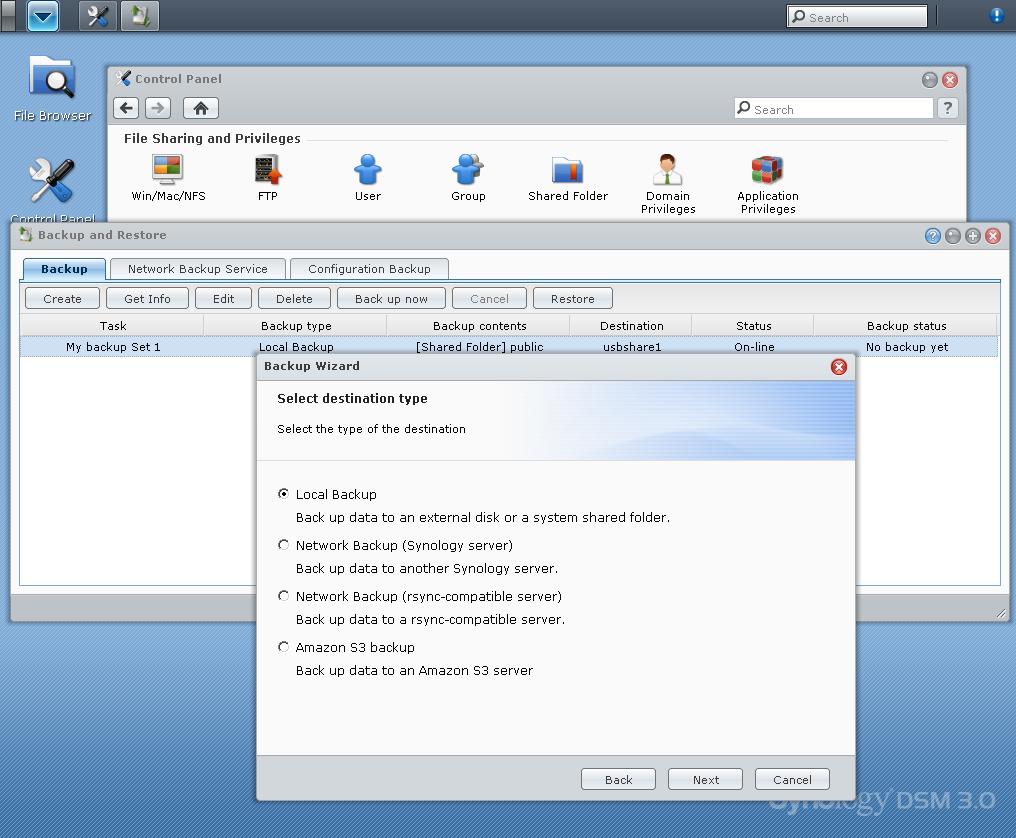
Backups can be done to attached drives, rsync servers and Amazon S3.
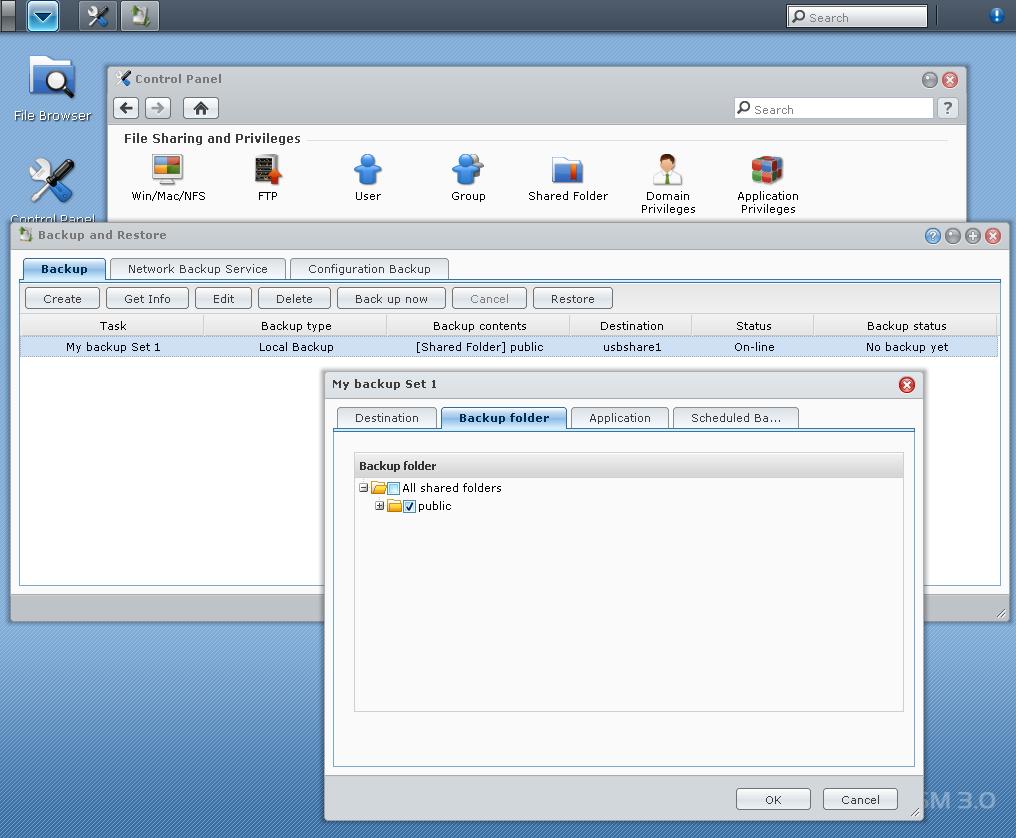
Attached backups can be immediate or scheduled. Options are included for backing up MySQL database and dedicated Photo Station and Surveillance Station folders.
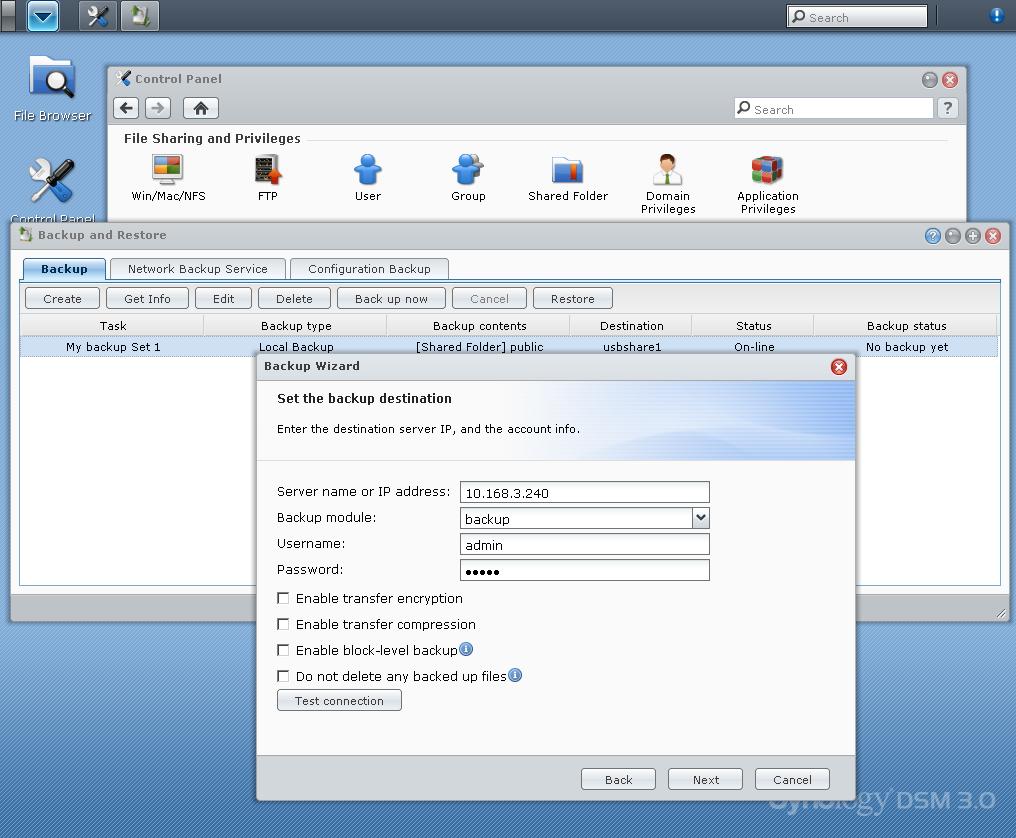
Rsync backups have encryption and compression options. But enabling either really slows throughput. Synology network backups also use rsync, but with pre-configuration that makes them slightly easier to set up.
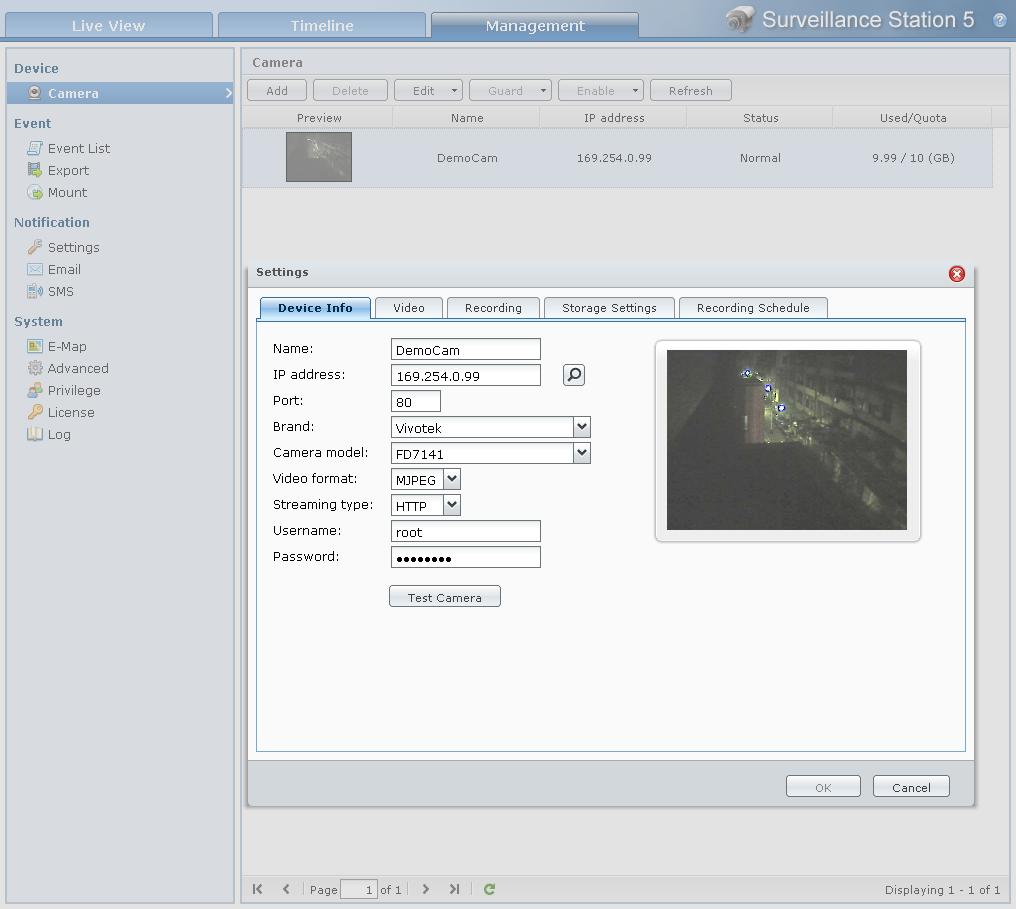
This screenshot is from Synology’s DS710+ live demo server. You can get an idea of some of the controls.

The demo camera is set for motion detection recording.

Scrolling through the motion detection recordings is a bit tricky. There doesn’t seem to be a correlation between the slider position at the top of the screen and the recording time marks. A calendar or list view would really be helpful here.
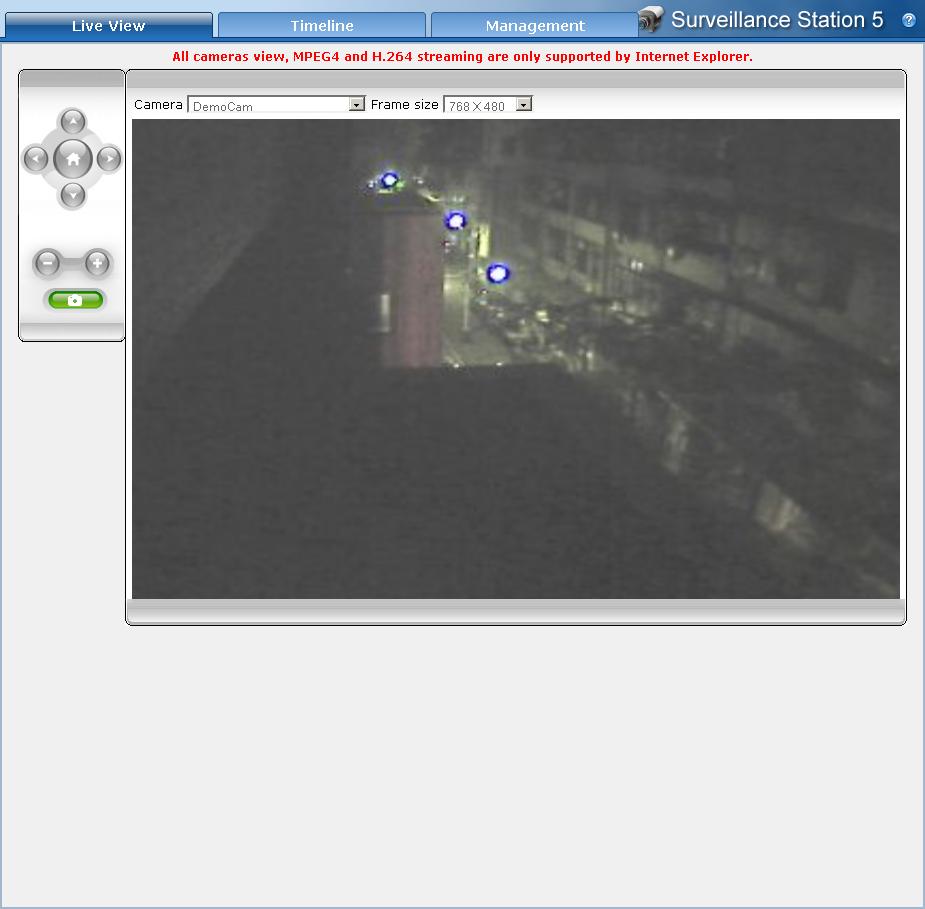
Live view has position and zoom controls for cameras with those features. There’s also a snapshot button.
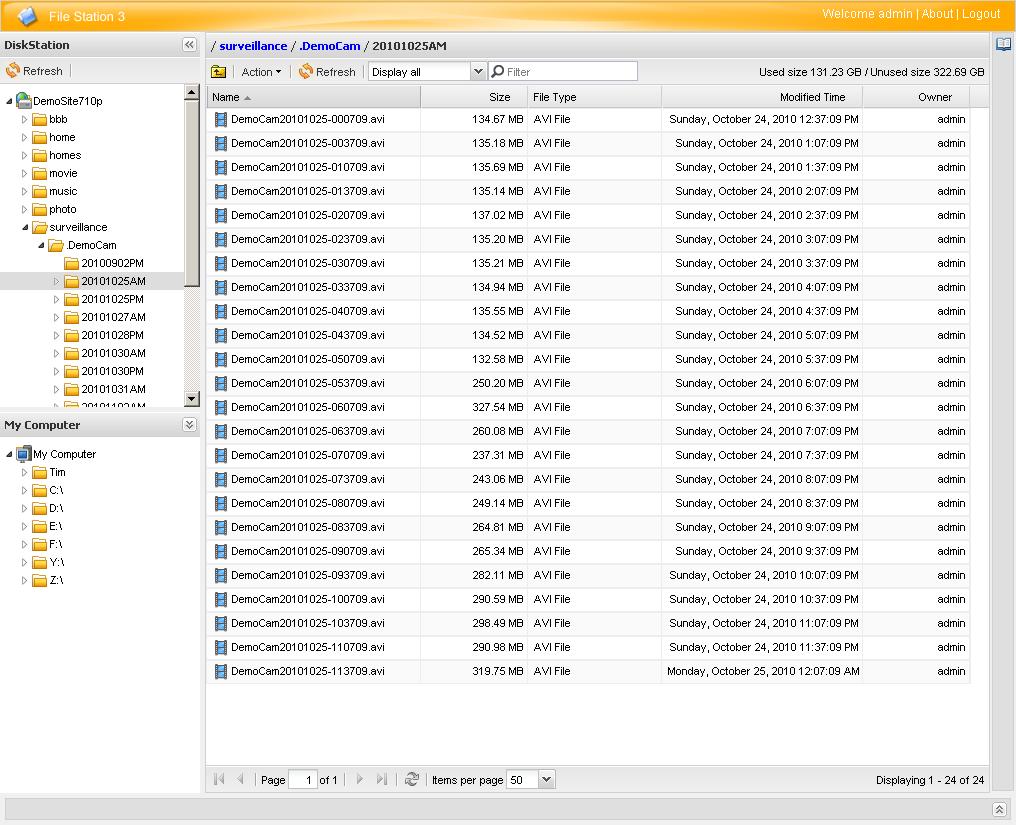
File Station 3 file browsing on the Synology Demo system. Note that it also sees the local filesystem (My Computer).
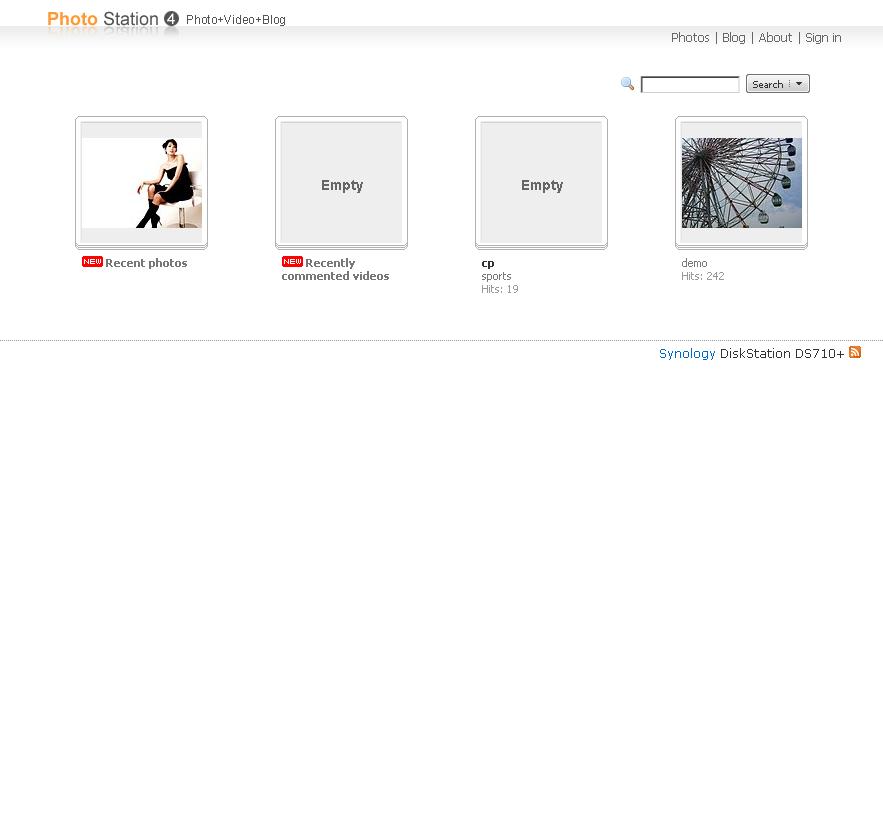
Top level view on Synology demo server of Photo Station.

Folder level view of Photo Station.
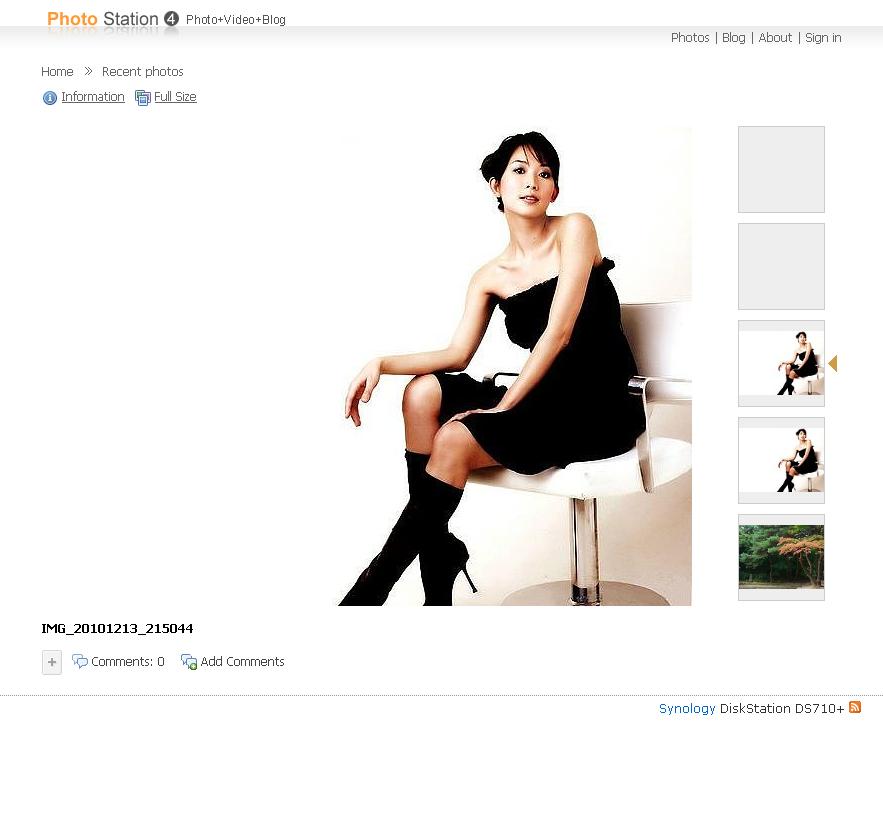
File level view of Photo Station. Note there is no slideshow mode.
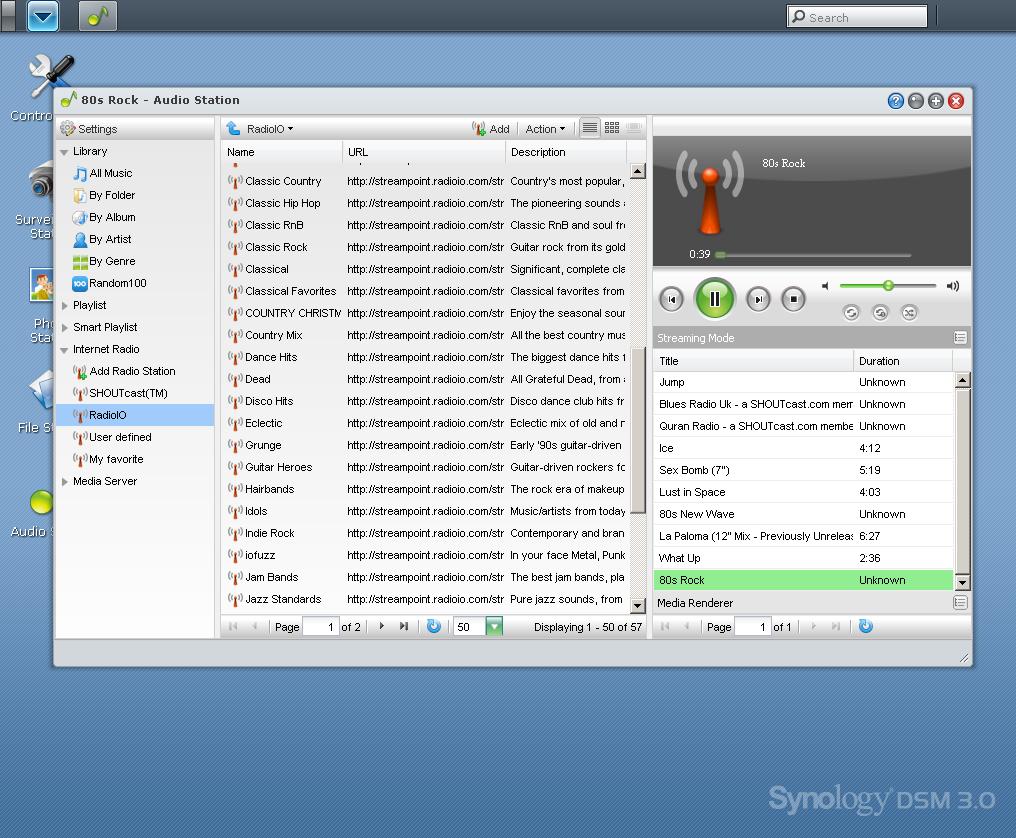
This view shows Audio Station on Synology’s demo server playing a RadioIO stream. The play queue at the right side of the window adds new items to the bottom of the list. Audio quality was just like playing from a local file.

The External Devices page shows attached USB and eSATA drives and printers.
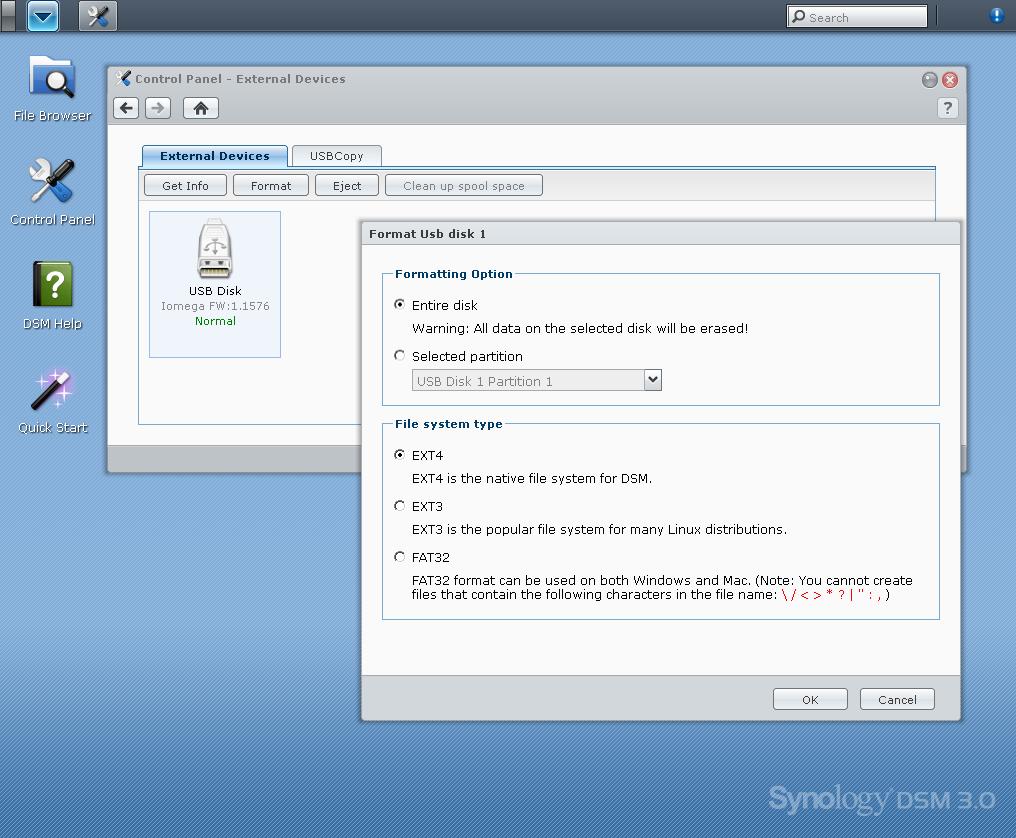
Format options for attached drives. Note that you can format partitioned external drives.
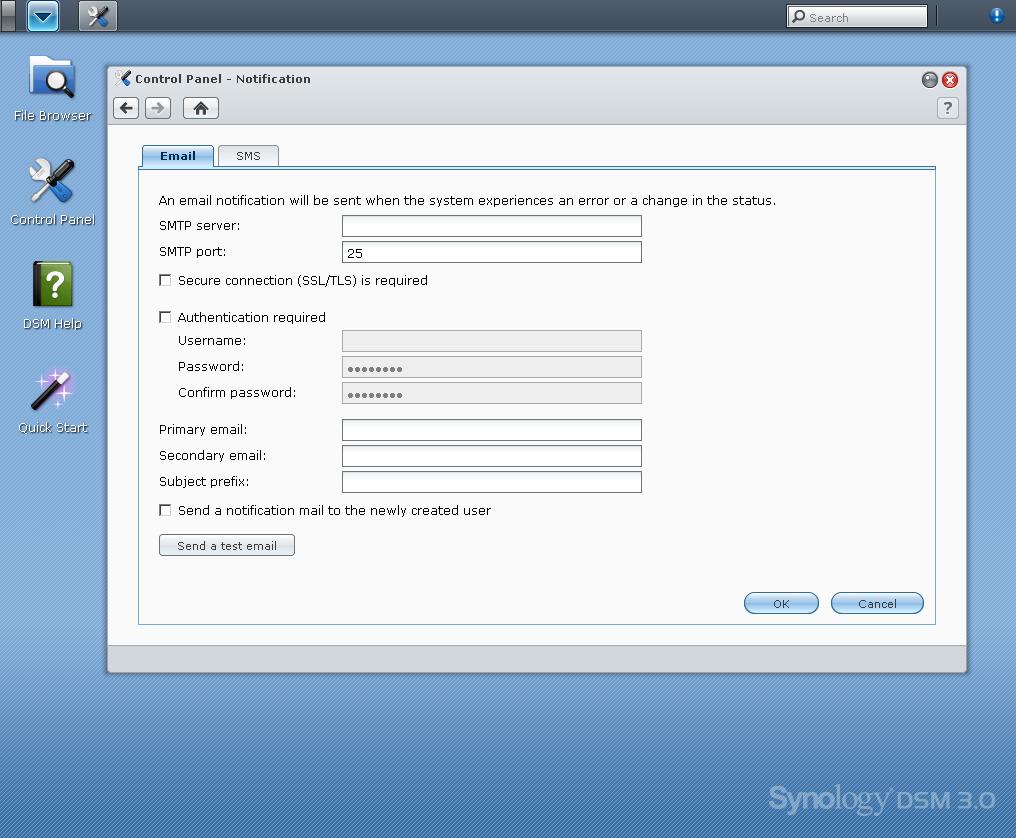
Here’s where you set up handlers for email and SMS notifications. We’d prefer to see Synology provide an pre-configured SMTP server as some other NASes have.
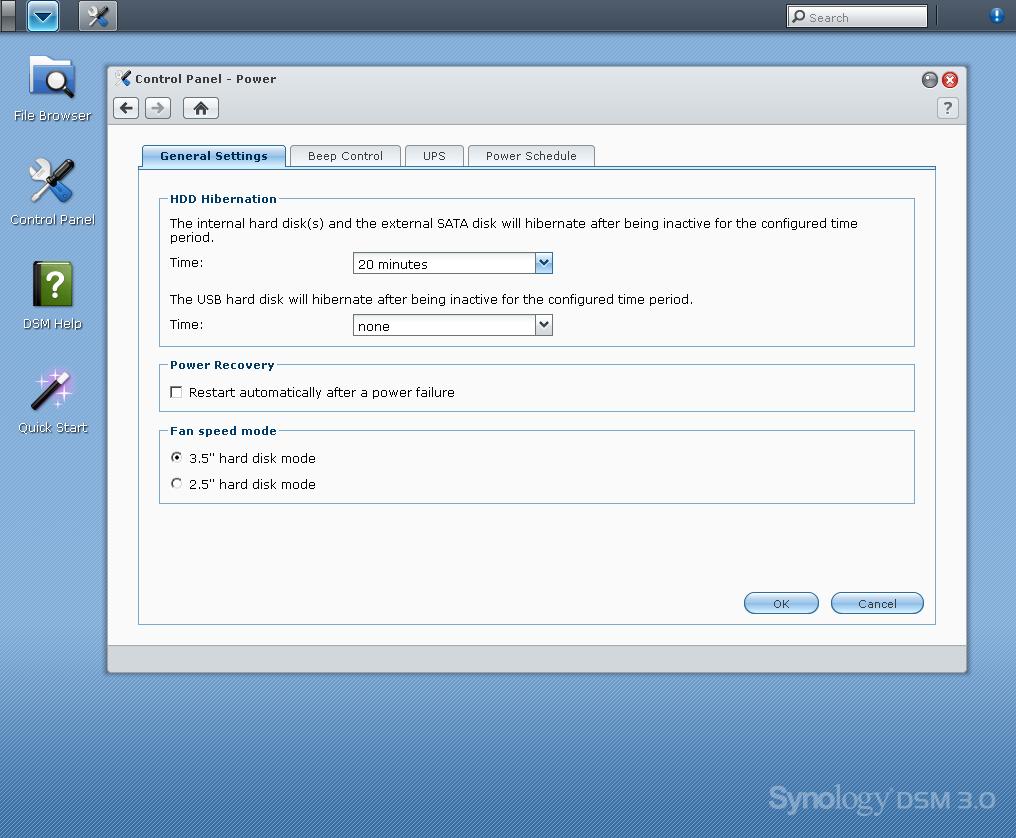
Note that you can control drive spin-down for SATA (and eSATA) and external USB drives separately. Time intervals range between 10 minutes and 5 hours.
In all, Synology’s DSM 3.0 has features to suit both consumer and business applications. But it needs to continue to enhance its business features to stay even with QNAP and NETGEAR.