

Introduction
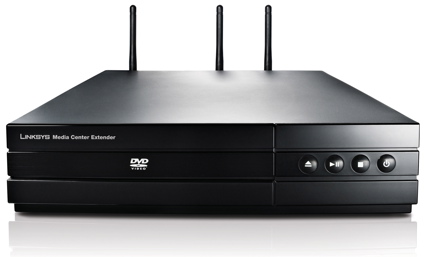
| At a Glance | |
|---|---|
| Product | Linksys Media Center Extender with DVD (DMA2200) |
| Summary | “Version II” Windows Vista Media Extender with HD support |
| Pros | • HDMI Port • 1080p HD Support • Dual-band draft 802.11n wireless • Upscaling DVD player |
| Cons | • Limited audio and video format support • Windows Vista only • Fonts too small for across room viewing • Buggy |
Every time I review a network multimedia player, I get feedback suggesting that I check out what the Microsoft Media Center can do. I’ve always been a bit hesitant, because I’ve never been a fan of using a noisy,
But in this review, I’m going to check out one of the “Version II”
One of the first companies to release a Version II extender is Linksys. Linksys markets two versions of their extender, one with a
Visually, if you ignore the three 802.11n antennas, the 2200 doesn’t look much different then a compact DVD player. It is designed to fit right into your entertainment center. The back panel of the device (Figure 1) shows the various connections that the device supports.
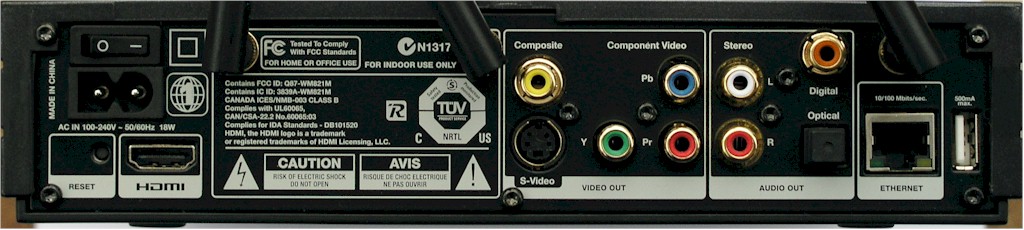
Figure 1: Back Panel
Along with
802.11n is designed to give you the bandwidth you need for streaming
One curious connector is a USB 2.0 port that is documented as being “for service only”, but was likely originally intended for external storage. You’ll also note the absence of a fan vent. In use, the device is fanless and silent. While running it draws around 12 W, and none when off. It completely shuts down.
Setup
Setting the 2200 up was fairly straightforward. Figure 2 shows the initial setup screen on my TV after I plugged everything in and powered it up. (Please excuse the quality of the user interface screen shots. I had to do a standard-definition capture and the fonts are pretty small.)
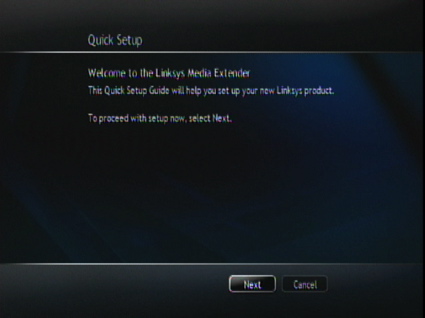
Figure 2: Initial Setup
Since I have Ethernet support in my entertainment center, I first set the 2200 up using a wired connection. Figure 3 shows the setup screen where a network type selection can be made.
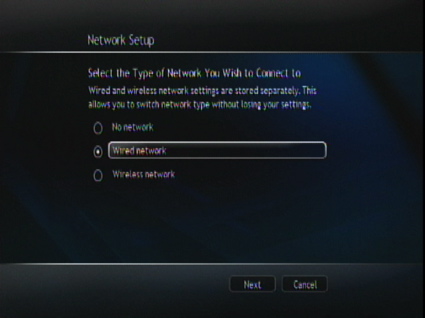
Figure 3: Network Setup
A few screens later, I was given a unique “Setup Key” that I used to pair the extender with Windows Media Center, running on a Vista laptop (Core 2 Duo, 1.73 Ghz, 1Gig RAM, Home Premium Version) that Linksys was kind enough to supply me with. Once I paired the two up, I was ready to explore. The whole setup took around 10 minutes, start to finish.
I’ll note here, however, that one morning when I turned the 2200 on, it acted as if it had never been set up. I had to go through the whole initialization and “pairing” process again. Measuring the time it took from
In Use
Reviewing a device like this is a bit difficult, because a good deal of the functionality is provided by Windows Media Center, not the device itself. But for the purposes of this review, I’ll just treat the two as a package since that is what a consumer would see after setting up a 2200.
Figure 4 shows the main
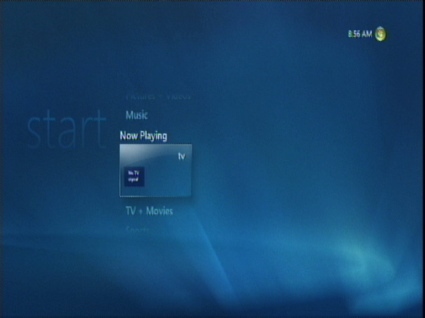
Figure 4: Main Menu
In general, the user interface is fairly attractive and if you’ve used Media Center on a Vista PC, it looks nearly the same. But you won’t find the same level of responsiveness and the same fluid menu animations on the Extender that you’d find on the PC. As you scroll around, things lag and jump just a little bit more.
You’ll see in the menu in Figure 4 that there’s a lot of dead space. I would have preferred to see the screen real estate better utilized. Also note the use of small fonts as represented by the clock in the upper right. Again, there is a ton of open space, but the clock is tiny.
I suppose I’d eventually get used to it, but I found the
Figure 5 shows the main menu overlaid on live video. The menu shows vertical categories of TV + Movies, Sports and Online Media, while my current selection is highlighting on now.
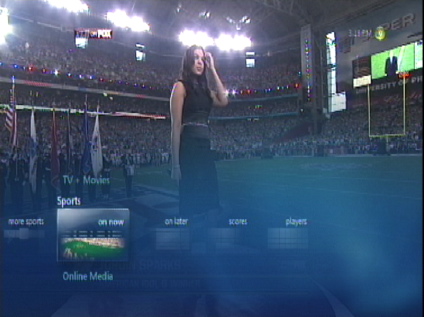
Figure 5: Content Selection
I can’t tell you how many times I’d hit the up arrow again in this situation to go to Sports, since it is above my current selection. But in reality, I’m already in Sports so my button press would instead take me to TV + Movies. I’ll note at this point that I found the
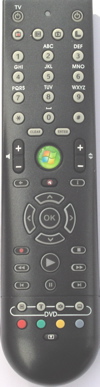
Figure 6: dma220 Remote
The remote has a lot of buttons that perhaps could have been consolidated. For example, the one button I found myself using a lot was the Back button, which is the tiny little button just below the volume control. This back button has different functionality than the large “back arrow” button just below it. It would have been nice to consolidate these buttons.
In comparison, while it has fewer features than the 2200, the Apple TV media player gets by with a total of six buttons while the 2200 has 50! On the other hand, the 2200 remote also has learning capabilities, so that it can control power and volume on your TV. Figure 7 shows the learning setup screen.
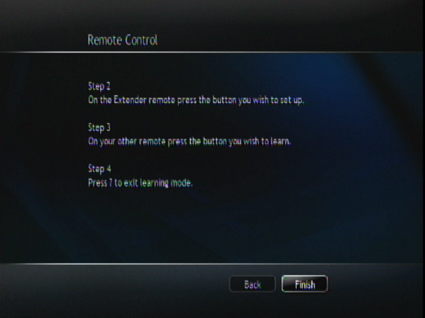
Figure 7: Learning Remote Setup
It’s hard to see, but the instructions say to press the “?” key on the remote after the learning session is complete. See any “?” button on the remote in Figure 6? Me neither. These instructions appeared to be completely off the mark. The actual instructions in the manual were much more involved.
Media Playback
Typically, when I review these types of devices, the first thing I do is see how much of my existing media library they can handle. I’ve yet to try a networked media player that could do it all. With the 2200, I first had to get it access to my library. Figure 8 shows the menu where you can configure the 2200 to load media from network drives.
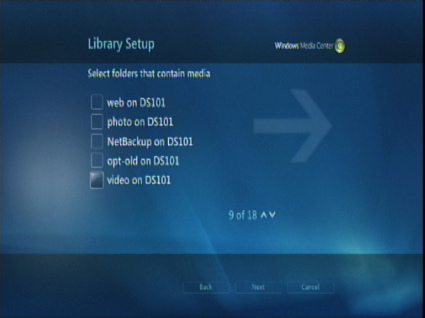
Figure 8: Network Share Setup
The problem I had at this point was mounting network shares. All my media is available on the network, but I typically have username/login protection on the shares. This menu gave me no way to specify the login credentials, so I could only access my shares that had
Note also that when I mounted my shares on the Vista notebook using the proper login credentials, the 2200 still couldn’t see them. To get around this problem, I eventually just copied a sample of my files over to the Vista notebook to check them out there.
So how well did the 2200 do with my files? As usual with these products, it was a mixed bag. Figure 9 shows the picture selection menu where all of the photos are displayed as thumbnails.
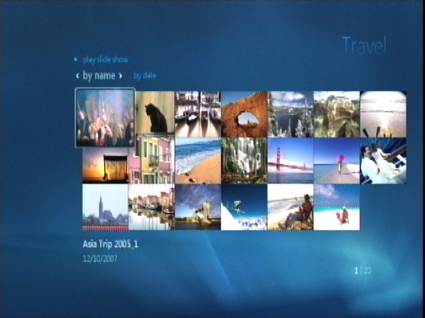
Figure 9: Photo Selection
Linksys documents support for JPG, PNG, BMP, and GIF files and the 2200 had no problem with any of my image files. From this menu, the 2200 could also do a basic
As far as music, Linksys supports MP3, WMA,
The 2200 had no problem with my MP3 files, but understandably couldn’t play my DRM restricted music that had been purchased from the iTunes music store. Figure 10 shows the Music selection screen where each album is represented by a
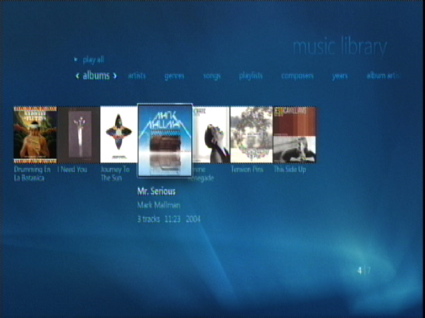
Figure 10: Music Selection
Music can be listed by artist, genre, album, etc. Once a playlist has been started, you can navigate into the Pictures menu and start a
Video Playback
General support for video playback is always hard for these devices, since there are so many different video formats in use. Linksys claims support for
For my own
I first downloaded a number of codecs so that the Vista notebook could play most everything. But as I went through the same set on the 2200, I found a lot of unplayable videos. Mpeg1 and 2 files played pretty well and ome of my XviD and DivX videos played, while others didn’t.
For example, I had a collection of movie trailers that I downloaded from Divx.com, and although the 2200 was able to generate a thumbnail for the menu (Figure 11) none would play.
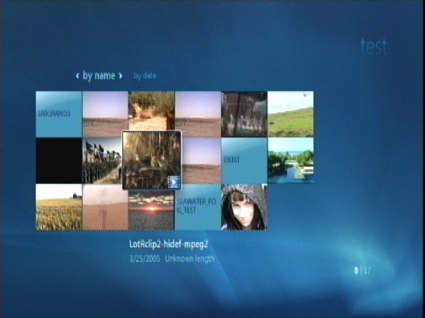
Figure 11: Video Selection
I also have a large collection of H.264 mpeg4 videos created through Handbrake, but most wouldn’t play. But once again, the 2200 was able to generate a thumbnail. But I also had other H.264 files that played fine.
Some unplayable videos would throw an error indicating that a codec was missing (there is no way to add a codec to the 2200), while others would start and then just immediately finish without complaint as if the movie was done. I also noticed that support for
Support for
Live TV / PVR
One of the nice features of Microsoft Media Center is support for
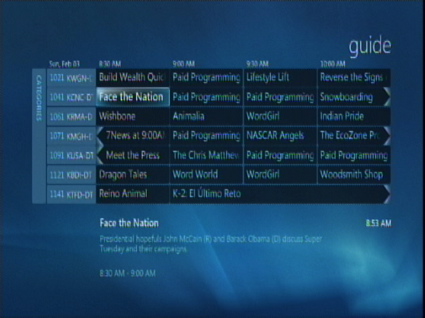
Figure 12: Program Guide
HD live TV is a powerful feature that comes “for free” as opposed to paying a monthly subscription fee to a cable or satellite company. The feature includes the usual PVR capabilities such as the ability to record all episodes of a show, simultaneous record and playback, etc.
Note that with only a single tuner, I could not simultaneously record and watch "live" TV; I could only watch a pre-recorded show, while another was recording. But the Vista Media Center can support multiple tuners, which would let me watch "live" TV and record at the same time.
In my area, I have pretty spotty over-the-air HDTV signals, so I was only able to pick up a couple of strong channels, and several marginal ones. When I had a good signal, things worked well. I could
But there were issues. When my signal was very bad, I’d just get an error indicating a lack of signal. But when I had a marginal signal, I’d occasionally get complete
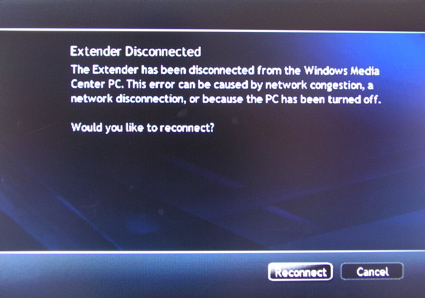
Figure 13: Lost Connection
I suspect the problem was in the TV device driver on the notebook and not on the 2200. But regardless, it was annoying when I’d have to reset the box just because I tried to change channels.
When I had a good input signal, I’d say the feature was well done, although once again, the fonts in the program guide were way too small and not easily visible across the room. In general, I’d say my six
I won’t go into any deatils on the
Internet Content
The 2200 can use your own media, but it also has the ability to view assorted content from the Internet. This includes Internet radio stations, Internet video sites, news and sports information. (Figure 14).
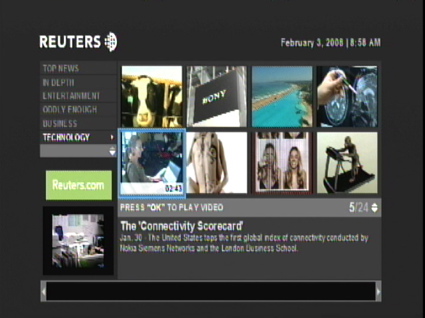
Figure 14: Online Content
I found a few interesting sites through this capability, but it was a bit of a struggle. Many of the sections wanted to download and install their own viewer, which had to be accomplished on the PC. In addition to being a pain, this made me nervous, not really knowing how safe this was.
A couple of times I experienced what appeared to be an unreachable site that
In general, I found that the available "Internet" content was often really nothing more than low quality trailers or commercials for the real channels. Other channels, such as the “Home Shopping” channel, were nothing but sales vehicles. Overall the “Internet Content” area felt like a bit like the 2200’s low-rent district, with a few gems and a lot of junk—pretty much like the real Internet!
Wireless
I’m lucky enough to have Ethernet available in my entertainment center, but I suspect that most people don’t. For this reason, the 2200 also has draft 802.11n wireless capability. With average throughput of over 40 Mbps, as shown in our Wireless Charts, draft 802.11n should provide more than enough bandwidth to stream HD content.
Figure 15 shows the setup screen for wireless networking where the 2200 has done a
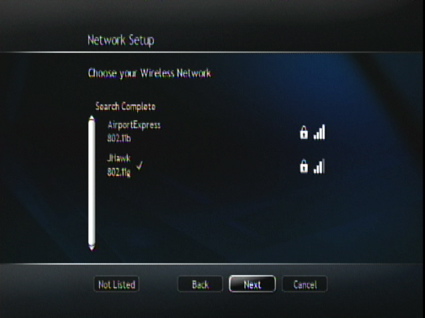
Figure 15: Wireless Setup
In my case, I first set the 2200 up to connect to my existing 802.11g network. This worked, but if you plan on watching a lot of HD content, I would recommend that you use a wired network, or go with an 802.11n wireless connection.
When I tried out the 2200 with the WRT600N [reviewed] draft 802.11n router that Linksys provided, I successfully viewed several HD streams including a 1080p movie and my stress-test mpeg2 video. But even on the 802.11n network, I saw a couple of slight "stutters" in the video when connected over a distance of about 30 feet and one floor between the 2200 and WRT600N. So if you can, go with a wired network for the best HD streaming experience.
By the way, a contact at Linksys told me that they recommend at least 50 Mbps of bandwidth on your network in order to handle HD streams along with all of the normal network traffic. This seems about twice what I would expect, but that’s the word from Linksys.
As far as range, a few quick tests around my house showed no issue with low-bandwidth videos on my regular 802.11g network, even though my Linksys WRT54G router is in a pretty poor location, i.e. in the basement around a lot of duct-work. With high-definition videos, as expected, it was a different story, with lots of breakup using the 802.11g connection.
Under the Covers
Figure 16 shows the main board of the 2200.
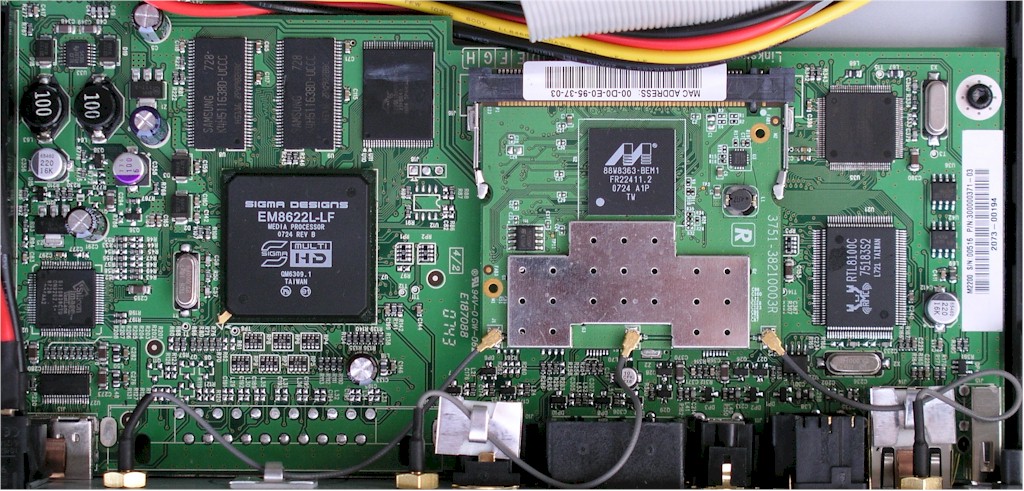
Figure 16: Main Board
From this picture you can see that the video processing is provided by a Sigma Designs 8622L Media Processor. The dual-band draft 11n wireless support is on a Marvell-based
Most, if not all, version 1 extenders run Windows CE and my guess is that’s what the 2200 runs. Note that the 2200 manual listed several
A network
A review of this Media Center architecture powerpoint presentation found on the Microsoft site, turned up a few interesting tidbits about the MCX (Media Center Extender) architecture:
- The user interface is actually rendered by Microsoft’s Media Center software on the computer and delivered to the MCX device (the 2200, in this case) via a Microsoft Extender Session Protocol (XSP) that runs over Transport Layer Security (TLS).
- TV, FM radio, Windows Media, VC-1 (for Windows Media Video 9) and MPE formats are streamed via RTP, with RTSP used for command and control. Everything else uses HTTP, including MPEG 1 and 2, WAV and "OEM-added" formats. This is intended to allow additional media formats to be supported without requiring software to be installed on the Vista PC.
- MCX devices use Windows Media DRM for playback of DRM-protected content.
Closing Thoughts
Microsoft has spent a lot of time (and advertising dollars) trying to promote the idea of using a PC as the heart of your home entertainment system. PC manufacturers joined the effort too, trying to produce PCs that were stylish and quiet enough to be welcome in your living room.
But in the end, Media Center PCs (except for some homebrew machines) still looked, and more importantly, sounded like PCs and didn’t go mainstream. And even though Microsoft managed to "convince" some of its partners to come out with Media Center Extenders, those too were expensive and tended to stay on store shelves.
The other problem was that Microsoft’s initial approach required a special "Media Center" version of Windows, which tended to come only on more expensive machines that were, for the most part, not living-room friendly. So a consumer had to ante up big time before they could even see what all this Media Center hubbub was about.
This time around, Microsoft has taken a smarter approach. First, they’ve included the Media Center functions in the Vista Home Premium version that most consumer PCs ship with. So that lowers the hassle factor considerably by giving more consumers a chance to play with Media Center without having to spend big bucks on a "Media Center" PC.
And second, they’ve lowered the cost of the Media Center Extender to be more in line with other networked media players. Of course, the fact that many new PCs are powerful dual-core machines with enough power to handle HD processing and the availability of HD USB tuners has helped a bit, too.
But the Media Center extender approach still depends on a PC, even if you don’t need or want off-air TV viewing and recording and just want to watch or listen to stored content you already have. And that adds cost, power consumption (my test laptop drew about 55 Watts), noise and heat—all the things I want to avoid.
That being said, although I found a lot of little issues with the 2200, I generally enjoyed using
But in reality, I don’t have any significant HD videos other than promos and demos. There’s just not much full-length content available in downloadable form. And my satellite set-top box is just fine for my live TV /PVR needs, with a better user interface than the 2200, too.
So how does the 2200 stack up against my current favorite media player, the Apple TV? Well, an off-the-shelf Apple TV is even more limited than the 2200 as far as supported video formats. So an apples-to-apples comparison (no pun intended) would favor the 2200. And Apple doesn’t have a live TV / PVR solution. You’d have to put one together yourself using products like Elgato‘s EyeTV tuners and software.
But if you’re willing to get your hands dirty, a hacked AppleTV will play a wider range of stored material. In my case, it handles nearly everything in my video library: MPEG-4, H.264, XviD, DivX, VOB files, DVD images, etc. And it’s done across the network from small, efficient, and quiet NAS devices; no computer involved. I also find that the photo slideshow and music playback features and the user interface on even the stock Apple TV are
So it depends on where you’re starting from. If you already have a Windows Vista Home Premium (or Ultimate) machine, then a DMA-2200 for around $300 (or a DMA-2100 for around $250) is pretty attractive compared to, say, a Netgear EVA8000 [reviewed] for around $350, which doesn’t have dual-band draft 11n wireless and fairly limited Internet content.
But if you don’t have a Vista PC in the house and just want to look at your photos or listen to your ripped / downloaded music in the comfort of your living room, then you’ll probably want to give the new generation of Windows Media Center Extenders, including the DMA-2200 and 2100, a pass.