

Introduction
Update 5/31/2007: Corrected Conclusion
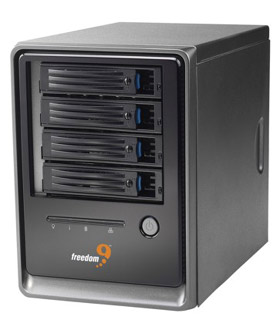
| At a Glance | |
|---|---|
| Product | freedom9 freeStor 4020 (N0042000) |
| Summary | BYOD 4 SATA drive RAID NAS with RAID 0,1,5, 10 and AD, NFS support. |
| Pros | • Supports RAID 0, 1, 5, 5+ spare and 10 • USB print server • Gigabit Ethernet port with jumbo frame support • Hot-swappable drives • Active Directory support |
| Cons | • Lower performance than other RAID 5 NASes • Limited FTP support • No media servers |
If freedom9’s freeStor 4020 looks vaguely familiar, that’s because it is essentially the same product as the LaCie Ethernet Disk RAID, which is in turn a very close relative of the Intel SS4000-E. The main differences that the 4020 brings to the party is that you provide the drives and it sports a 600 MHz Intel Xscale processor vs. a 400 MHz. Since we’ve already reviewed the LaCie and Intel products, we’ll be taking a very quick tour through freedom9’s version.
The 4020 has basically the same dimensions as the Intel and LaCie products, 4.53" x 9.45" x 8.27", and weighs in just shy of 10 pounds without drives. Figure 1 shows the front panel with indicator descriptions and Figure 2 the rear.
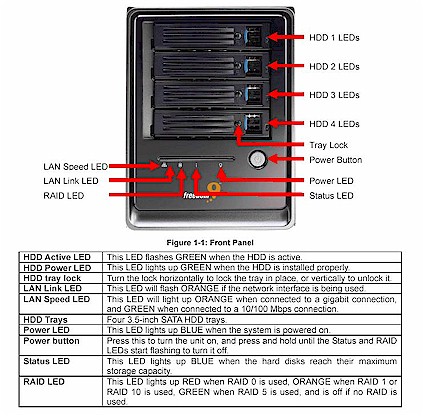
Figure 1: Front panel
Note that the 4020 has only a single gigabit Ethernet port vs. the two ports on the LaCie and Intel versions. Jumbo frames are disabled by default with frame size set to 1514 Bytes. If you want to use jumbo frames you check the box and enter the frame size directly instead of selecting from fixed sizes like most other NASes I’ve seen.
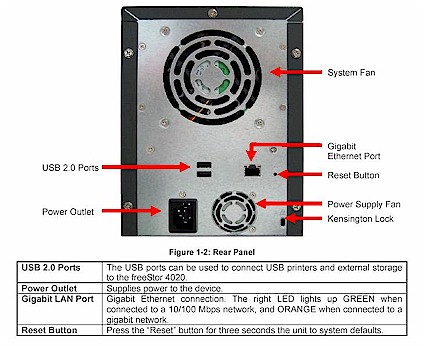
Figure 2: Rear panel
Note the separate fans for the power supply and drive bay, which when added to drive noise results in a product that you won’t want to park in your living room. Power consumption is around 65W and there are no power save / disk spindown features.
Figure 3 shows a view from the top of the 4020, with all drives removed. The drive backplane connectors can be seen to the right and the 600MHz Intel 80219 Xscale processor is center top. 256 MB of RAM is supplied by a PC3200 DIMM and there is 8 MB of flash (Intel JS28F640) on the board. The other key components are an NEC D720101 USB 2.0 Host controller, Intel EW31244 SATA controller and Intel 82541 gigabit Ethernet controller
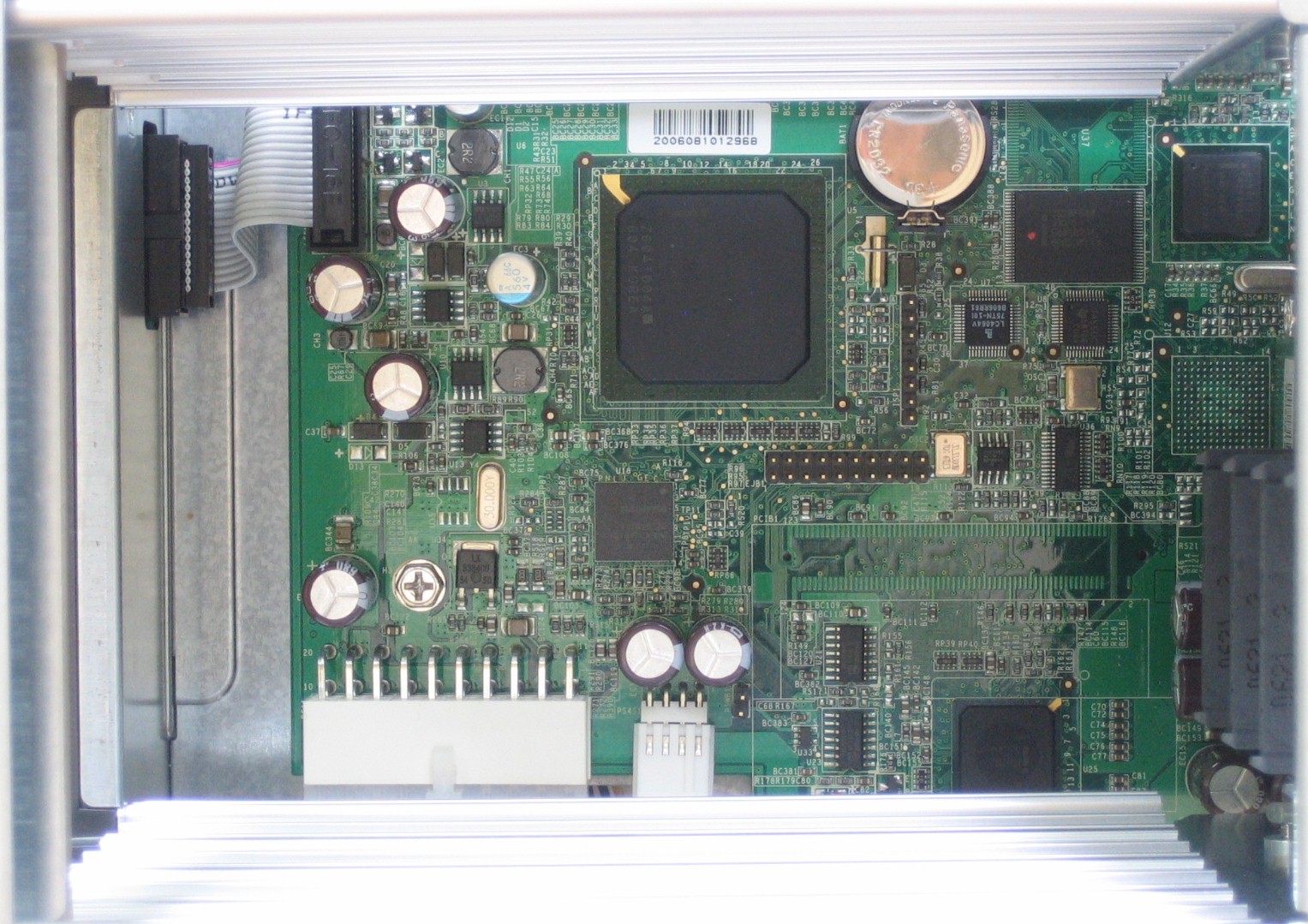
Figure 3: freeStor 4020 board
I moved out a bit and changed angle to shoot Figure 4, so that you can see more construction details. The PC3200 DIMM can be accessed by removing the left cover and is at the bottom of the photo. Note also that the drive cage is made from extruded aluminum instead of punched sheet metal, which should provide some heat removal for the drives.
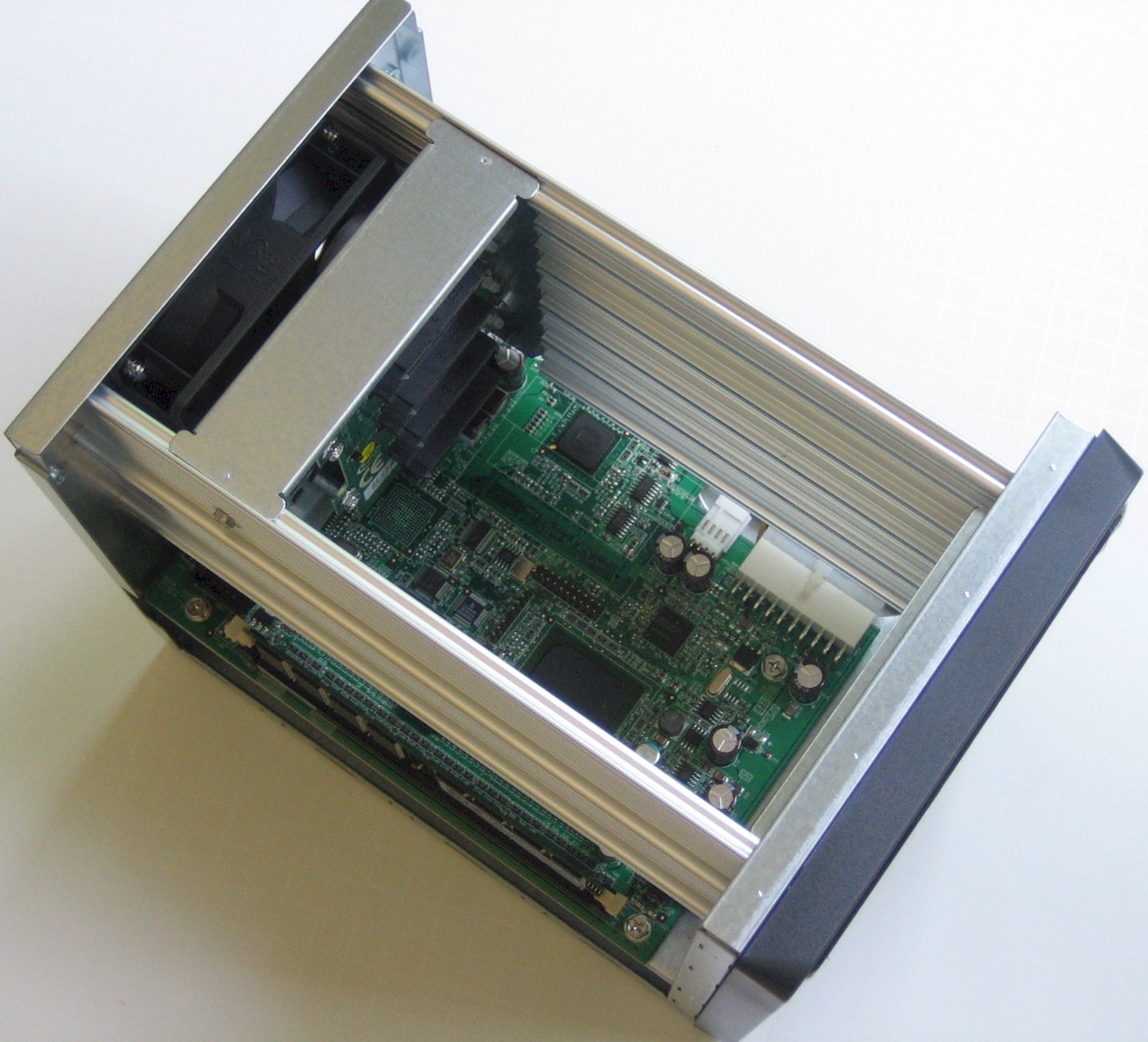
Figure 4: Top view
Features
The 4020’s feature set is virtually identical to that of the LaCie and Intel versions, which have already been covered in detail. If you compare Figure 5 to the LaCie EDR’s home page, you can see the strong family resemblance. But if you’d still like to step through the admin screens, you can use the online emulator that freedom9 provides.
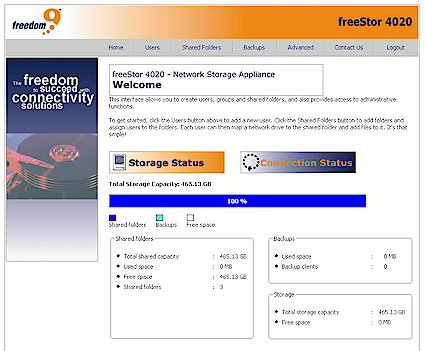
Figure 5: Home page
One important difference that the 4020 has is that since you provide your own drives, you’ll be prompted to load the OS from an installation CD upon first boot. The process went without a hitch, however, and I was stepping through the setup wizard in no time.
Performance
The 4020 was tested in JBOD and RAID 5 modes with 100 Mbps, 1000 Mbps and 1000 Mbps w/ 4k jumbo frame LAN connections using our iozone-based test procedure. I used the NAS Chart Performance vs. Filesize tool to generate a few sample plots comparing the 4020 and LaCie EDR. I didn’t include data for the Intel SS4000-E because it was tested using a different test procedure.
NOTES:
- Firmware version tested was fs-ns04-1.2-b625
- Drives used were four Seagate Barracuda 7200.10 ST3250820AS 250 GB 7200RPM 8MB Cache SATA 3.0 Gb/s provided by freedom9.
- The full testing setup and methodology are described on this page
- To ensure connection at the intended speeds, the iozone test machine and NAS under test were manually moved between a NETGEAR GS108 10/100/1000Mbps switch for gigabit-speed testing and a 10/100 switch for 100 Mbps testing.
| Test | freeStor 4020 | LaCie EDR |
|---|---|---|
| RAID 5 Write | 5.9 | 5.6 |
| RAID 5 Read | 18.8 | 15.8 |
| RAID 5 Write – 4k jumbo | 7.7 | 7.9 |
| RAID 5 Read – 4k jumbo | 19.5 | 14.3 |
Table 1: Average Throughput – Large filesize, 1000 Mbps LAN
Table 1 shows average RAID 5 write speeds with a gigabit LAN connection for both the 4020 and LaCie EDR below 6 MB/s—slow enough to place them near the bottom of our charts. Average read speeds are better, but again near the bottom of the charts for both products.
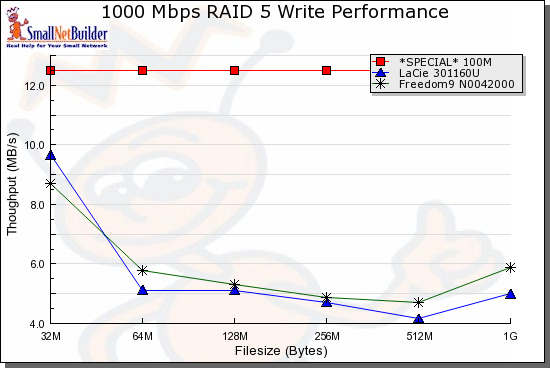
Figure 6: Gigabit Write performance comparison
Figures 6 and 7 show very similar performance vs. filesize characteristics for both the 4020 and LaCie EDR. But the 4020 appears to have a slight performance edge, probably because of its processor being clocked at 600 MHz vs. the LaCie’s 400 MHz. Both NASes, however, rank toward the bottom of the charts, even with small file sizes.
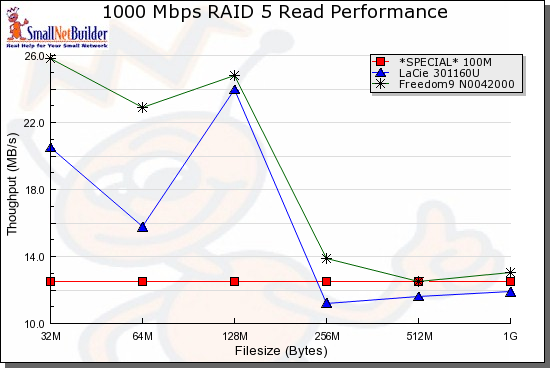
Figure 7: Gigabit Read performance comparison
Conclusion
The only thing that the freeStor 4020 has going for it compared to its LaCie sibling is that you provide the drives (Intel’s NAS is also BYOD.) This lets you control cost and also has the benefits of your being able to bring a completely dead product back to life by reloading the OS and not paying through the nose for "factory approved" replacement drives. Unfortunately, you still have a relatively low performance NAS with no media services and limited backup features. All things considered, there are many better choices out there.