

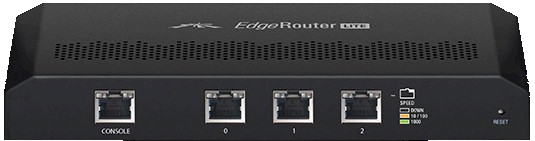
| At a glance | |
|---|---|
| Product | Ubiquiti EdgeMAX EdgeRouter Lite (ERLite-3) [Website] |
| Summary | Very fast Gigabit Ethernet router based on Vyatta code running on dual-core Cavium CPU |
| Pros | • Pretty close to wire-speed Gigabit routing • Highly configurable |
| Cons | • GUI is work in progress • Does not come plug-and-play out of box • Documentation requires lots of reading between lines and Forum consultation |
Typical Price: $0 Buy From Amazon
Introduction
The SNB Forums have been abuzz about a new kid on the router block. Ubiquiti’s EdgeRouter Lite (ERL) has been attracting attention due to its low price ($99), Gigabit ports and claims of wire-speed packet-forwarding rate.
So, having learned my lesson about Ubiquiti’s (un)responsiveness to review requests when I reviewed its PowerAP N, I ordered one up. Following a lead posted in the forum, I ignored the Availability: March 2013 notice on Microm’s order page and had the product in hand a few days later.
At 7 3/4" (W) X 3 1/2" (D) X 1" (H) the ERL was larger than I thought it would be. I was a bit surprised that a product aimed at no-nonsense business users would come in a plastic case, but that’s how it was dressed.
The ports, lights and buttons are called out in the diagram below. The bottom panel has screw mounting slots that give you the option of mounting connectors pointing up or down. I can attest that the Reset button worked just fine, since I had to use it many times while getting set up.
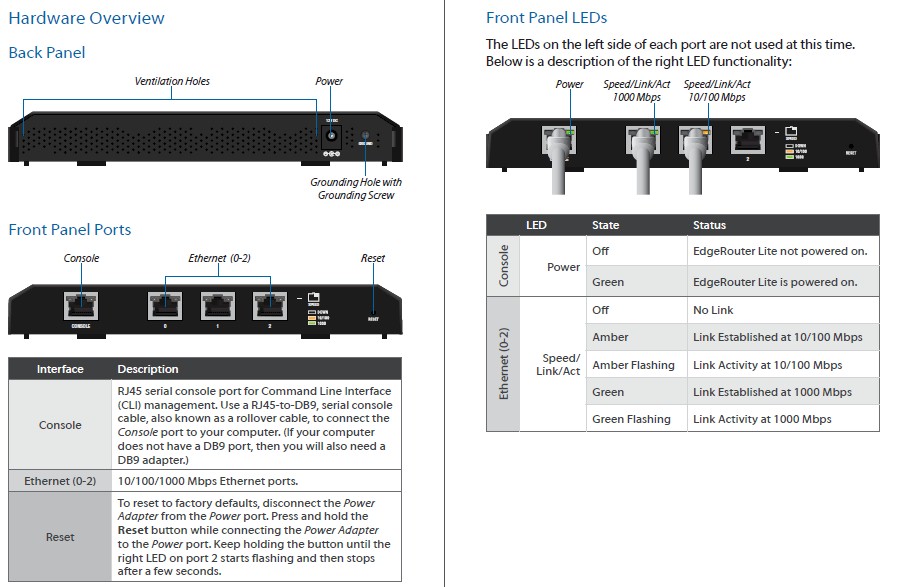
Ubiquiti ERL front and rear panels
Inside
All it took to get inside was removing two screws so that I could snap the photos below. There isn’t much to look at since the ERL has no wireless features.
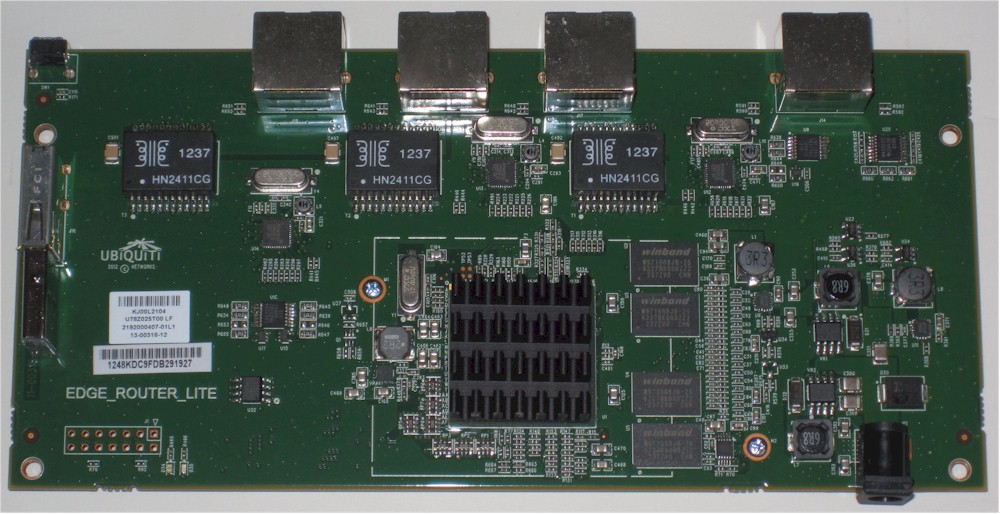
ERL board top side
There isn’t much to see on the bottom view either, except more heatsinking. This aluminum plate had a little block on its other side that contacted a thermal pad under the CPU. If you look closely, you can see 8 MB of Macronix flash memory peeking out of the bottom right side of the heatsink.
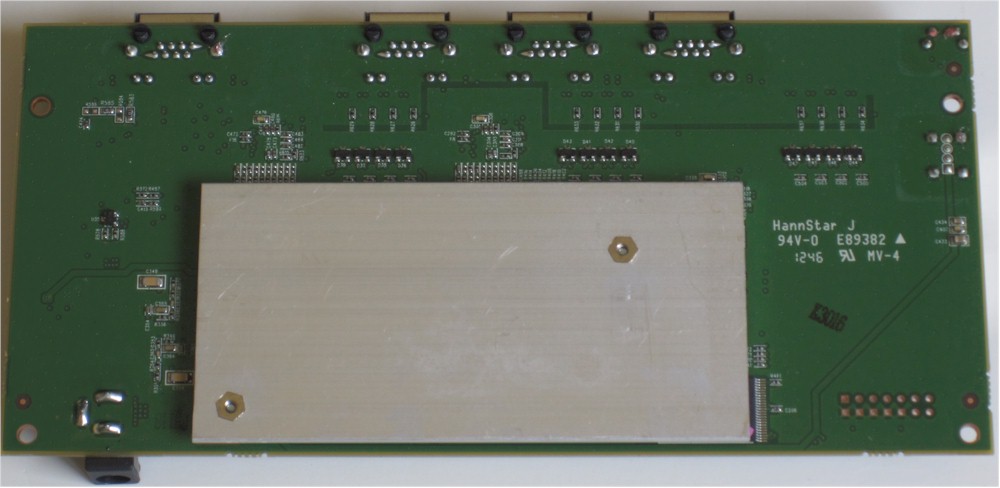
ERL board bottom side
The advertised 2 GB of flash storage is in the form of a mini USB key inserted into a connector on the board top (left side of topside photo)
I tried to twist off the heatsink to positively identify the CPU, but the adhesive was pretty firm. So after looking at various Ubiquiti Forum posts and getting a peek at the /proc/cpuinfo file, my best guess is that it’s a Cavium OCTEON Plus dual-core CN5020. What I don’t know is what speed grade it is, since the CN5020 comes in 300, 400, 500, 600 and 700 MHz flavors.
The table below includes the two routers that (you will see shortly) have higher downlink throughput in the current Router Charts. So there is nothing particularly magical about the ERL’s hardware in achieving such high routing throughput. The key is really in the software running on it.
| Ubiquiti ERL | EnGenius ESR750H | ASUS RT-AC66U | |
|---|---|---|---|
| CPU | Cavium CN5020 | Ralink RT3883F | Broadcom BCM4706 |
| Switch or Ethernet | Atheros AR8035 Gigabit PHY (x3) | Atheros AR8327 | Broadcom BCM53125 |
| RAM | 512 MB | 256 MB | 256 MB |
| Flash | 2 GB + 8 MB | 16 MB | 128 MB |
Table 1: Component summary
That software, as it turns out is a fork of Vyatta 6.3. Vyatta is an open source network operating system that first was available in 2006. It provides advanced IPv4 and IPv6 routing, stateful firewalling, IPsec and SSL OpenVPN, among other features. Vyatta was acquired by Brocade late last year, but the open-source "Vyatta Core" version is still available.
Vyatta made its bones on two things: performance and scalability. Ubiquiti apparently intends to capitalize on both Vyatta features with more powerful EdgeRouters in the works. Right now, though, the EdgeRouter Lite is the only version available.
Feature Summary
The ERL has many features. But the ones you can get to depend on whether you are comfortable configuring a router via command line. We’ll get into that more in a bit, but here’s the feature list, straight from the ERL’s User Guide.
|
Interface / Encapsulation
Addressing
Routing
Security
|
VPN
Services
QoS
Management
|
In Use
I think I noted earlier that the ERL doesn’t do much out of the box. The only thing that is set up is that the port marked 0 (eth0) is assigned an IP address of 192.168.1.1 so that you can get to the web admin interface. If you’d rather jump right into configuring via command line (CLI), SSH is enabled on port 22, so that you can connect with putty, WinSCP or your favorite SSH client. Your other option is to rustle up a DB9 to RJ45 serial console cable (there isn’t one in the box) to connect that way.
If you go the Ethernet-connected route, you’ll need to statically assign an IP address in the 192.168.1.X subnet to the computer you are going to use for configuration and plug it into the ERL’s port 0.
The shot below shows what you’ll see when you log in.
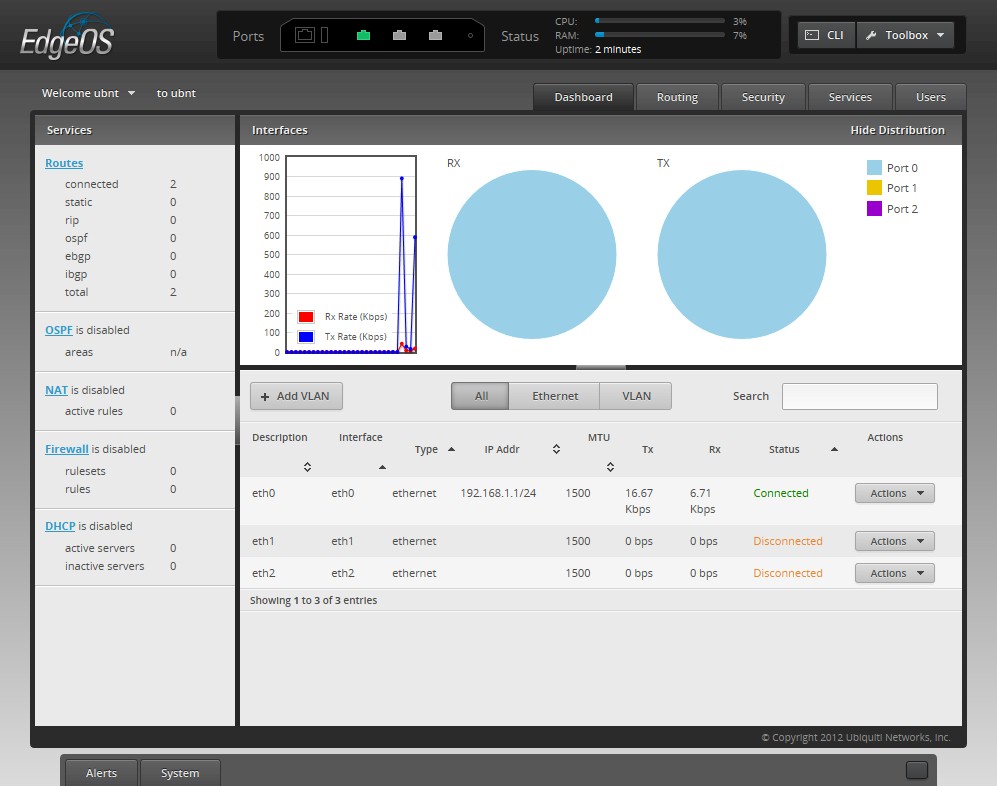
ERL default Dashboard
I’m going to do a separate article on setting up the ERL and even provide a few working configurations for you to upload. But for now, you can try using the SOHO example configuration found in the Ubiquiti Wiki to get set up.
The interface is a multi-windowed environment where you can have multiple settings screens open at once and open up a CLI window from the web interface. The GUI is very responsive and remained responsive even when I was running IxChariot traffic through the ERL full-throttle.
There are only little info popups scattered around the GUI for help. So you’d best be connected to the internet via other means when you are trying to first configure the ERL. Some of the CLI commands can be found in the Wiki, but there isn’t a complete list or a downloadable reference available from Ubiquiti. Since EdgeOS hasn’t diverged much from Vyatta at this point, the Vyatta Quick Start and Basic CLI references might be helpful in getting up the learning curve.
I’ve put some of the key screens and commentary in the gallery below so that you can get more of a feel for the interface.
Here’s the default dashboard
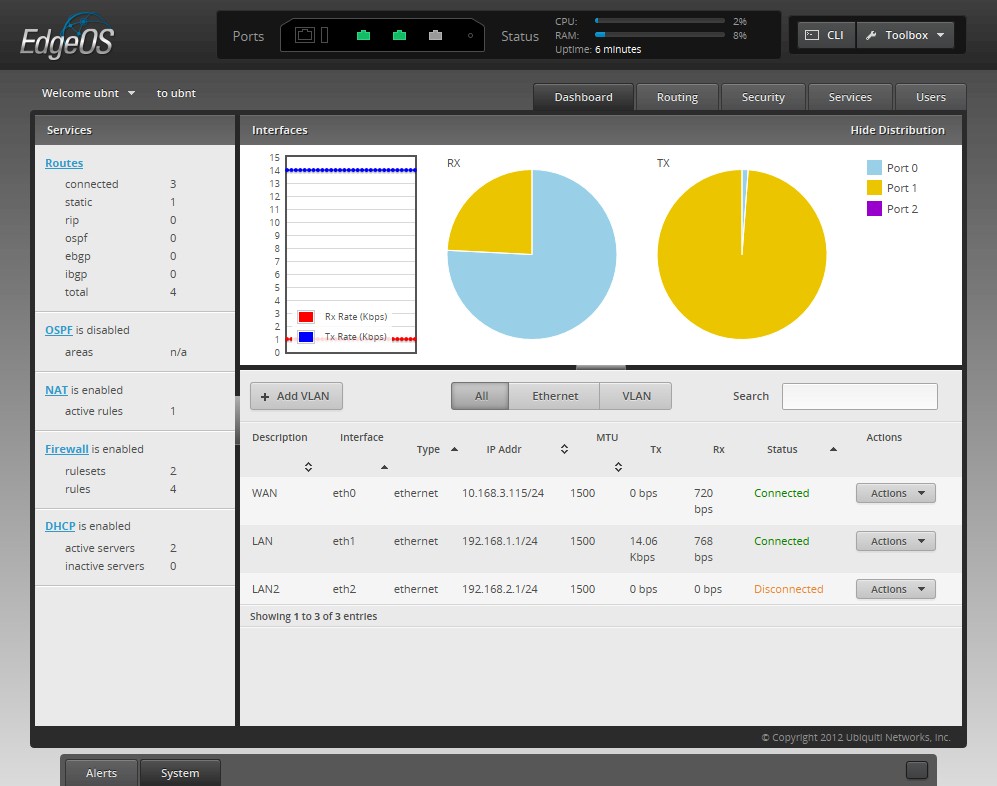
Here’s the dashboard showing a simple router configuration with two LAN ports on different subnets
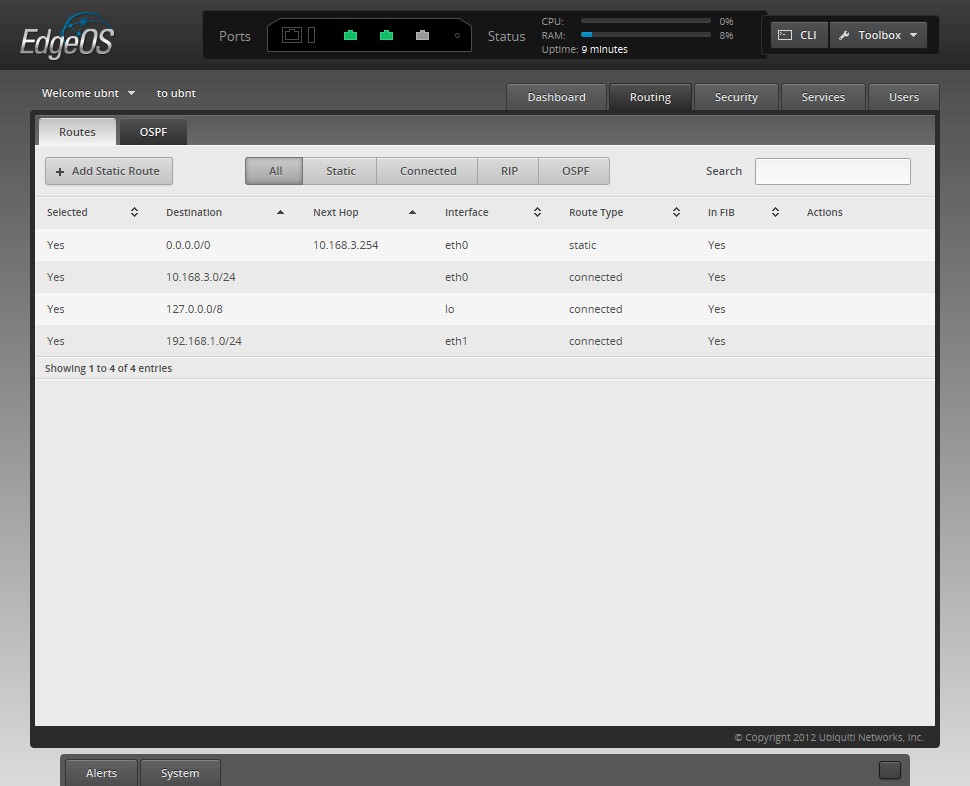
Routes with a working NAT configuration
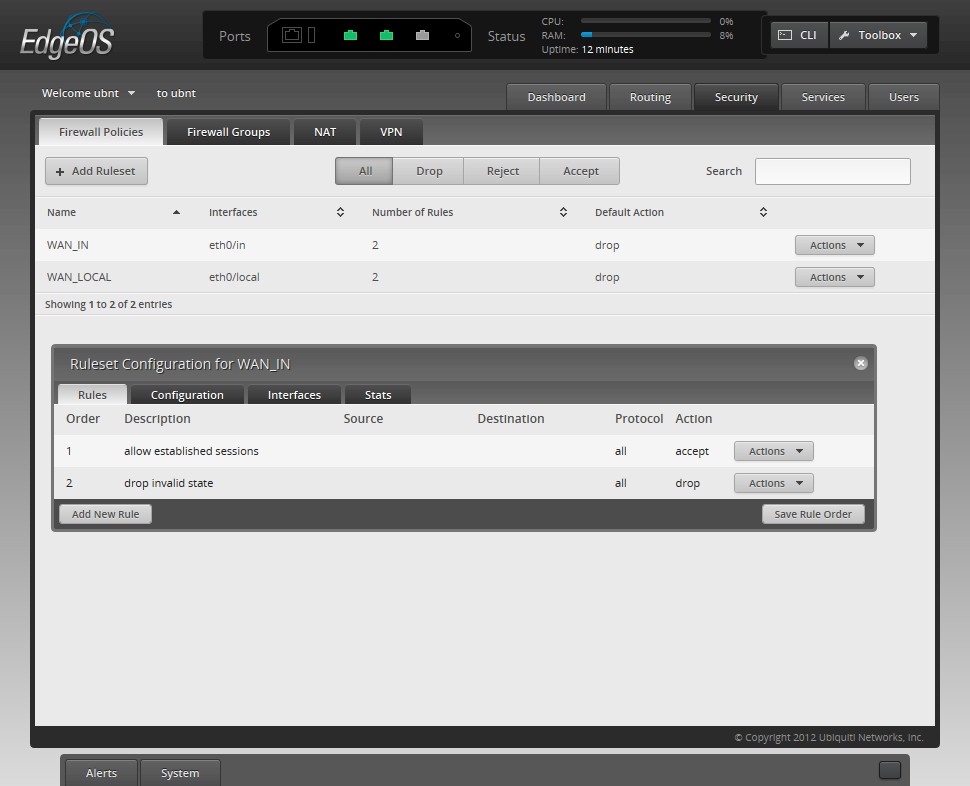
Listing of the two basic firewall policies in the example SOHO configuration with rules showing
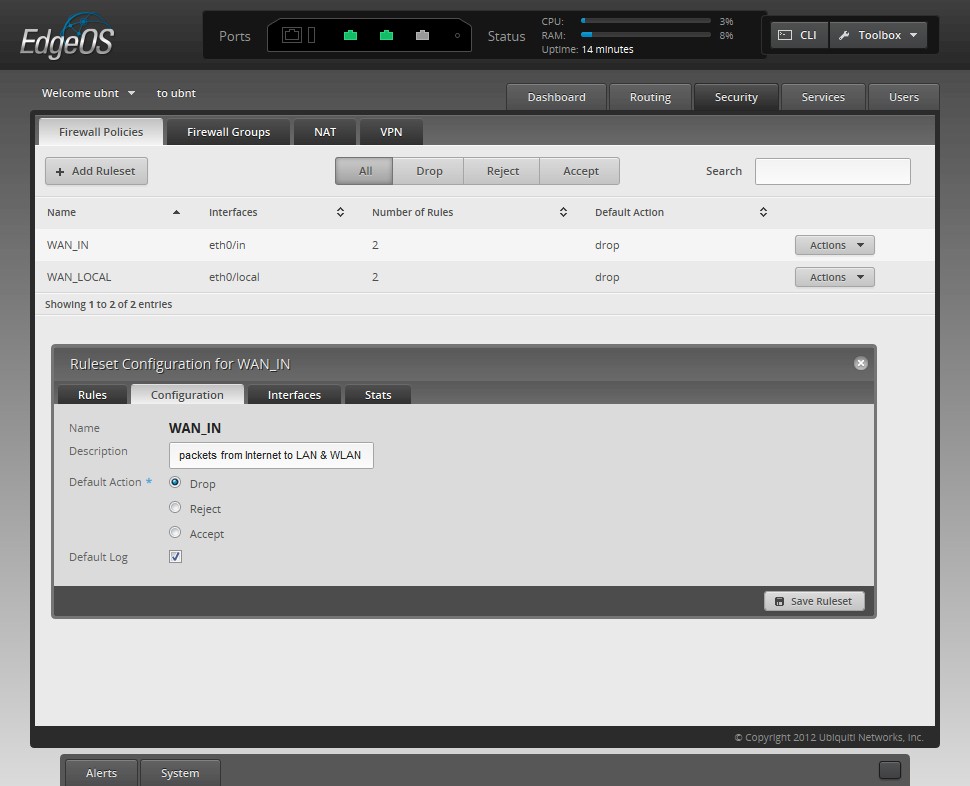
Configuration tab
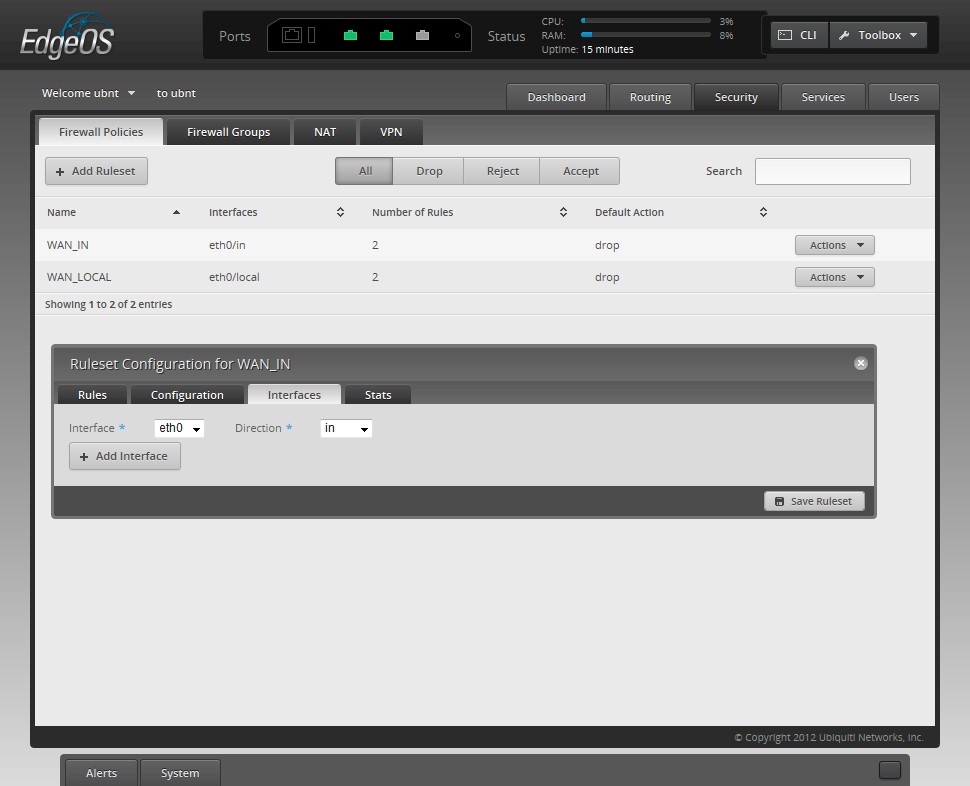
This rule is assigned to eth0 port, which is used for WAN
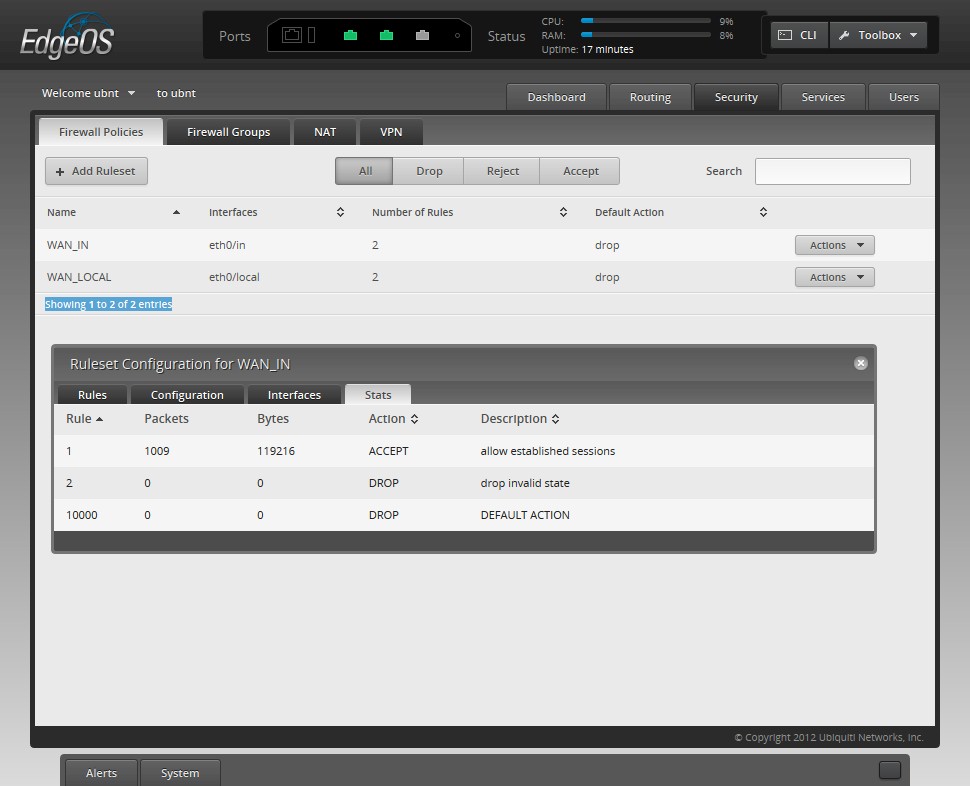
The Stats tab provides a quick look at accepted and dropped packets. To see details, you need to use the Log Monitor
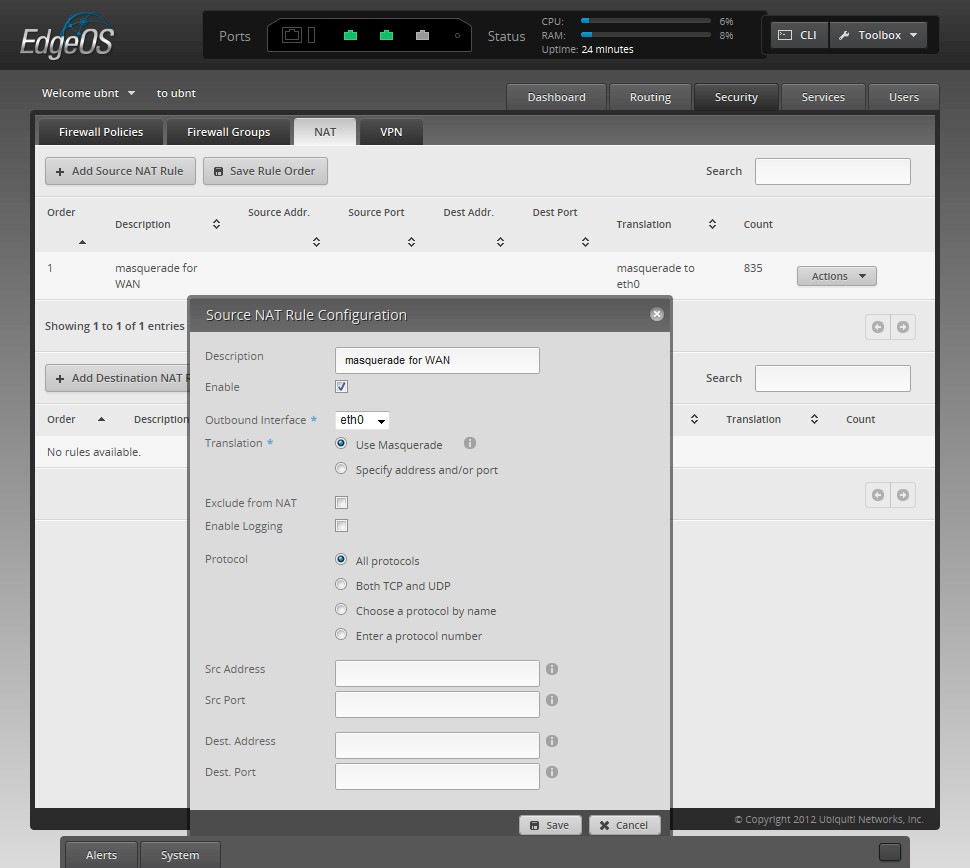
To get internet sharing going, you need to add a Source NAT rule as shown on the WAN inteface
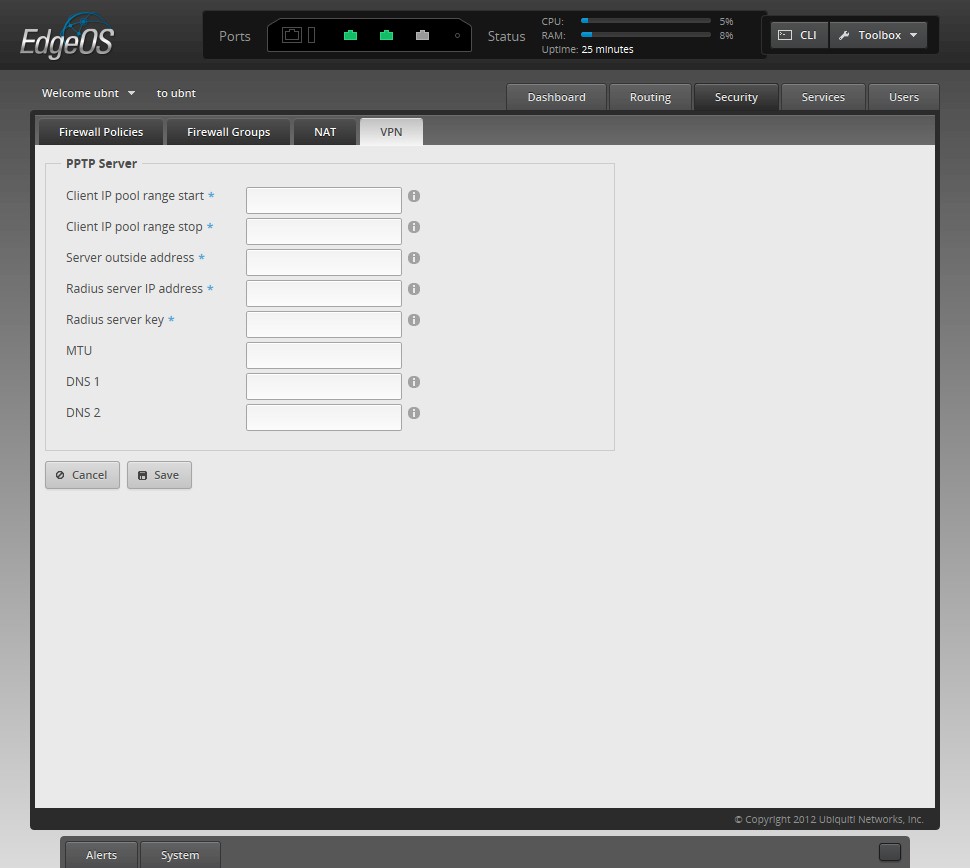
PPTP is the only VPN type supported in the web GUI right now
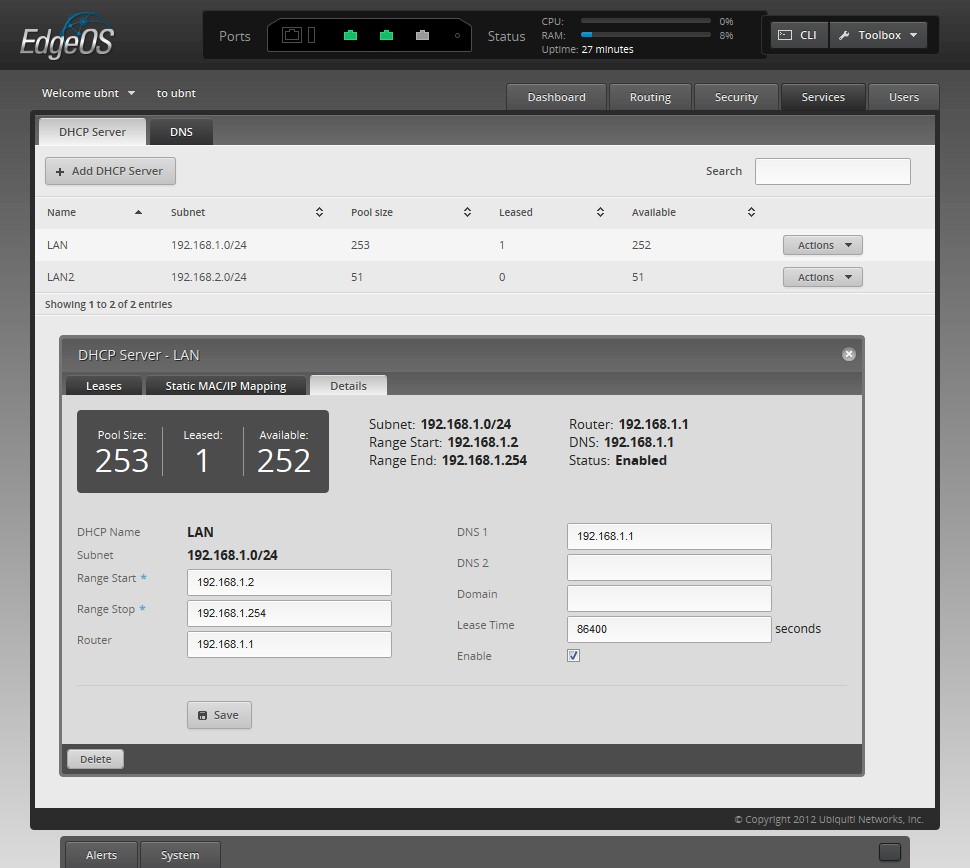
You can set up multiple DHCP servers with reserved IPs.You can also get a list of leases
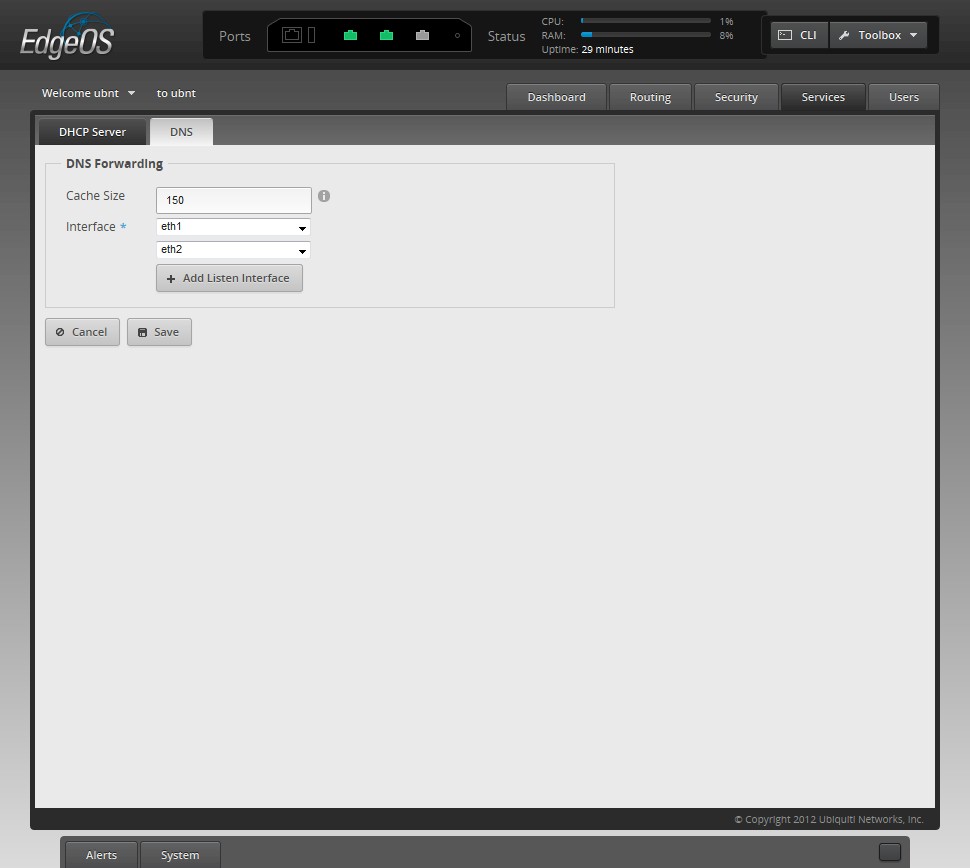
Not much to do here
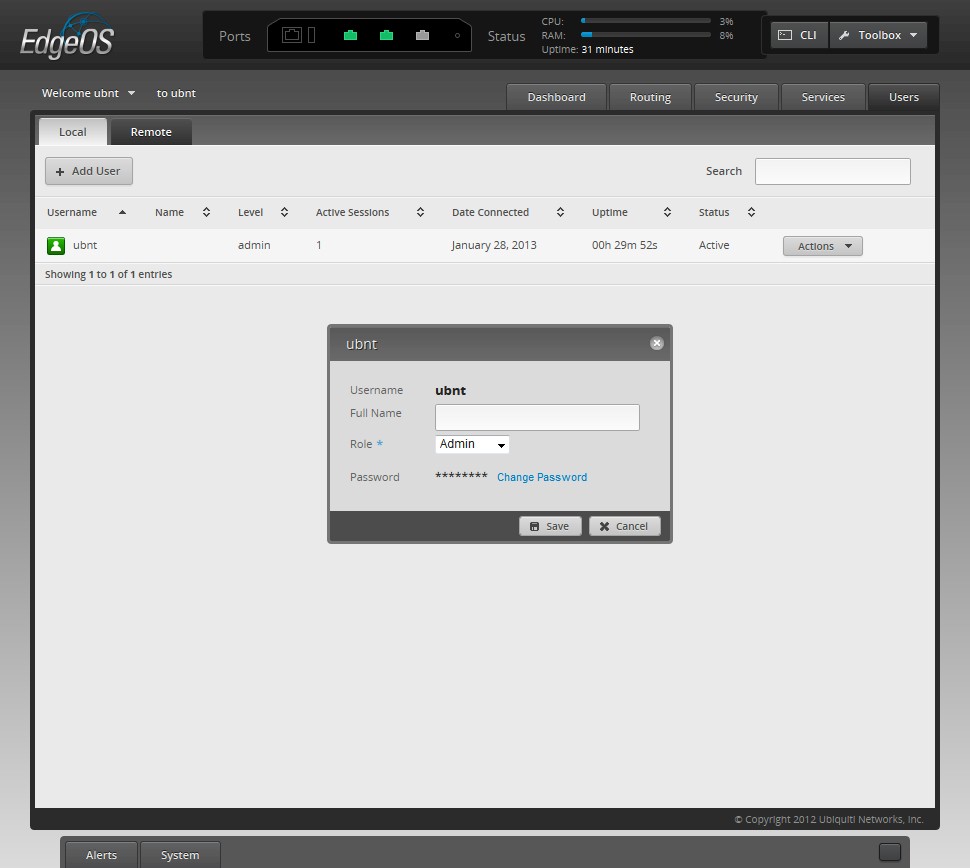
You can set up multiple local and remote users with either admin or operator roles. Remote user types would be VPN connections
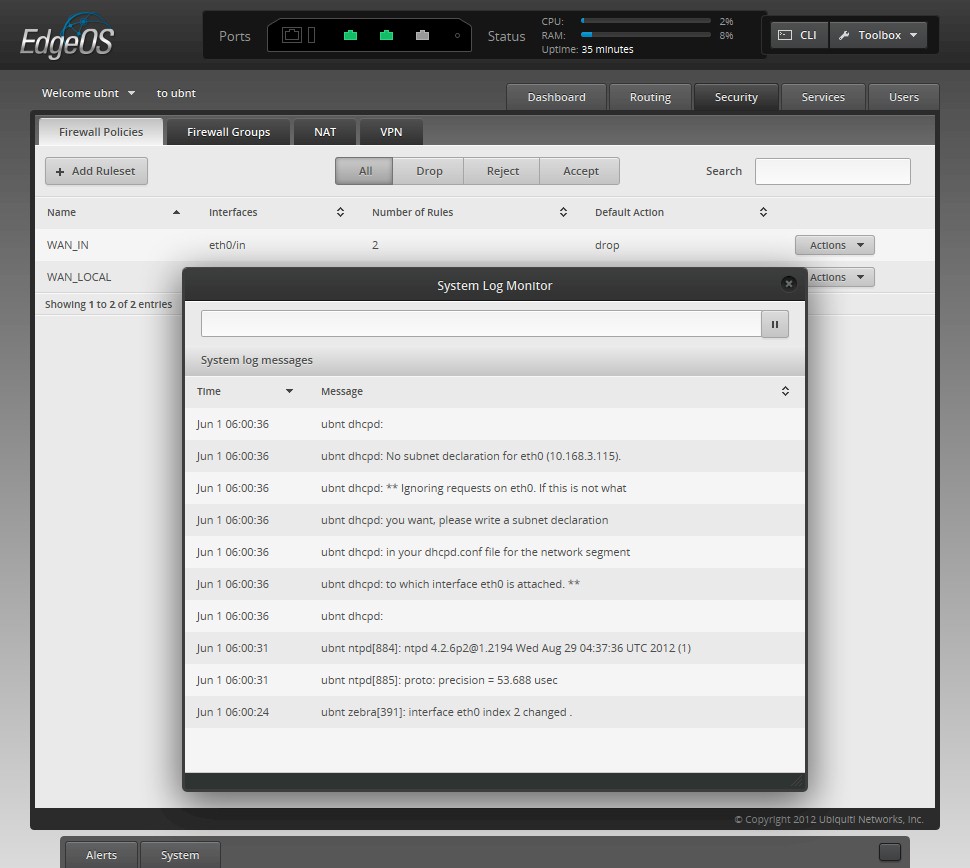
A glimpse of the log monitor. You can also set up syslog logging via the CLI
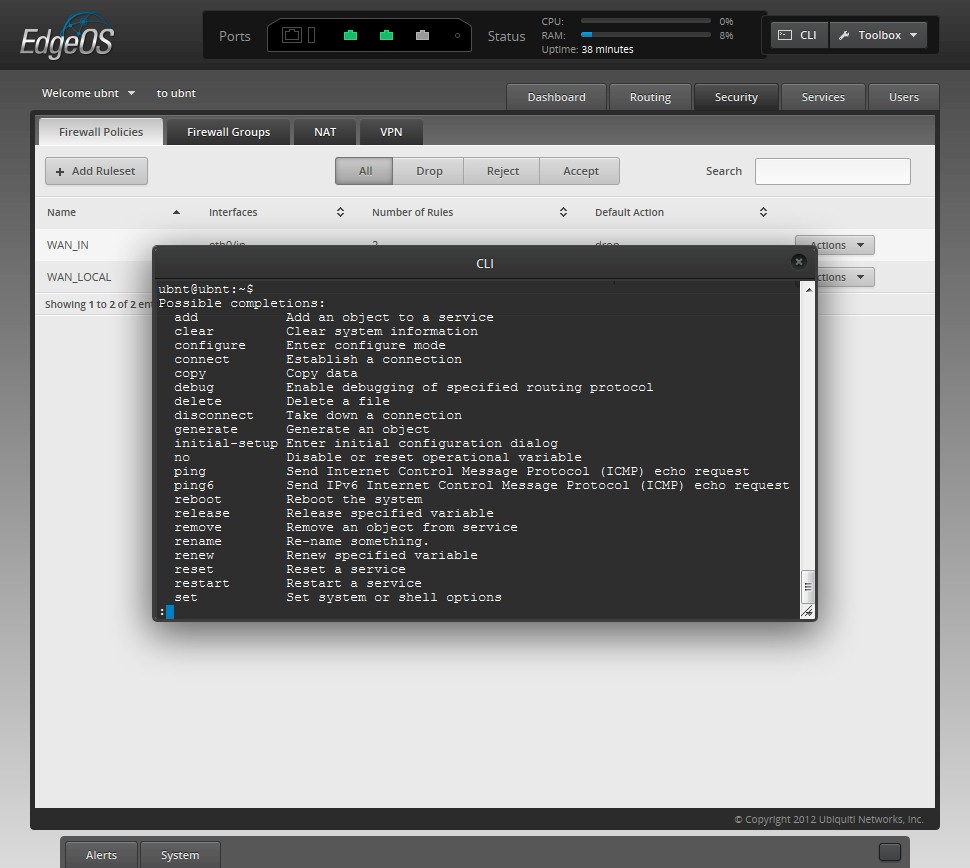
Speaking of the CLI, you can run it in a window from the web interface if you like
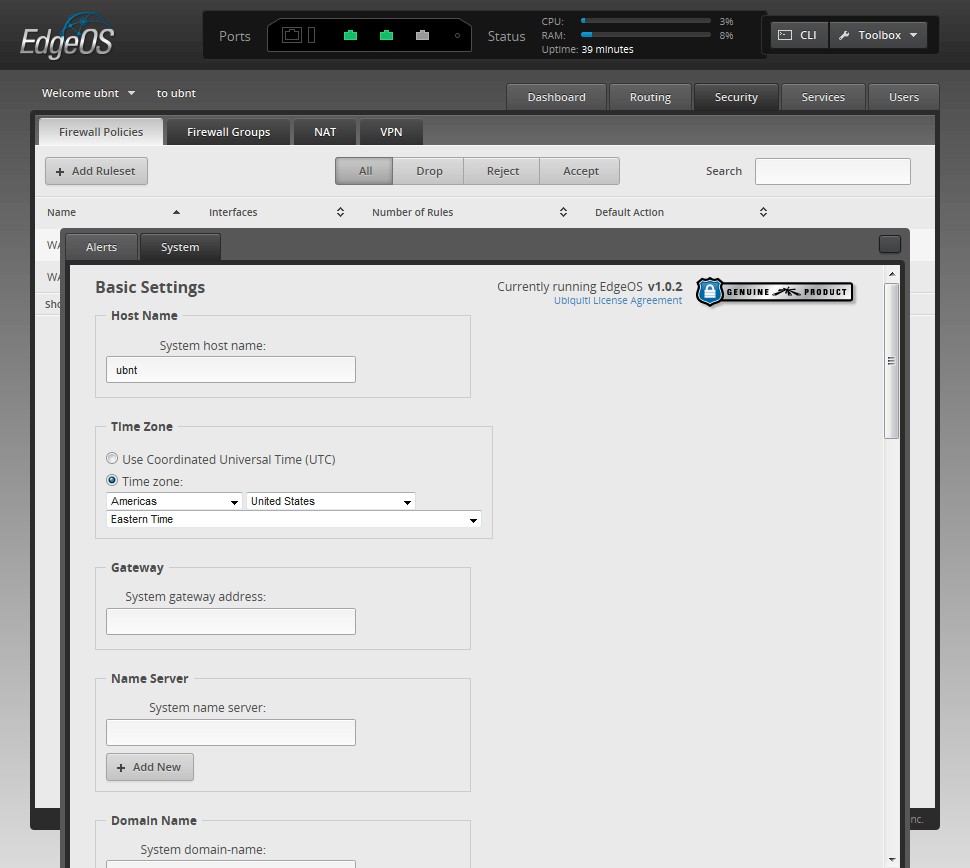
The Alerts and System tab can be pulled up from the bottom of the screen. Here are some of the System Tab options.
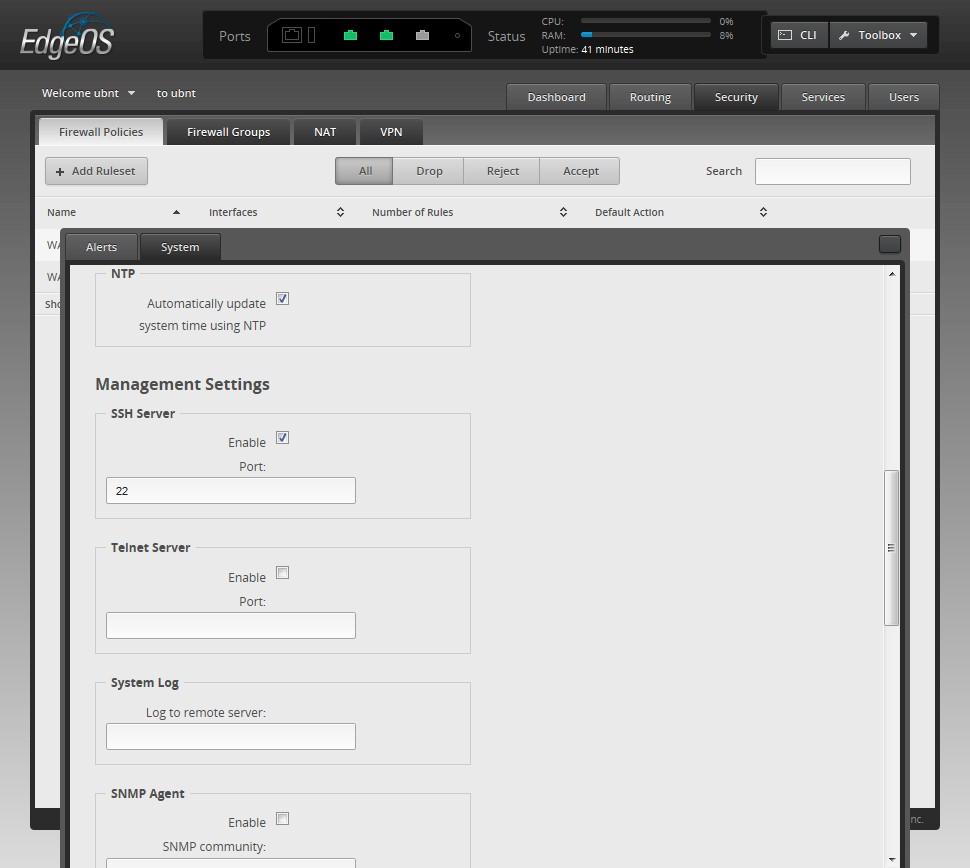
More System tab options
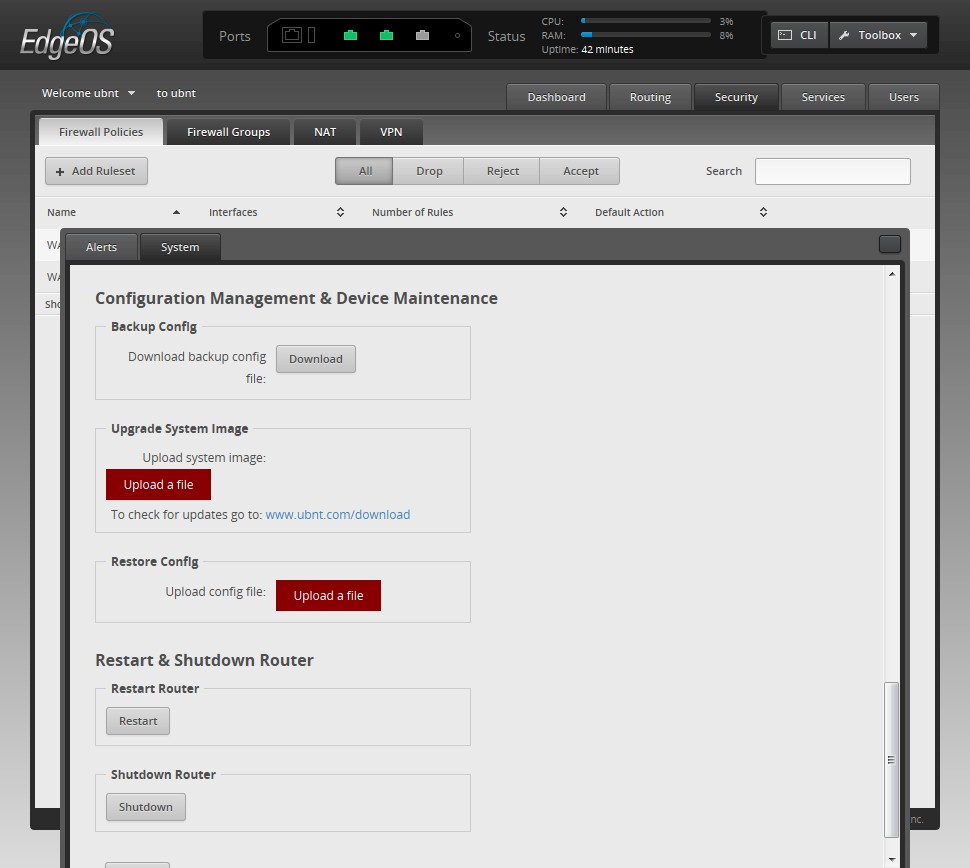
Last group of System tab options
Routing Performance
Routing throughput was measured running 1.0.2 firmware, using our router test process. I configured ERL using the SOHO example configuration as a guide to get started. I then used the Port Forward example to forward ports 1 – 65535 using a destination NAT rule and adding a rule to the basic WAN_IN firewall rules. This essentially put my LAN client into "DMZ" and allowed IxChariot tests to run in both directions.
Table 2 summarizes and compares the ERL’s routing benchmark results and includes two other routers that ranked above it for WAN to LAN (download) throughput, the EnGenius ESR750H and ASUS RT-AC66U.
| Test Description | Ubiquiti ERL | EnGenius ESR750H | ASUS RT-AC66U |
|---|---|---|---|
| WAN – LAN | 822 | 890 | 836 |
| LAN – WAN | 773 | 907 | 839 |
| Total Simultaneous | 1307 | 868 | 820 |
| Maximum Simultaneous Connections | 29354 | 29666 | 30069 |
| Firmware Version | 1.0.2 | 1.3.4 | 3.0.0.4.164 |
Table 2: Routing throughput
Note that the differences in Maximum Simultaneous Connections should not be taken literally. Ever since I switched to using Win 7 machines to run the test, the test limit has moved around a bit, but is in the range of all the results shown. So consider all three routers to have run into the limit of my current test procedure.
The IxChariot composite plot below shows very steady throughput. No complaints in that department.
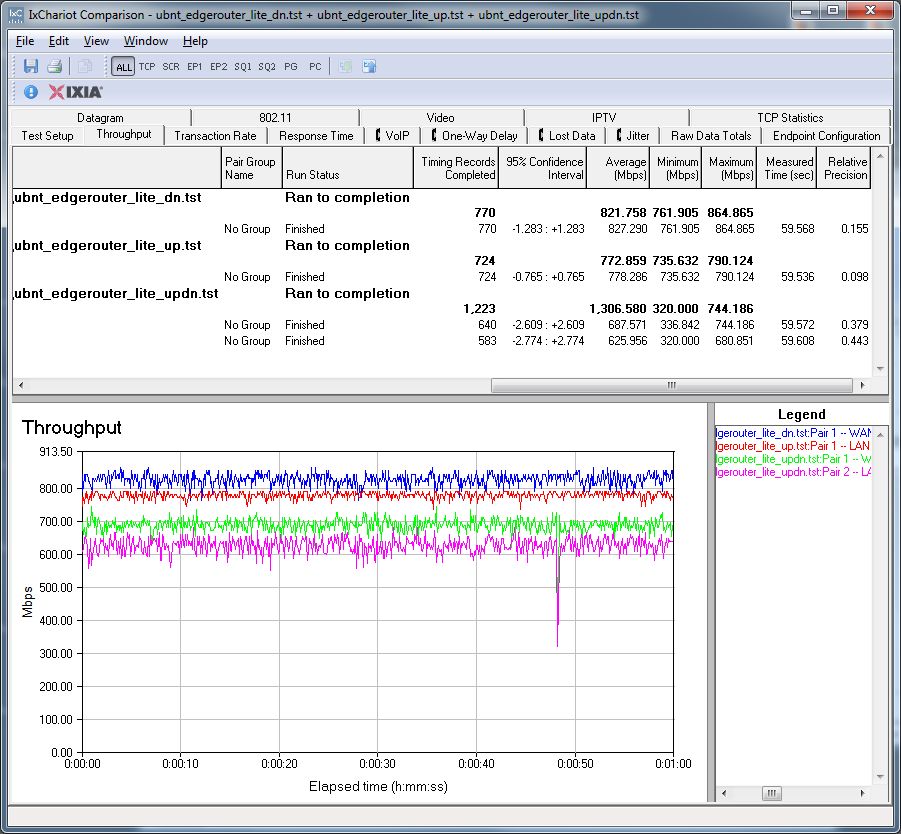
Ubituiqi ERL IxChariot routing throughput test summary
Closing Thoughts
I am not a networking professional and like my routers easy to configure. I also don’t care for routers that require separate rule sets for router and firewall when it comes time to forward ports. So the EdgeRouter Lite didn’t exactly put a smile on my face as it turned what is usually a 30 minute test process into a day long voyage of discovery.
The bottom line is that this is not a router that the average router buyer should even consider. It is poorly documented, difficult to set up and will test your patience unless you have experience with the Linux command line, understand routing mechanics and know what router interfaces are and how to use them. Not to mention that it has only, at best, two LAN ports, if you are willing to delve into the command line to bridge the two. So you’ll probably need to buy a Gigabit switch to go along with it.
That said, if you’re a fan of router distros like Untangle and pfSense, comfortable wrangling DD-WRT via the command line or would need your Mikrotik pried out of your cold, dead, hand, you might want to spend the $100 bucks or so to impress your friends and become a ERL fanboi.