

Everyone seems to be asking what the difference is between D-Link’s popular DNS-323 dual-drive BYOD NAS [reviewed] and the very similar DNS-321 that D-Link hasn’t even bothered to officially announce. So let’s take a quick look to clear things up.
First, D-Link says that the 321 is not replacing the 323, but is a "strategic" product intended to compete with lower cost dual-drive alternatives.
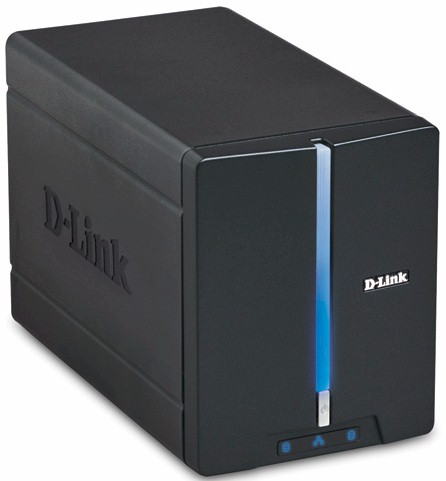
Figure 1: The D-Link DNS-321
Both are pretty much the same size, which is that of a smallish black toaster—without the bread slots. Figure 2 shows the plain, but attractive front panel, which uses the currently de rigueur blue LEDs for all indicators. The figure doesn’t call out the LED at the bottom of the vertical strip, which flashes during startup and shutdown.
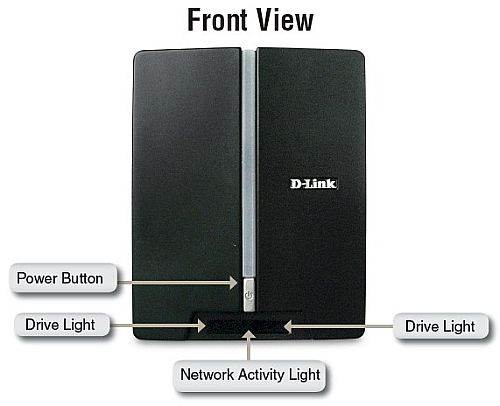
Figure 2: Front panel
Figure 3 shows the rear panel, which reveals the first difference between the 321 and 323. There is no USB 2.0 port, which means no drive expansion or built-in print server. The Ethernet port, however, is 10/100/1000.
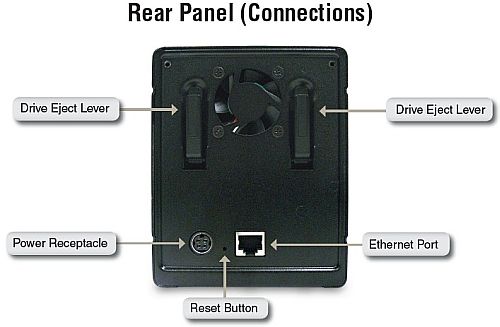
Figure 3: Rear panel
The bigger differences, however, lie inside the 321, which uses a completely different board than the 323. Figure 4 shows the 321’s board while Figure 5 is the 323’s.

Figure 4: Main board
Both use Marvell "Orion" processors, but the 321 uses an 88F5182-A2 C400 (400 MHz clock), which has the SATA interface built in. The 323 uses a Marvell 88F5181 (clocked at 500 MHz), which is combined with a Marvell 88X7042 PCIe to Serial ATA Controller chip.
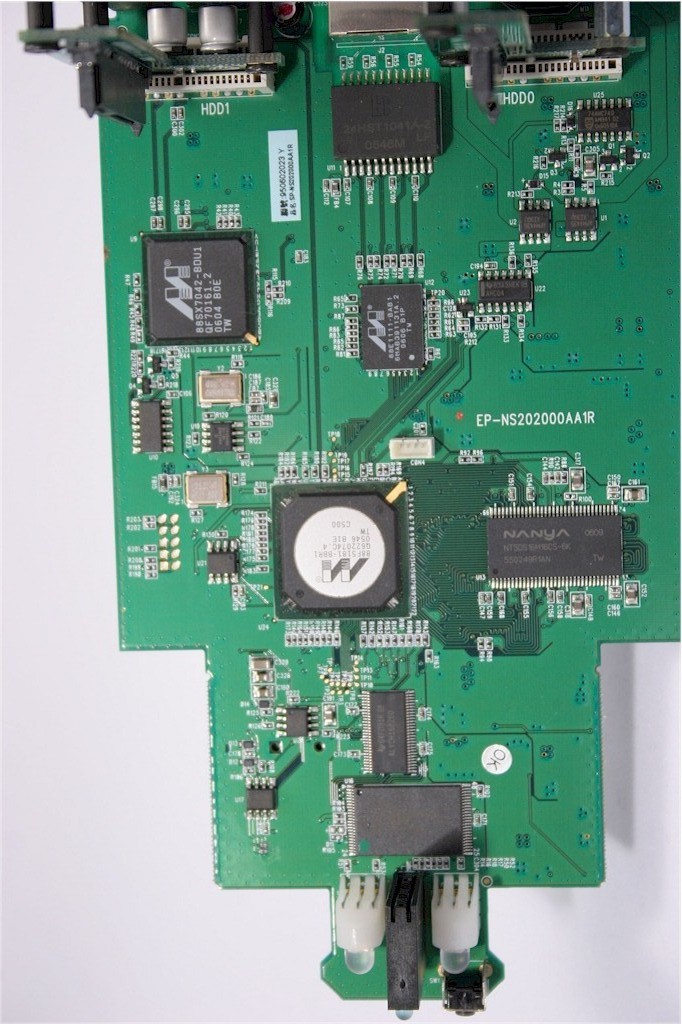
Figure 5: DNS-323 main board
The 321’s Ethernet comes from a Marvell 88E1118, while the 323 uses a Marvell 88E1111—not a significant difference. Both products have 64 MB of RAM soldered to their boards. But the 323 has only 8 MB of flash while the 321 has 16 MB.
A quick run through the web GUI shows equivalent features, except for the missing print server in the 321. This means that the 321 still has iTunes and UPnP AV media servers as well as FTP and DHCP servers.
What I didn’t see is any indication of BitTorrent support in the Download Scheduler or jumbo frame controls in the LAN settings. Both features were added back in May to the DNS-323 via 1.05 firmware. A check with D-Link revealed that up to 9K jumbo frames are supported—automatically, apparently—but that the lack of BitTorrent download support is one of the reasons for the 321’s lower price.
So are the missing USB port and BitTorrent download support worth saving $40 over? You might want to wait a day or so until testing is complete before making that decision.
Updated 7/21/2008: Read the full review.