

Introduction
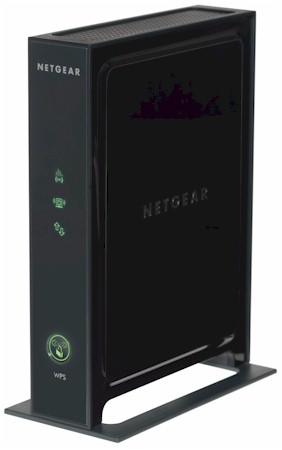
| At a Glance | |
|---|---|
| Product | NETGEAR Universal WiFi Range Extender (WN2000RPT) |
| Summary | Easy-to-use dual-stream 802.11n wireless repeater / bridge with built-in four-port switch |
| Pros | • Supports 300 Mbps maximum link rate • Good setup wizard • Can be used as repeater or bridge • Doesn’t require WDS |
| Cons | • 2.4 GHz only • Can’t be used as access point • Might not help much |
Many products designed to stretch your wireless network’s range have passed across the SNB test bench. Most don’t deliver anywhere near what they promise, or require a router supporting WDS, or are near impossible to set up, or all the above.
So I cast a skeptical eye upon NETGEAR’s WN2000RPT (not to be confused with its WNR2000 Wireless-N Router) as I unboxed it and prepared to be unimpressed. Little did I know that I’d be pleasantly surprised instead.
Inside
Figure 1 shows the inside of the WN2000RPT. Most of the good stuff is covered by RF shielding and heatsinks. But the FCC ID photos include a detail showing an Atheros AR9103 2.4 GHz 3X3 MIMO 802.11n radio, which is typically paired with an Atheros AR9132 3X3 Wireless Network Processor.
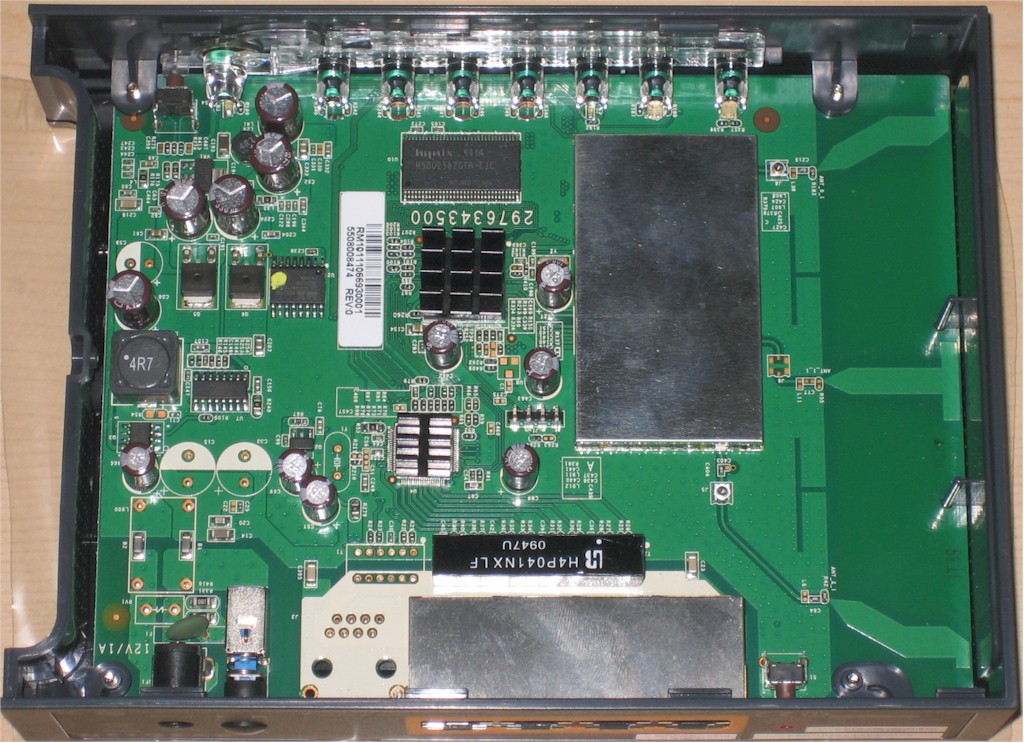
Figure 1: WN2000PT board
Note that this is a full dual-stream N extender, not single stream like the Innoband HomePlug AV Wireless N Kit. So you have more bandwidth to work with (or throw away due to repeating).
The design includes a four-port 10/100 switch, which I think is supported via an Atheros AR8236. So the WN2000RPT can also be used as a wireless bridge to wired clients, which will not suffer the 50% throughput reduction that wireless clients associated with it receive. 32 MB of RAM and 4 MB of flash finish up the design.
In Use
The WNR2000RPT doesn’t come with a setup CD, just a simple, but adequate printed Installation Guide. The guide properly advises placing the extender midway between your router and the area where you are hoping to extend wireless coverage.
This placement ensures that the repeater receives a strong enough signal to provide good throughput, even after the 50% reduction due to the repeater’s single radio. As explained in the Everything You Need To Know About Wireless Bridging and Repeating series, this reduction is caused by the single radio receiving, then retransmitting data.
Three front panel lights help guide the setup process. One shows the router to Extender connection, another the Extender to wireless client status and a third shows power / ready status (Figure 2).
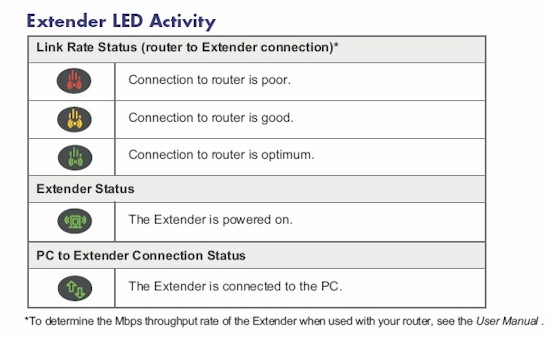
Figure 2: Helpful setup LEDs
A complete walk-through of the installation is in the gallery below.
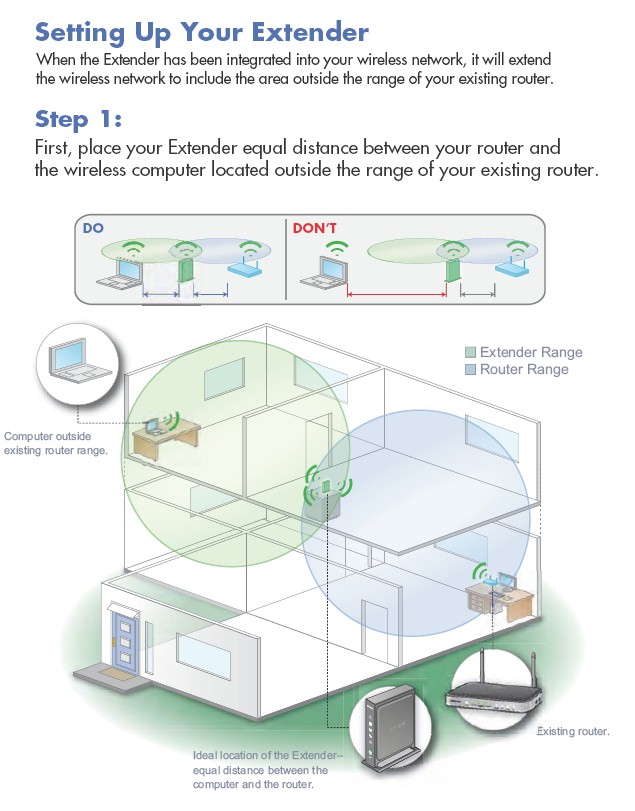
The installation instructions provide proper guidance on placement of the repeater
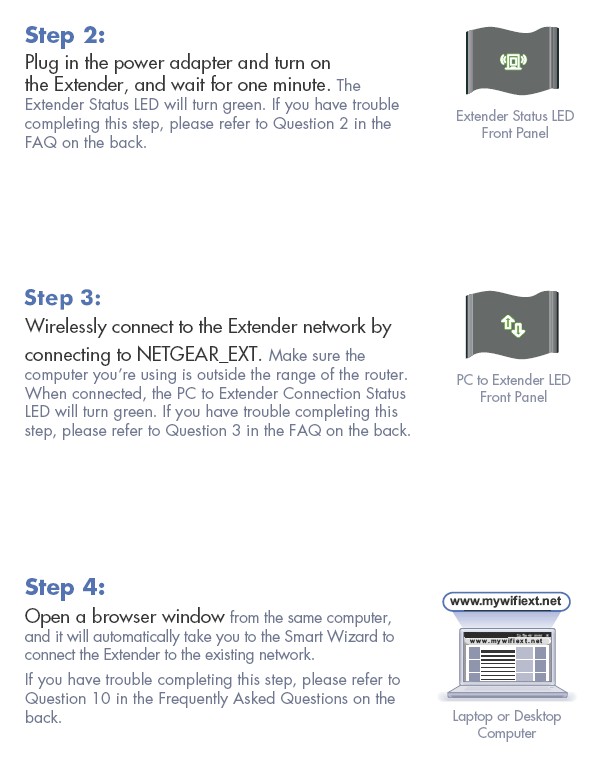
Helpful front panel LEDs let you know connection status. You don’t have to figure out the extender’s IP address either. Just open your browser and you’ll be auto-forwarded to the setup wizard
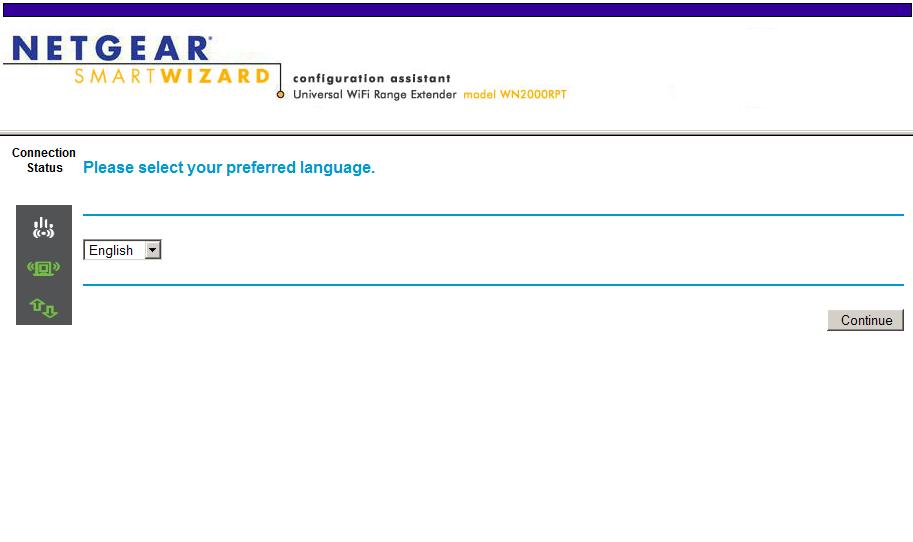
Setup wizard language selection
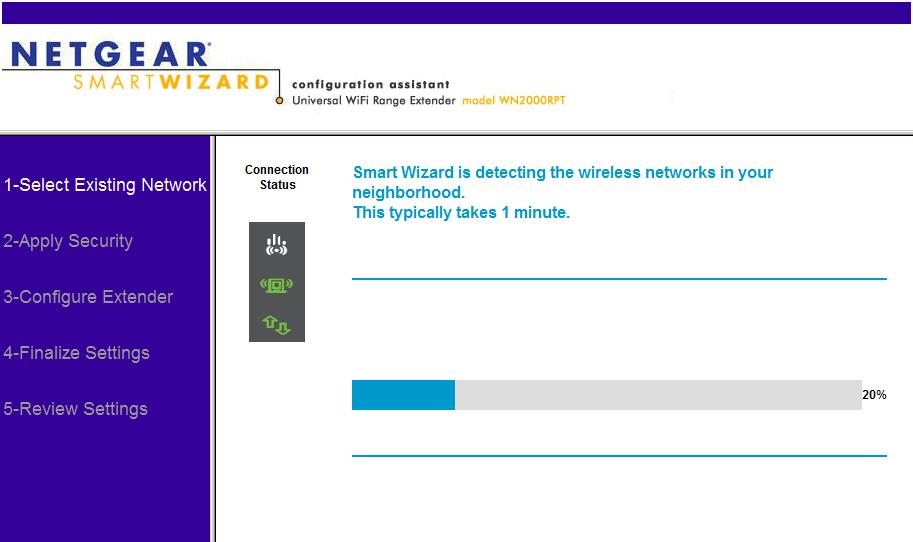
Wireless Network scan takes about 30 seconds
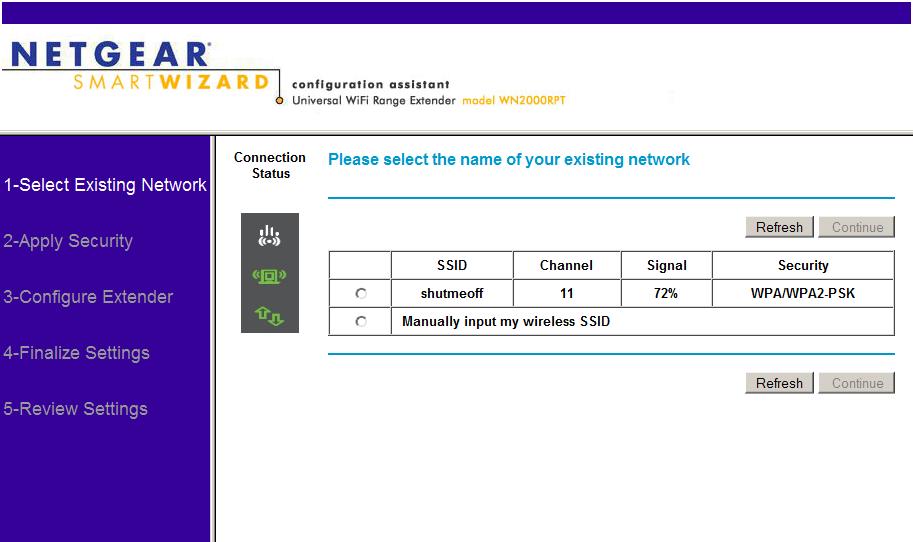
Networks found are displayed or you can enter a network manually
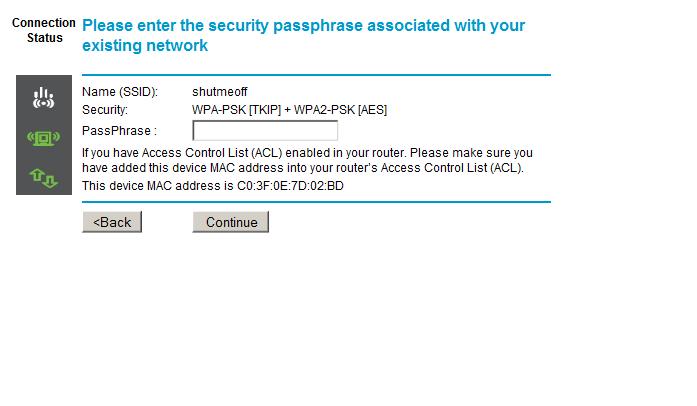
WPA PSK entry
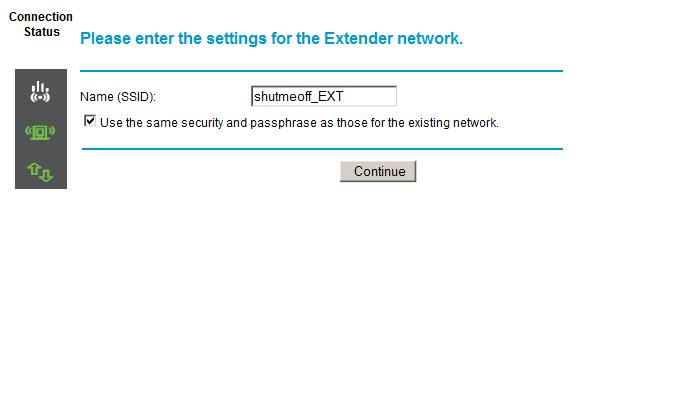
A network SSID with _EXT appended is automatically created with the same security settings
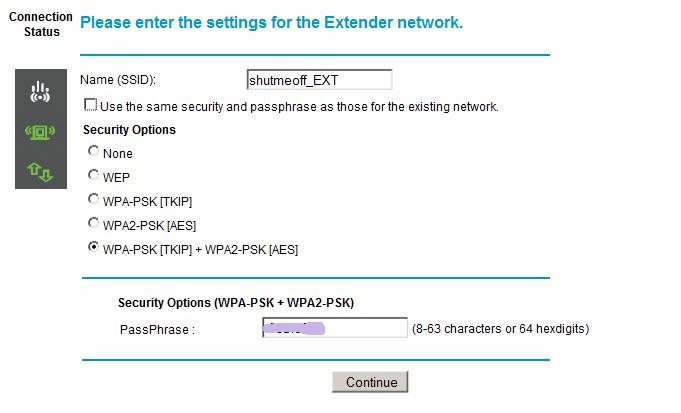
Or you can establish different security credentials
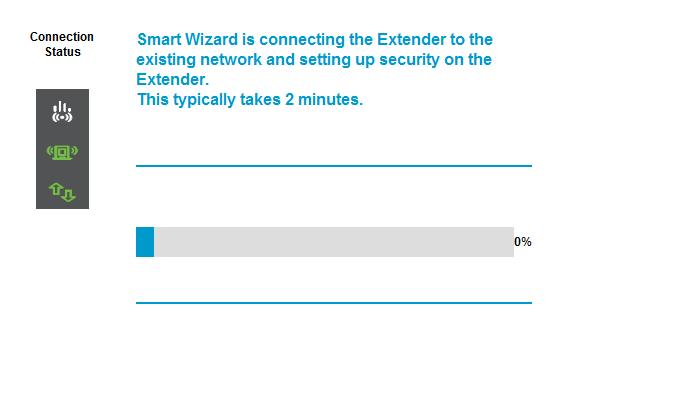
The wizard then sets up the secure link
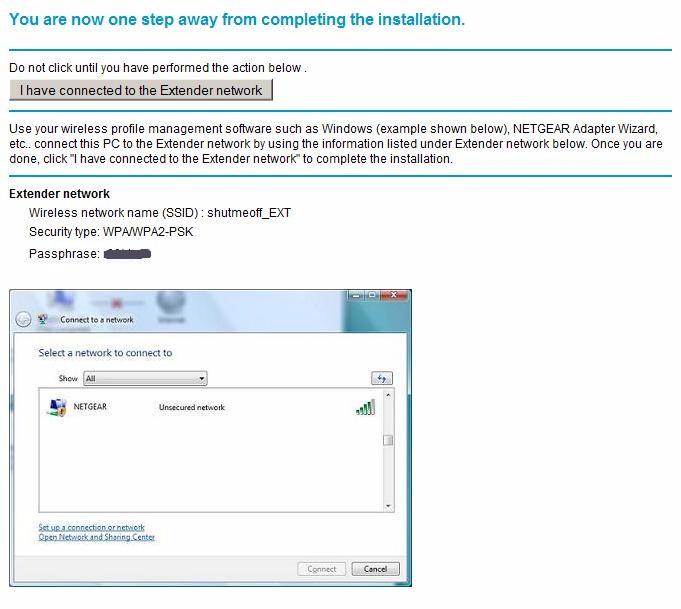
This screen reminds you to reconnect to the extender
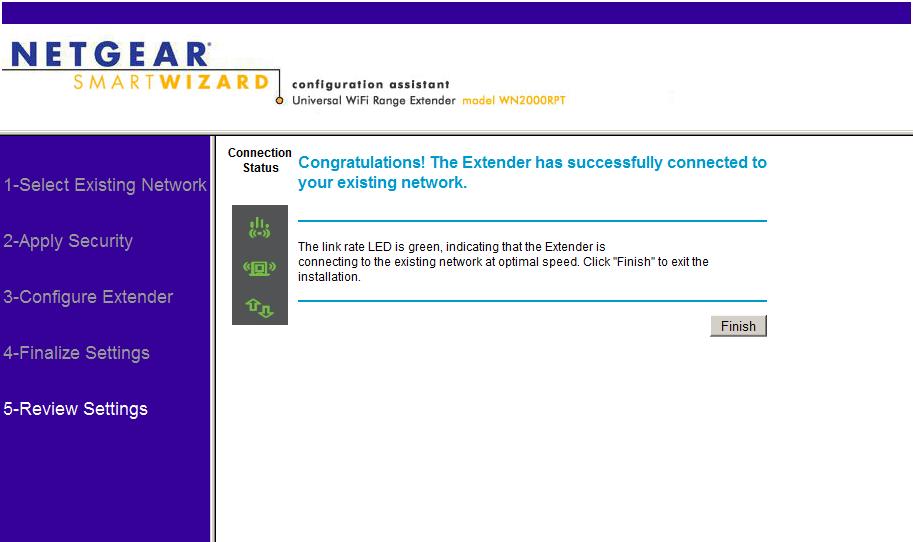
And you are done
WN2000RPT Installation Walkthrough
I don’t normally use installation wizards. But the WN2000RPT’s wizard is really the way to go. Your wireless client browser will be automatically redirected to it anyway when you first connect to the Extender.
Once you’re set up, you can log into the Extender’s admin interface and poke around. You can check Status (Figure 4).
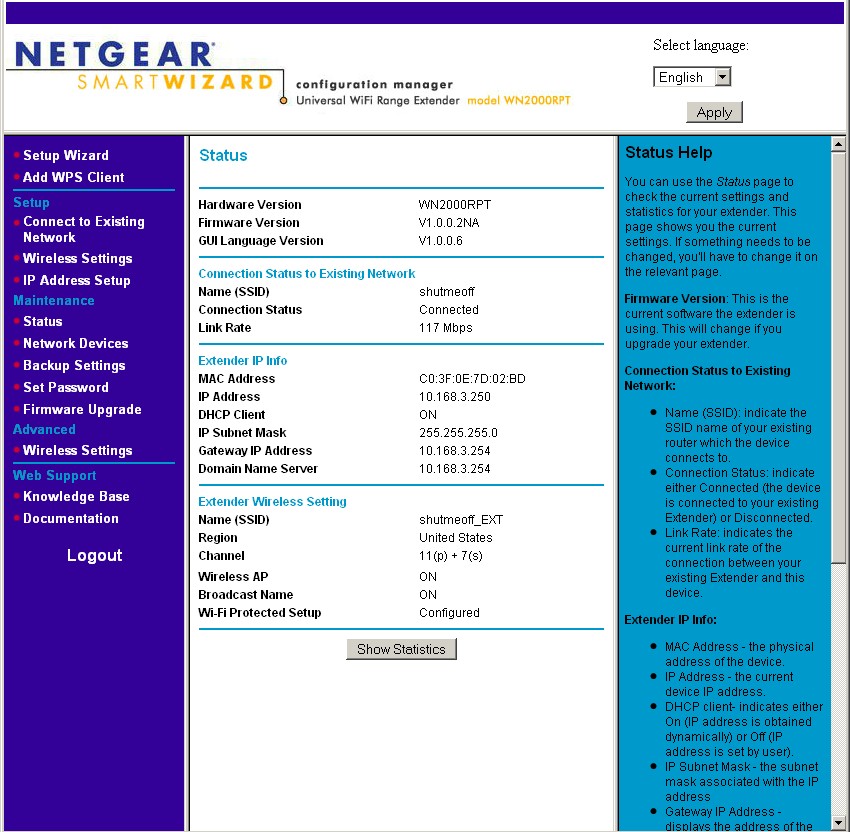
Figure 4: WN2000RPT Status
Or the basic Wireless Settings (Figure 5).
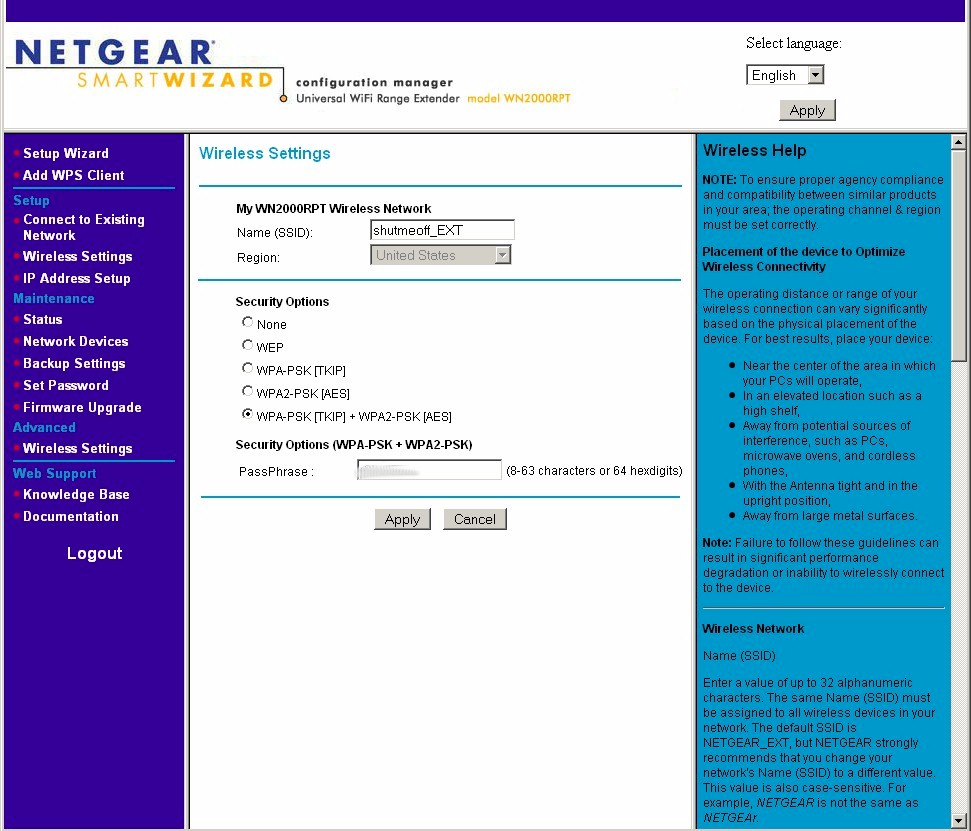
Figure 5: WN2000RPT Basic wireless settings
Or the Advanced Wireless settings (Figure 6).
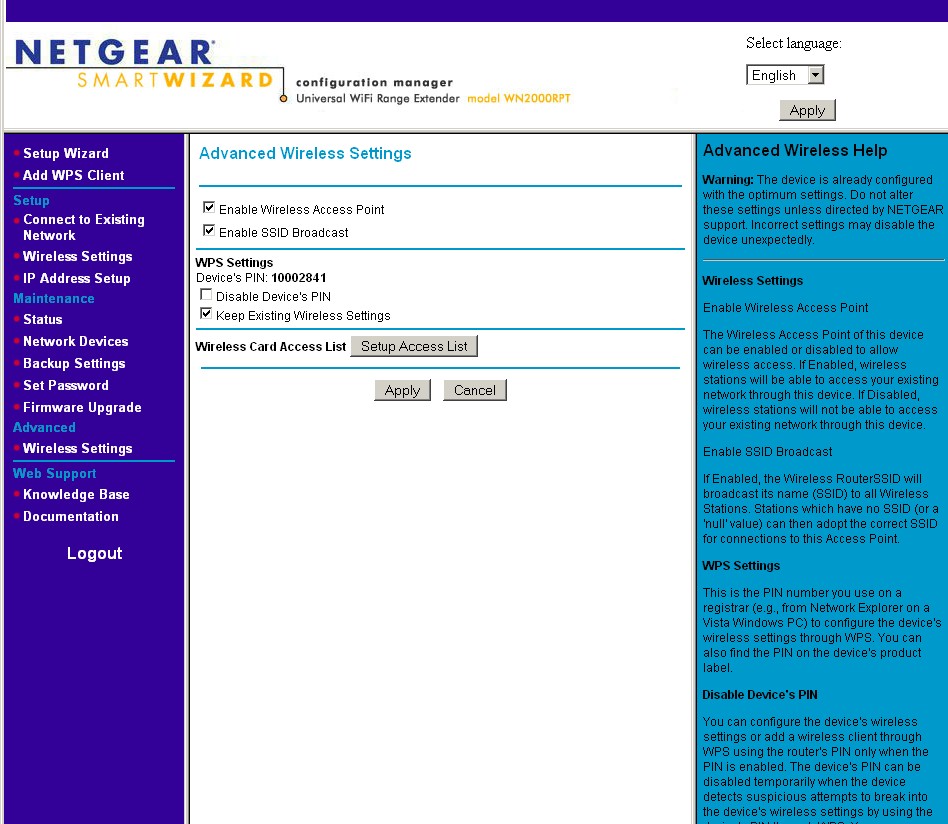
Figure 6: WN2000RPT Advanced wireless settings
You won’t find any settings to put the WN2000RPT into AP mode, though.
Performance
I tested the WN2000RPT’s repeating performance using our standard test client, an Intel Wi-Fi Link 5300 AGN mini-PCIe card in a Dell Mini 12 running WinXP Home SP3 and version 13.3.0.24 of the Intel drivers. I left all client-side defaults in place. The Extender was running 1.0.0.2 firmware and associated with the NETGEAR WNDR3700, which is my current home router. The WNDR3700 is set to neighbor-friendly 20 MHz bandwidth mode (Up to 130 Mbps, in WNDR3700-speak) and Channel 11.
I initially left the WNDR3700 in its normal location, a lower level Utility room near the center of my home. But the first round of testing produced so much direct throughput from the WNDR3700 to my target "extension" area, that I had to relocate the WNDR3700 to my office and reduce transmit power down to 25% to reduce the WNDR3700’s range so that I had someplace to "extend" into!
I started with the Extender and WNDR3700 in my office to run through the setup wizard. After setup, I took baseline measurements using IxChariot running a throughput.scr script with test file size set to 1,000,000 Bytes and TCP/IP.
Figure 7 shows performance with wireless client connected directly to the WNDR3700 (~ 44 Mbps), then with the client connected to the WN2000RPT via Ethernet, which provides essentially the same throughput (~ 45 Mbps). Finally, performance with the client wirelessly connected to the WNDR3700 via the Extender averaged just shy of 22 Mbps—just about half the Ethernet-connected value.
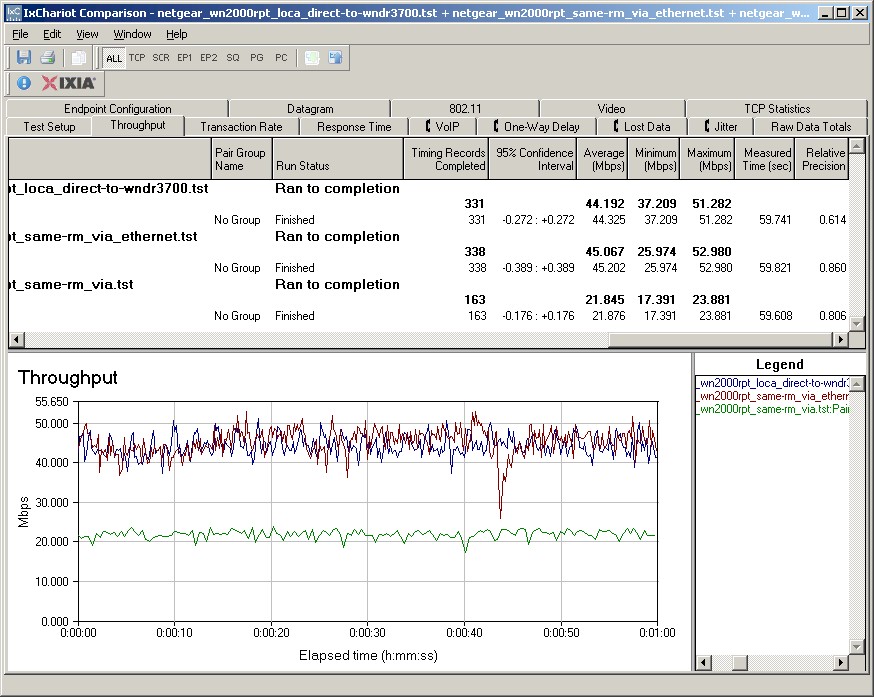
Figure 7: Baseline performance measurements
I then moved the Extender to an upstairs hallway location, about halfway between the WNDR3700 and my dead-zone kitchen test location E. Figure 8 shows the approximate locations of the WNDR3700 (Lower Level) and WN2000RPT (Upper Level).
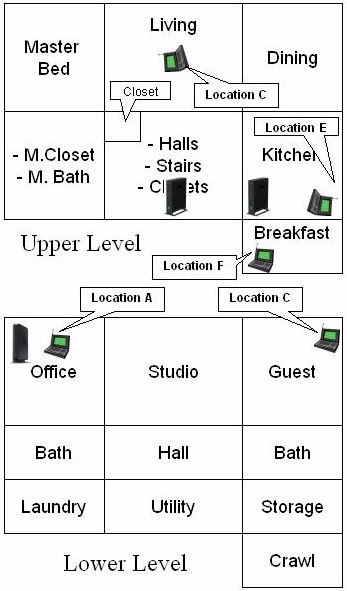
Figure 8:WN2000RPT test locations
Figure 9 shows four tests. The top trace is throughput of the test client connected to the WN2000RPT via Ethernet. This shows throughput available directly to Ethernet connected clients (i.e. bridge) or available to be repeated to wireless clients.
The next test listed is performance from wireless client through the WN2000RPT to the WNDR3700, i.e. repeated performance. Although maximum throughput recorded is 16 Mbps, something (I suspect rate hunting) caused pretty serious throughput variation. This knocked down average throughput over the 1 minute measurement period to 7 Mbps.
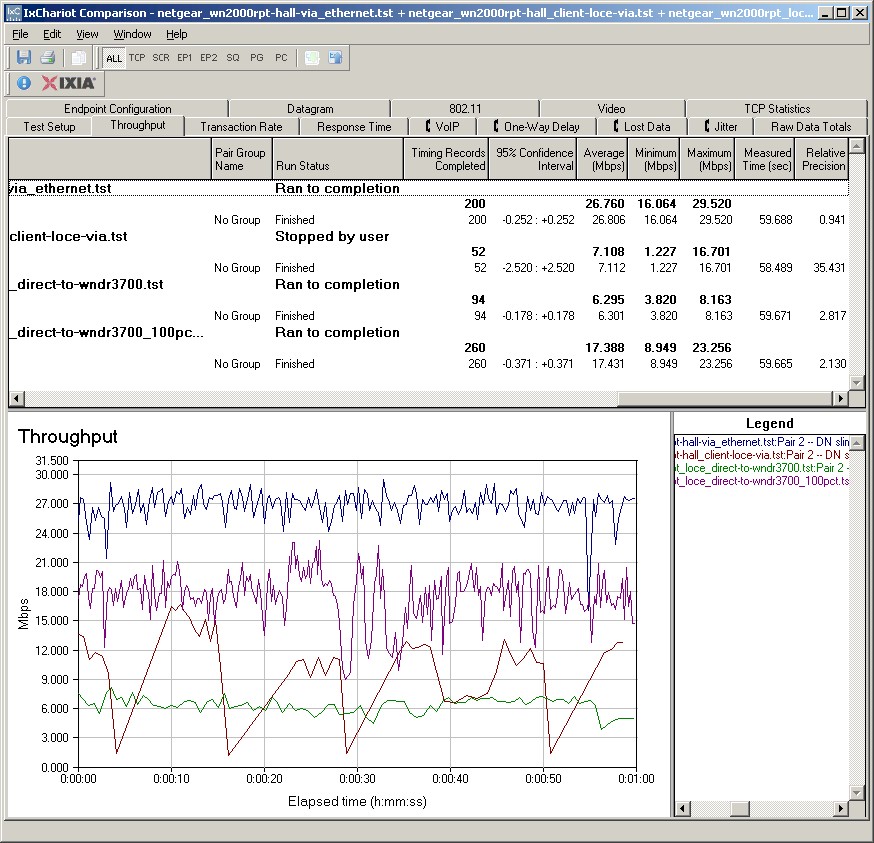
Figure 9: WN2000RPT performance – upstairs hall location
Next test shown is throughput with the client directly associated to the WNDR3700, i.e. without repeater. Throughput is steadier here and doesn’t have the higher peaks that the repeated test showed, but averages about 6 Mbps.
The last trace listed (and second highest plotted) is throughput with the wireless client again associated directly with the WNDR3700, but with the WNDR3700’s transmit power cranked back up to 100%. The 17 Mbps obtained via direct connection shows that, at least for this test location, there is no benefit in using the WN2000RPT. I’ll come back to this shortly.
The last test moved the WN2000RPT to the kitchen, which put another wall between it and the WNDR3700, but located only about 6 feet away from the test client. It shows the wisdom of NETGEAR’s put-it-halfway-between Extender location advice.
The first test with the client connected via Ethernet shows throughput drops from 27 Mbps with the Extender in the hallway to 6.5 Mbps with it moved only about 10 feet further away. In this case, those 10 feet put a lot more drywall and wood between the WN2000RPT and WNDR3700 when you look at the direct as-the-radio-waves-fly path, reducing signal strength and throughput accordingly.
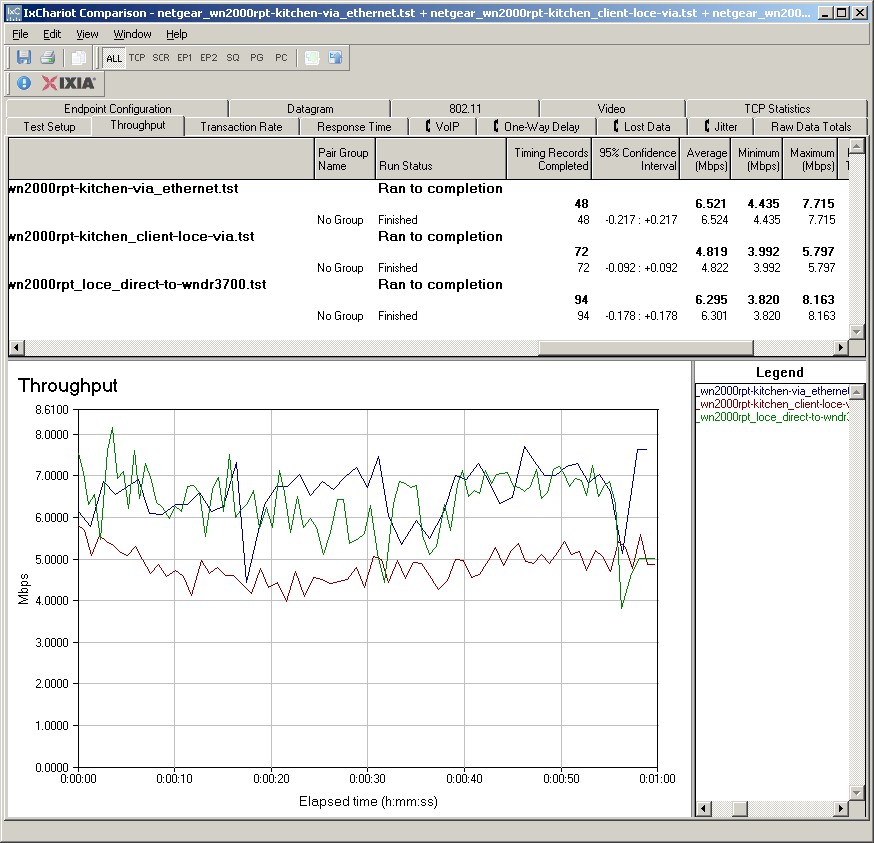
Figure 10: WN2000RPT performance – upstairs kitchen location
The next test shows repeated performance, which at about 5 Mbps includes the repeater throughput "tax". Finally, I again included the non-repeated wireless test to show that, again, the WN2000RPT isn’t really helping improve performance.
Closing Thoughts
As repeaters go, the WN2000RPT is a pretty nice product. The built-in setup wizard and front panel indicators make it simpler to set up than any other "wireless extender" that I’ve seen. And once set up, connection to both wireless router and clients were reliable. So if you’re looking for a wireless extender to try, I’d give the WN2000RPT a shot.
But, once again, we see that wireless extenders aren’t a sure-fire cure for what ails your wireless network. Since you start out with an automatic 50% throughput reduction, you really face a case of diminishing returns. Put the repeater close to your AP to give it highest throughput, and you probably won’t see much range extension. Or the extension you see will have very low throughput. Put the repeater too far away, and its received throughput will be so low, that 50% of it may be, once again, too low for your needs.
If what you’re looking for is increased range and you aren’t too fussy about throughput, then wireless repeaters could be for you. But if you’re hoping to improve low throughput for more reliable video streaming, you will probably be disappointed.