

Introduction
| At a Glance | |
|---|---|
| Product | Linksys 8-port 10/100/1000 Gigabit Smart Switch (SLM2008) |
| Summary | Full-featured 8-port gigabit smart switch for around $100 |
| Pros | • Two 802.3ad Link Aggregated Groups (LAG) • 802.1x/RADIUS authentication • Spanning Tree support • No fan • Jumbo Frame support |
| Cons | • No Online Help • No quick start guide • No support for SNMP/RMON/Logging |
Earlier this year, we did a roundup of gigabit “Smart Switches” priced at under $250.00. That review included the D-Link DGS-1216T, NETGEAR GS716T, and Trendnet TEG-160WS, each with 16 gigabit Ethernet ports. Unfortunately, at that time, Linksys did not have a “smart switch,” so we elected to include the SRW2008 fully managed 8-port switch in our roundup.
Times have changed, and Linksys has introduced a “Business Series” of Smart Switches. While the new line of switches still doesn’t include a 16-port model, it does include 5, 8, 24 and 48-port models. For this review, I selected the SLM2008 8-port 10/100/1000 Smart Switch, which has online delivered pricing hovering just above $100.
Product Tour
According to Linksys, the “LM” in the SLM product name stands for “lightly managed.” However, this is a Cisco product, so their “lightly managed” easily goes toe-to-toe with the best of the other smart switches in our earlier roundup.
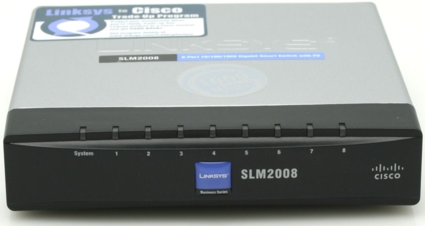
The first thing that differentiates the SLM2008 from all of the other products in our roundup is its form factor. Measuring 5 1/8″ X 1 1/8″ X 5 1/8″ (130mm X 28.5mm X 130mm), the SLM2008 is easily the smallest smart switch we’ve looked at. Unlike the previously reviewed switches, the SLM2008 does not include rack mounting brackets. It’s intended for small workgroups, or possibly conference rooms, rather than a data center. Thus, it has a security lock slot on the left side (looking at the front panel) for securing it with a standard cable lock.
The front panel is quite simple and contains nine single-color green LEDs. The eight LEDs for the individual ports indicate link and activity. The ninth LED is a power indicator. This indicator configuration is by far the simplest, not to mention, the least informative, of any of the switches reviewed. Other switches had various means of showing link speed, link/activity, and, in some cases full/half duplex links, by using multiple LEDs per port. Arguably, however, in a workgroup environment, often you only need to see if the port is connected. All of the other link status/speed/duplex information is available in the web-based user interface.
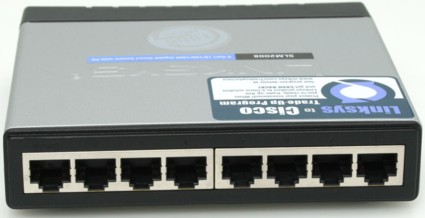
Figure 1: Rear Panel of the SLM2008
Unlike its fully managed cousin, the SRW2008, the Ethernet ports are on the rear of the SLM2008. The port numbers are molded into the plastic and are numbered 1 to 8 from left to right. Since the corresponding port LEDs on the front panel are also numbered left to right, the cable directly “behind” the LED for Port 1 is actually connected to Port 8.
Linksys included an interesting and potentially very useful feature on the SLM2008. The switch can be powered by either the included “wall wart” transformer, or via Power over Ethernet on Port 1. If, for example, you wanted to mount the switch in a ceiling panel, it could be powered by connecting Port 1 to another switch that supplies power according to the IEEE 802.3af standard. You wouldn’t need to run an electrical circuit into the ceiling, potentially saving you much more than the cost of the switch itself.
Inside Details
Since the case is somewhat difficult to open, and I expected to find a heatsink-covered device inside, I opted to ask Linksys to share some construction details. They told me that the switch uses a Vitesse chipset and has 2 MB of flash and only 256 KB of RAM. With a power consumption of only 6 Watts, there is no need for an internal fan.
Setup and Configuration
Like the SRW2008, the SLM2008 lacks either a printed quick start guide or a discovery utility. All of the configuration information is included on the supplied CD. According to the manual, the switch has a default IP address of 192.168.1.254. The guide does not provide instructions for changing your computer’s IP addressing scheme to a 192.168.1.0/24 network to perform initial configuration. However, if you know enough to buy a “smart” switch, you will probably know how to do that!
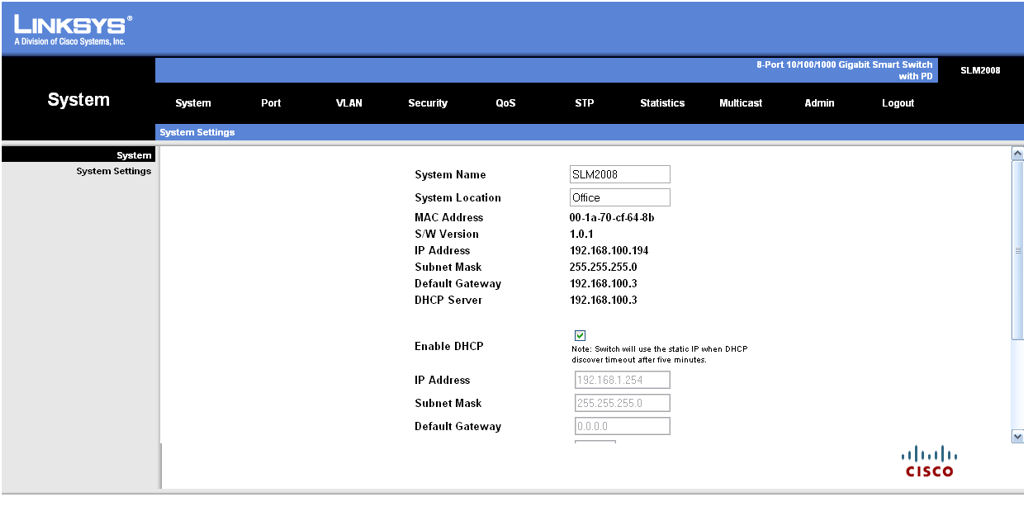
Figure 2: Home Page of the SLM2008
Once you log into the browser-based management console, you’ll find that the user interface is quite similar to other Linksys products, with ten menu tabs arranged horizontally across the top. I did find it annoying that on many pages, I had to scroll down in order to find the “save changes” icon at the bottom of the screen. The fixed window size seemed arbitrary, considering that I had additional screen real estate available that could have easily accommodated all of the fields on the Linksys page.
Figure 3 shows the corresponding home page for the SRW2008 managed switch. Though the SLM2008 was introduced after the SRW2008, a comparison between the home pages indicates that the SLM’s UI is a step backwards.
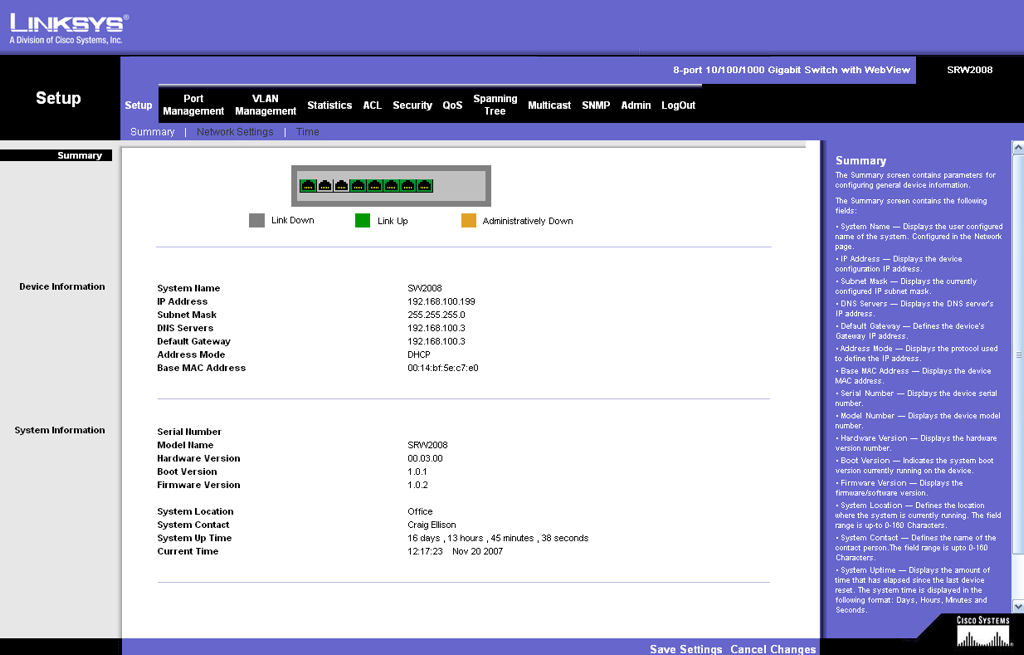
Figure 3: Home page for the SRW2008 managed switch
My chief complaint about the UI on the SLM2008 is the lack of online help. On the SRW2008, each screen features online help in a scroll window along the right-hand side of the screen. While similar descriptions of functions appear in the user guide for the SLM2008, people often lose CDs. In addition, context-sensitive help speeds configuration. For a product aimed at less technical consumers, the exclusion of help in the UI seems like a real oversight.
My complaint about the UI aside, the SLM2008 is a very capable switch. It includes many of the features of the fully managed SRW2008, but in most cases, there are fewer configuration options. It’s fair to say that the SLM2008 is a subset of its fully managed sibling.
Under the Port menu, you find that the SLM2008 supports static link aggregation. It supports two LAGs (link aggregation groups), and each LAG can contain up to eight ports.
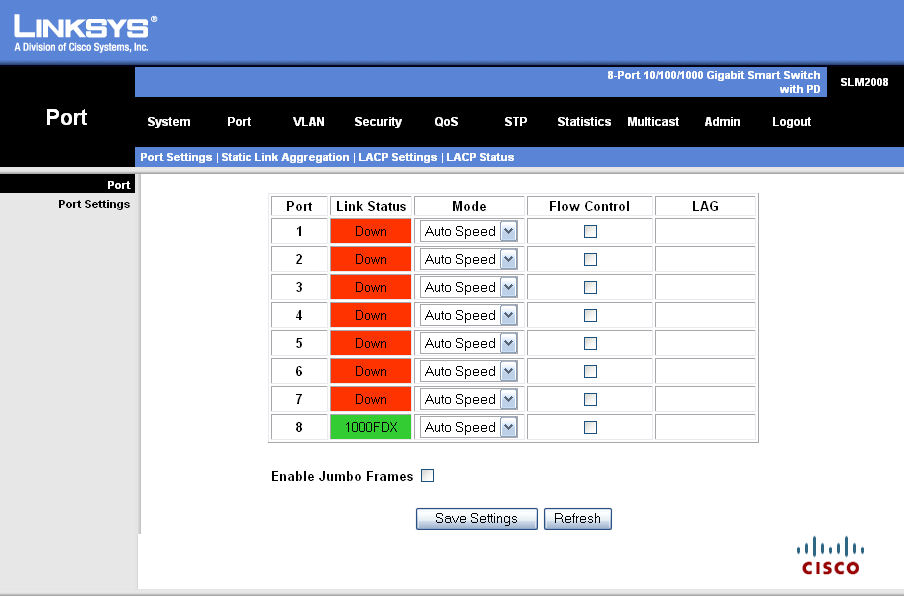
Figure 4: SLM2008 Port Menu
The VLAN menu lets you create multiple VLANs. Each port can be assigned to a VLAN. You can enable the ingress filter and set acceptable frame type to either ALL or Tagged Only. Of course, the fully managed SRW2008 gives you many more configuration options, including GVRP (Group VLAN Registration Protocol), which allows for automatic distribution of VLAN membership information among VLAN-aware bridges.
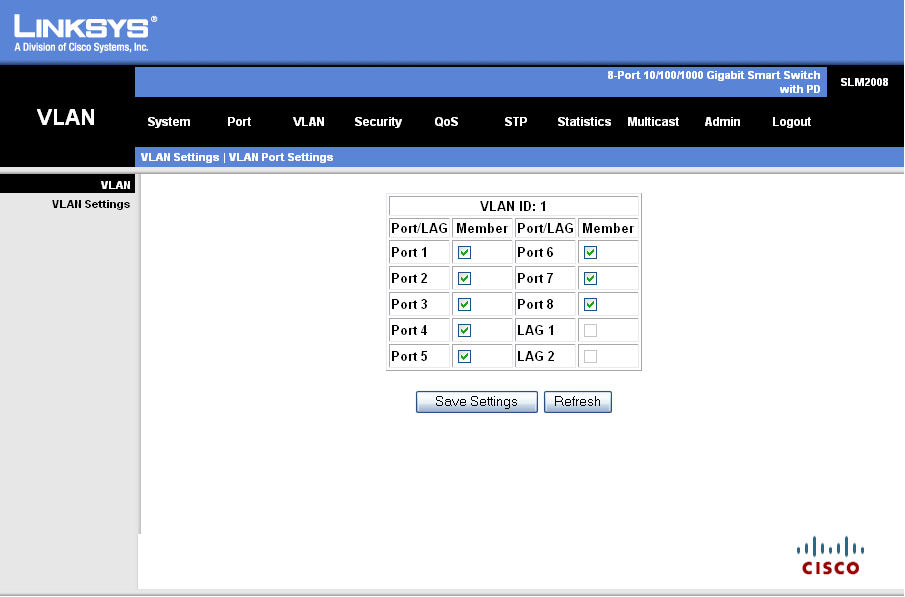
Figure 5: SLM2008 VLAN Menu
Setup and Configuration – more
Like both the D-Link and the Linksys managed switches, the SLM2008 supports 802.1x security. When enabled, clients have to authenticate to an external RADIUS server in order to be granted access to the network. The SLM2008 also supports Static MAC addresses. If enabled, only MAC addresses associated with specific ports will be allowed access to the network. These are some of the features that distinguish the SLM2008 from the Dell 2708 8-port smart switch.
The SLM2008 does support QoS (Quality of Service), but the configuration options are limited. You have a choice of Port based, 802.1p, or DSCP (Differentiated Services Code Point). For both port based and 802.1p, you can assign either the port or 802.1p value to one of four QoS queues. For DSCP mode, you can map an individual value to the high, medium and normal queues. All other DSCP values are automatically assigned low priority.
For queue modes, the SLM supports Strict priority or WWR (weighted round robin) with your choice of eleven WWR weighting rations. Though this is a fair amount of control, the SRW2008 provides even more control with bandwidth shaping, choice of trust mode, individual DSCP value mapping to queues, and mapping Class of Service (COS) to queues.
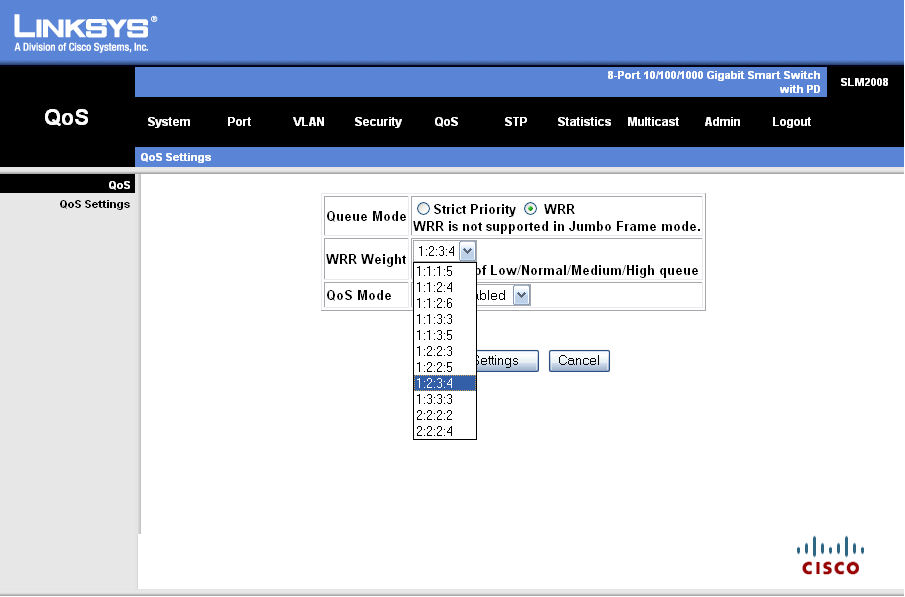
Figure 6: QoS WRR setting
Another feature that differentiates the SLM2008 from the Dell 2708 is support for Spanning Tree. Though the configuration options are very limited compared to the SRW2008, you can define path cost (auto default), system priority, Hello time, Max Age and Forward Delay.
One of the surprising omissions on the SLM2008 is the lack of support for SNMP (any version), RMON, or any logging. There are basic per port statistics for frames/bytes sent and received, TX/RX errors and TX/RX broadcasts, as well as IGMP status, but that’s about it.
I find it quite curious that the switch would support enterprise features like 802.1x, Spanning Tree, and QoS, but fail to include SNMP support. While in many SOHO environments lack of SNMP support would not be a liability, larger organizations with fully managed networks would likely reject the SLM2008 as a workgroup switch in favor of a switch with the capabilities of the SRW2008.
Performance
Tim used the SLM2008 for his investigation into the effect of flow control in mixed gigabit / 100 Mbps LANs (When Flow Control is not a Good Thing) and found its performance to be the same as any other gigabit switch. Once again, these are devices that you buy based on supported features and not performance differences.
Final Thoughts
Linksys’ marketing says that their smart switches offer entry-level management without the cost and complexity of a full Layer 2 managed switch. I have to agree—at its price point, it offers many more features than even the Dell 2708, yet is still fairly easy to configure. An online help system such as is found in its fully managed SRW2008 sibling would be a welcome upgrade, as would support for SNMP. However, if you need an 8-port gigabit smart switch, the SLM2008 is a great choice.