

Introduction
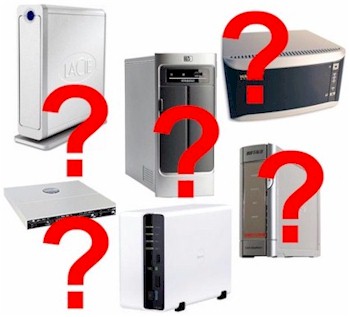
It used to be that when you ran out of space on your computer’s hard drive, you just added another internal drive. But then along came faster USB 2.0 and Firewire / 1394 interfaces and an array of external direct-attached storage products to plug into them. And these solutions worked fine if you were the only person needing access to the files.
But today, almost no computer is an island and is usually connected to a LAN of one or more machines. And while you can share those files with others by using your OS’ file sharing features, there is a better way—Network Attached Storage or NAS.
There are many choices in the NAS product space today and it’s easy to buy something that doesn’t meet your needs. The focus of this article will be to guide you in choosing the right NAS for you.
Define your Needs
My first response when someone asks me to recommend a networking product is to ask: "What do you want it to do?". This can be frustrating to those who just want to be told what to buy. But not as frustrating as when they later find themselves unhappy with the recommendation because it didn’t have a particular function that they just had to have.
The "What do you want it to do?" question may seem obvious, but it’s one that is frequently skipped in favor of taking a friend’s recommendation, buying the #1 item off a "Best Product" list or even making an impulse buy from an attractive store display or in response to a rebate offer.
I recently spent a weekend with a group of friends that turned into a small network consulting marathon. One of them had the vague notion that he needed a "home server", but wasn’t sure what that meant or what to buy. So my first question was "What do you want this "home server" to do? He said:
- Store his 20 GB and growing digital photo collection that was currently filling up his Mac Powerbook drive
- Store his collection of MP3s
- Store his collection of 400+ DVDs, once he got them ripped into digital form
- Make all this content available anywhere in his home for playback
Another friend was consulting for a small real estate office, helping to set up a network for a dozen or so Realtors. He also was looking for a "server", so I asked him what he wanted it to do. His list was:
- Centralized file share for all the Realtors with access control
- Automated backup of client machines
- Automated backup / replication of the server file store
The two lists are very different, but both can be satisfied by a correctly-configured "server". But both lists can also be handled by currently-available NASes; which begs the question: "Server or NAS?"
Server or NAS?
![Servers come in many forms [Courtesy Noodlepie.com]](/wp-content/uploads/2007/07/banh-canh-serving.jpg "Servers come in many forms [Courtesy Noodlepie.com]")
As illustrated above, servers come in many shapes and forms. Your PC (or Mac or Linux machine) can be a server and, in fact, does just that when it is sharing files or a printer. So can a rackmount dual, quad or bazillion-core computer that is specifically dubbed a server. But servers can come in "appliance" form, too, with focused features and simplified interfaces. NASes fall into the latter group.
You might be getting the feeling that the definition of "servers" is pretty broad. Experience has shown that when there is something that is fuzzily defined, the marketeers will jump in to "help". Not too long ago, they tried to convince us that home "routers" and "gateways" and "firewalls" were different things. But they all performed the essential task of taking a single Internet connection and sharing it among multiple computers. And even though it drives networking pros crazy, most consumer networking product manufacturers have given up and called these products "routers".
NASes seem to have had it easy up until now, with manufacturers pretty much sticking to the "NAS" moniker. But Microsoft has decided it wants into this exploding market. So they spent a lot of money at CES this year and have partnered with HP to try to convince consumers that want they want is a Windows® Home Server. Here we go again…
The point of all this is that it doesn’t matter whether something is called a Home Server, NAS, Home Storage Server or even "Bob" (well, maybe that last one would matter). In the end, if it doesn’t do what you need it to do, and you’ve spent your hard-earned money on it, then it will be called something that we’re not supposed to print. So focus on the features of prospective products, not what they’re named.
The Basics
Before I get into the choices that you will need to make, let’s cover those that you won’t, by looking at the features common to all NASes:
File Sharing – All NASes provide the basic function of networked storage—just like your computer does when you enable file sharing. But NASes have their own little computers in them and so use much less power, take up much less space and generate much less heat.
TIP: A good rule of thumb is that a NAS uses about 15 – 20 W of power per drive. So a four-drive NAS will typically draw 60 – 80W in operation.
Ethernet Connection – All NASes also connect to a LAN via 10/100 Ethernet, with newer models also supporting gigabit Ethernet. But not all NASes with gigabit LANs support jumbo frames, probably because manufacturers don’t want to be hassled by the support calls that can be generated by mixing jumbo and non-jumbo frame clients.
NOTE: "Jumbo" frames are Ethernet frames larger than 1518 bytes. They can help speed up file transfers, if the processors in the NAS and your computer are fast enough. In order to use jumbo frames, every device involved in the transfer—your computer’s Ethernet interface, LAN switch and NAS Ethernet port—must all support them.
SMB / CIFS support – The lingua franca of networked filesystems is SMB / CIFS, which is supported by most modern OSes thanks to the work of the open source Samba project. This means that a NAS should work with Windows, Mac OS X, Linux, etc. Other networked file systems are sometimes also sometimes supported, which I’ll get to later.
Web browser – based administration – As with most consumer networking products, NASes are administrated through browser-based interfaces. The main gotcha is that products tend to come with Windows-only utilities that help you initially find the NAS and change its IP address to match your LAN.
So if you’re not running Windows, you may need to probe around a bit to find your NAS’ initial IP address. Fortunately, most NASes come set to automatically acquire their IP address settings via DHCP, which reduces the range of possible addresses that you’ll need to check. In most cases, you can log into your LAN’s router and find the NAS’ IP address in the DHCP client list.
Expansion via USB 2.0 – With few exceptions, all NASes have one or more USB 2.0 ports. Among other functions, these ports can be used to connect a USB hard drive, which can be used to back up the NAS internal drive or be shared on the network.
Decision #1: Capacity
The pivotal decision you’ll need to make is how much capacity you’re looking for. This decision isn’t just a question of how much money you want to spend. It also will determine whether you’ll be looking for a RAID-capable NAS (I’ll get to RAID shortly). But this decision is complicated by the fact that the decision points continue to move.
Until recently, 500 GB was the crossover point between single and multiple-drive NASes. If you were looking for more capacity than that, you needed to move to a RAID NAS. But 750 GB drives are now here and available in the single-drive Buffalo LinkStation Live (HS-DH750GL) and Pro (LS750GL) models. The Hitachi Deskstar 7K1000 is the first 1 TB (!) hard drive, and Samsung and Seagate have also announced Terabyte drives. But none have made it into NASes yet.
So, aside from the Buffalo products, if you’re looking for more than 500 GB of storage, you’ll need to look at RAID NASes, which opens up a different set of decisions you’ll need to make.
But even if you opt for a RAID NAS, note that currently (summer 2007) many are limited to 2 TB of storage. However, some manufacturers have released firmware updates to raise the storage limit to 3 and even 4 TB. So check specs carefully before you buy.
The external drive must also often frequently be formatted with FAT32 to even be recognized and some NASes won’t recognize multiple partitions on the USB drive.
Decision #2: Features
With the "how big?" decision made, you now can narrow your choices by looking for features to support the functions you desire. There are many ways to come at this, but I group desired functions into five categories: Backup; Media Serving; Access Control; Network Filesystems; and Other Services.
Backup
There are actually two kinds of backup to consider in your prospective NAS: network client backup and backup of the NAS itself.
Backing up network clients is usually handled by a software utility bundled with the NAS that needs to be installed on each client that you want to back up. Examples of this are the Memeo backup bundled with Buffalo NASes and EMC’s Retrospect Express that comes with some Iomega products such as the StorCenter Pro 150d.
Infrant also bundles Retrospect Express with its NV+ desktop and 1100 rackmount NASes [reviewed here]. And in a pleasant departure from the norm, i.e. Windows-only bundled applications, both products include 5 licenses for both Windows and Mac OS clients. All of Infrant’s ReadyNAS line also have a built-in backup function that can backup any network share. So this function can be used to backup client files without running an application in the client!
Sometimes the bundled backup program is a limited-time or otherwise crippled demo version. And sometimes, as with the Retrospect Express case mentioned above, you get a limited number of client licenses. So I don’t recommend making a NAS decision based on the bundled backup solution unless you’re already familiar with the application and know that it will meet your backup needs.
The second backup function—NAS backup—is easily overlooked, but probably more important than the first. NASes provide a handy and jumbo-sized place to stash all the pieces of your digital life; all of which could be gone in a matter of seconds without a proper backup. And as the commenters in my Smart SOHOs Don’t Do RAID article pointed out, the extra data security provided by RAID is not a substitite for backup.
I recommend buying only NASes that have built-in capability to do scheduled backups, preferably to both local, USB-attached drives and networked shares. And whether you do your backup to a USB or networked drive, set up the backup feature when you install your NAS, and monitor / test it at least once a week to ensure that backups are being done properly.
Media Serving
If you want to use your NAS with a networked media player such as the Netgear EVA8000, D-Link DSM-510 or many others, look for products that include a UPnP AV compliant media server. Note that having a UPnP or any other media server isn’t necessary if you’re using a computer as your media player, or if you copy files to your computer or other device to play them. But networked media players rely on media servers such as UPnP AV to both find and play media.
Some NASes are starting to include iTunes servers that will allow machines running iTunes to find and play iTunes content. You’ll also find some products advertising DLNA or Viiv certification or compliance, neither of which matter as much as UPnP AV.
Access Control
You’ll probably want some ability to control access to certain NAS folders, which is where Access Controls come in. Almost all NASes provide the ability to create user accounts and set user-level access permissions. It’s also increasingly common to also find group-level permissions supported, although they are not as much a given as user-level.
If you plan to use your NAS in a large-network environment, you may be interested in having the NAS get its user and group permission information from NT or Active Directory (AD) servers. This is not universally supported and some manufacturers, such as Buffalo, have split their product lines into models with and without AD / NT support.
Network Filesystems
As mentioned earlier, all NASes support SMB/CIFS, which means that virtually any modern operating system will be able to access its shares. But if you’re running a Mac OS shop, you might prefer using AFP (Apple Filing Protocol) or even NFS (Network File System) instead. You’ll have more luck finding products that support AFP than NFS. And sometimes when NFS is supported, the implementation is essentially unusable, as it is on the Hammer myshare, because the full path to the share is undocumented.
Other Services
In an effort to pull you in their direction, manufacturers often pack other features into their NASes, mostly in the form of additional services. This is relatively easy to do, since most NASes are based on Linux and there are plenty of handy open source modules that can be added relatively easily.
The most common "other" service you’ll find is FTP, which provides another way to get files into and out of the NAS. Implementation, however, is a mixed bag, with some products providing only anonymous FTP.
Print servers for USB printers are next most common, but primarily support printing from Windows machines. You might have luck getting printing from Mac OS X clients to work, if you have a Postscript printer and suitable PPD file.
Most of the print server implementations are "black boxes" with only the ability to enable or disable the feature. Some give you the ability to kill the entire print queue, but none that I’ve seen allow you to monitor the print queue or kill individual jobs. My advice is not to buy any NAS based on its print serving feature. Think of it more like an unexpected gift if it works!
Web (HTTP) servers are another common feature, with various implementations. For example, Infrant‘s ReadyNASes allow stored files to be accessed via a web browser. This can be a handy way to make files available remotely or to devices that don’t support SMB/CIFS browsing. Some NASes even support HTTPS, which is probably more important for secure, remote administration than local file access.
Synology, on the other hand, has taken a more aggressive approach, including both a PHP interpreter and MySQL database in their HTTP servers. This allows you to use their NASes as full-blown web servers supporting dynamic web applications.
One last feature worth mentioning is download clients. This is the ability to queue up a list of Torrents, FTP and/or HTTP files and then have the NAS automatically download them to a selected share, without requiring an external computer. Synology and Thecus lead the way in introducing this feature, which is now seems to be moving into the mainstream.
RAID
So you’ve decided on how much space you need and the features you want. Now you should decide whether to put RAID capability on your NAS shopping list.
RAID (Redundant Array of Independent/Inexpensive Disks) NASes use multiple hard drives to provide high capacity, high availability or both. RAID also can be used to improve throughput, but this is generally not an effect found in consumer / "prosumer" RAID NASes.
RAID NASes primarily come in two or four drive flavors, although some five drive products, such as the Thecus N5200 can be found. Two-drive NASes support RAID 1 for reliability and either JBOD / Span or RAID 0 for higher capacity.
But you don’t get both higher capacity and higher reliability with only two drives. RAID 1 uses the second drive to duplicate the other, so if one drive fails, you keep on running and your data is safe. JBOD / Span / RAID 0 adds the capacity of both drives together so that you see just one larger drive. But if one of the drives fails, you’re dead in the water along with all of your data.
Four (and five) drive NASes support the same modes as two-drive models, with the addition of RAID 5. This mode both combines the drives into a larger virtual drive and can tolerate a single drive failure and keep on running. This sounds like a great deal until you realize that RAID 5 eats one drive’s worth of capacity for parity data. So those "1 TB" RAID 5 products you see advertised actually provide somewhere between 650 and 700 GB of usable space when in RAID 5 mode.
Some of the newer four drive products support additional modes such as RAID 10 and RAID 5 plus spare. But both these modes reduce available capacity even further, effectively cutting it in half. So a "1 TB" NAS running RAID 10 or RAID 5 plus spare will have less than 500 GB of usable space.
If your capacity needs don’t require you to move to RAID, you might still consider it for availability / reliability reasons. All RAID modes (except for 0) can tolerate a single disk failure and continue to run. RAID 6 can even support two drive failures.
NAS Types
With your functional feature list done, you still might have to make a final set of choices—diskful or BYOD. I say "might" because, depending on your functional choices, you might not find products in both flavors.
Diskful NASes come ready to go with drives installed. The main downside is that when the internal hard drive dies, replacement is usually an expensive factory-only option. You also don’t get to choose the drive used, but as we found in Does Drive Performance Matter in your NAS?, hard drive performance isn’t a major determinant of NAS performance.
Current-generation NASes have generally moved from ATA/IDE to 7200 RPM SATA drives and faster application-specific processors such as the Marvell Orion. If performance is a key consideration (and when isn’t it), you’d do well to look for products that include both these components, such as D-Link’s DNS-323, among others.
Bring Your Own Drive (BYOD) products can be a good way to save money by reusing a drive left over from upgrading a PC’s internal storage. They also have the advantage over diskful models of easy drive replacement since they must have the ability to format and install whatever files are needed on any raw drive.
The real benefit of BYOD is with multi-drive models, because you can start with, say a two-drive RAID 1 configuration and later migrate to four-drive RAID 5. Infrant’s X-RAID, which is used in all of its products, is probably the easiest to use "expandable RAID" technology.
Performance
Of course, you could always throw my suggested selection process out the window and make your selection based on performance first, with the other factors as secondary considerations.
The key performance criteria for NASes are read and write throughput. Other specifications that you might focus on for selecting a naked hard drive such as access time, seek time, etc. are generally masked by the overhead of moving data across a network. Factors that do affect throughput include network connection speed, file size and file record size.
You can’t do much about record size, which is controlled by your computer’s OS. But if you’re transferring lots of big files, make sure you get a NAS that has a gigabit Ethernet port. Previous generation NASes with gigabit Ethernet ports sometimes didn’t have processing power that could take advantage of a faster network connection. But our tests show that all current-generation products can transfer files faster over a gigabit connection.
Other factors that affect NAS performance are your computer’s operating system and RAM size. Today’s OSes try to use RAM caching (reading and writing to system memory instead of disk storage) as much as possible to avoid performance slowdowns. The more RAM you have and the smaller the file size(s) that you’re dealing with, the more likely that the OS will be able to find what it needs in speedy memory instead of having to go out to (much) slower disk.
Closing Thoughts
No matter which selection method you use, you’ll find our NAS Charts to be an invaluable aid in your search. And we’ve recently added search filters to them to help you more quickly find products with the features you want. And, of course, our in-depth product reviews are also a great source to tap. So go forth, and get the perfect NAS for you!